Robot kits for STEM education range from snap-together solar toys to programmable cars with real coding languages, and the right choice depends almost entirely on the learner’s age and how deep you want to go into engineering concepts. Makeblock mBot stands out as my best overall pick because it bridges block-based coding and hardware in a way that grows with a child from age 8 through middle school. For classroom groups and tight budgets, the BeAndge 4-Pack Doodling Robot Kit and Tsomtto 6-in-1 Kit deliver hands-on STEM at a fraction of the cost, while the ELEGOO UNO R3 Smart Robot Car Kit V4 is the strongest option for teens ready for Arduino and real electronics work. The main tradeoff in this category is replayability versus simplicity — multi-model solar kits offer variety but no programming, whereas coding robots teach more but cost more and demand screen time. Below is my full breakdown of all 15 kits, sorted by how well each one teaches genuine STEM skills rather than just entertaining.

Prime made for students and young adults
- Fast, free delivery for dorm and study essentials
- Prime Video and Amazon Music included
- Member-only deals
Key Takeaways
- Programmable kits (Makeblock mBot, ELEGOO UNO R3) teach far more durable STEM skills than the solar and multi-model kits, but they require screen time and adult setup — a tradeoff several cheaper kits avoid entirely.
- Three nearly identical 12-in-1 and 13-in-1 solar robot kits (Sillbird x2, Bottleboom x2) appeared in this comparison; the differences come down to part count and age labeling, not learning value, so buyers should pick on price and manual quality rather than model count.
- Hydraulic and pneumatic kits (TEACH TECH Hydrobot Arm, Thames & Kosmos Mega Cyborg Hand) teach mechanical engineering principles no electronic kit covers, making them the best picks for kids who learn through physics rather than code.
- Multi-pack kits like the BeAndge 4-Pack Doodling Robots are the only sensible choice for classrooms or siblings — single-robot kits create bottlenecks when two kids want to build at once.
- The 120-in-1 and 600+ piece kits (SMILESSKIDDO, IITS UCMAKEGO) trade guided learning for sheer volume; they suit patient tinkerers but frustrate younger builders who need a clear, finishable project.
| Tsomtto 6-in-1 Robotics STEM Kit for Kids |  | Best Variety Pack for Young Builders | Brand: Tsomtto | Set Name: 6-in-1 Robotics STEM Set | Number of Projects: 6 | VIEW LATEST PRICE | See Our Full Breakdown |
| BeAndge 6-in-1 STEM Robotics Kit for Kids Age 8-12 |  | Best Value Science-Fair Starter | Recommended Age: 8-12 years | Number of Projects: 6 | Included Projects: Reptile robot, balance car, bubble machine, fiber lamp, buzzer wire game | VIEW LATEST PRICE | See Our Full Breakdown |
| Thames & Kosmos Mega Cyborg Hand STEM Experiment Kit |  | Best for Learning Real Robotics Engineering | Power Source: Air pressure and hydraulics (no batteries or motors) | Configurations: Right hand, left hand, claw-like | Adjustability: Fits virtually any human hand | VIEW LATEST PRICE | See Our Full Breakdown |
| Bottleboom 13-in-1 Solar Power Robot Kit |  | Best for Renewable Energy Learning | Brand: Bottleboom | Model: 2115A | Number of Robot Builds: 13 | VIEW LATEST PRICE | See Our Full Breakdown |
| IITS UCMAKEGO STEM Robot Building Kit with Remote Control |  | Best Introduction to Coding Robotics | Brand: IITS UCMAKEGO | Model Name: WLWJ-001 | Number of Pieces: 600+ | VIEW LATEST PRICE | See Our Full Breakdown |
| SMILESSKIDDO 120-in-1 Science Robot Kit STEM Learning & Education Toy |  | Best Longevity Pick | Number of Models: 120+ buildable designs | Pieces: 438 building parts | Materials: ABS plastic | VIEW LATEST PRICE | See Our Full Breakdown |
| Sillbird STEM 5-in-1 Robot Building Kit with Remote Control |  | Best Remote-Control Starter | Pieces: 488 | Build Models: 5-in-1 (robot, dinosaur, car, tank, and more) | Control Modes: Bluetooth app and remote control | VIEW LATEST PRICE | See Our Full Breakdown |
| Sillbird STEM Solar Robot Building Kit, 12-in-1 Educational Science Set for Kids Ages 8-12 |  | Best for Renewable Energy Lessons | Brand: Sillbird | Model Number: CA-R220 | Pieces: 190 | VIEW LATEST PRICE | See Our Full Breakdown |
| ELEGOO UNO R3 Smart Robot Car Kit V4 with Camera |  | Best for Real Coding and Electronics | Controller Board: ELEGOO UNO R3 (Arduino-compatible) | Camera / Wi-Fi Module: ESP32-WROVER-based | Sensors: Line-tracking, ultrasonic | VIEW LATEST PRICE | See Our Full Breakdown |
| DIY Robotic Arm STEM Building Kit for Kids and Teens |  | Best for Circuits and Engineering Deeper Dive | Recommended Age: 8-14 years and up | Materials: Wood, motors, PCB microcontroller boards, wires | Assembly: No soldering required, all accessories included | VIEW LATEST PRICE | See Our Full Breakdown |
| Makeblock mBot STEM Coding Robot Kit for Kids Ages 8-12 |  | Best Coding Platform | Brand: Makeblock | Model Number: 90053 | Recommended Age: 8 years and up | VIEW LATEST PRICE | See Our Full Breakdown |
| BeAndge 4-Pack Doodling Robot STEM Kit for Kids |  | Best for Classrooms and Groups | Brand: BeAndge | Model Number: BA1023 | Number of Kits: 4 | VIEW LATEST PRICE | See Our Full Breakdown |
| Bottleboom 13-in-1 Solar Power Robot Kit |  | Best Build Variety | Brand: Bottleboom | Model Number: 2115A | Number of Robot Builds: 13 | VIEW LATEST PRICE | See Our Full Breakdown |
| TEACH TECH Hydrobot Arm STEM Hydraulic Robotics Kit |  | Best Engineering Deep-Dive for Teens | Recommended Age: 12+ years | Power Source: Water (hydraulics), no batteries required | Axes of Movement: 6 | VIEW LATEST PRICE | See Our Full Breakdown |
| Sillbird 12-in-1 Solar Robot Building Kit |  | Best Screen-Free Learning | Brand: Sillbird | Model Number: US-SB-SolarRobot | Piece Count: 190 parts | VIEW LATEST PRICE | See Our Full Breakdown |
| robot kits for STEM education | Recommended Age | Brand |
|---|---|---|
| Tsomtto 6-in-1 Robotics STEM K | 8-12 years | Tsomtto |
| BeAndge 6-in-1 STEM Robotics K | 8-12 years | — |
| Thames & Kosmos Mega Cyborg Ha | — | — |
| Bottleboom 13-in-1 Solar Power | 8-15 years | Bottleboom |
| IITS UCMAKEGO STEM Robot Build | 8-16 years | IITS UCMAKEGO |
| SMILESSKIDDO 120-in-1 Science | 6-12 years (listed 5+) | — |
| Sillbird STEM 5-in-1 Robot Bui | 8-13 years | — |
| Sillbird STEM Solar Robot Buil | 8-12 years | Sillbird |
| ELEGOO UNO R3 Smart Robot Car | 12 years and up | — |
| DIY Robotic Arm STEM Building | 8-14 years and up | — |
| Makeblock mBot STEM Coding Rob | 8 years and up | Makeblock |
| BeAndge 4-Pack Doodling Robot | 8 years and up | BeAndge |
| Bottleboom 13-in-1 Solar Power | 8-15 years | Bottleboom |
| TEACH TECH Hydrobot Arm STEM H | 12+ years | — |
| Sillbird 12-in-1 Solar Robot B | 10 years and up (listed for ages 8-13) | Sillbird |
More Details on Our Top Picks
Tsomtto 6-in-1 Robotics STEM Kit for Kids
This kit stands out for its breadth of project types — a reptile robot, balance car, bubble machine, fiber lamp, and more — which keeps kids moving between mechanical, electrical, and purely creative builds rather than repeating one format. Compared with the BeAndge 6-in-1 kit, which overlaps heavily on project selection, Tsomtto earns its place through safer framing for a wider age band and a more polished gift-box presentation. The included screwdriver and step-by-step manuals mean a child can start building without any extra purchases, unlike the BeAndge, which requires you to supply batteries and bubble solution. The tradeoff is depth: these are afternoon projects, not weeks-long engineering challenges, so older kids who want coding or app control will outgrow it quickly.
Pros:- Six distinct project types keep engagement varied and encourage replay
- Everything needed for assembly is in the box, including a screwdriver
- Non-toxic materials and gift-box packaging make it a safe, ready-to-give present
- Balances mechanical, electrical, and creative learning across the builds
Cons:- Assembly may require adult assistance for younger children
- Small parts make it unsuitable for households with children under three
Best for: Parents of 8-12 year olds who want several low-cost, screen-free hands-on projects in one gift-ready package
Not ideal for: Families seeking programmable or app-driven robotics — there’s no coding element here
- Brand:Tsomtto
- Set Name:6-in-1 Robotics STEM Set
- Number of Projects:6
- Recommended Age:8-12 years
- Included Components:6 science experiment robot kits, screwdriver, instruction manuals
- Material Safety:Non-toxic, tested safe for play
- Skills Focus:Logic, construction, hand-eye coordination, problem solving
Our verdict“A strong pick if you want maximum project variety per dollar for a younger builder who learns best with their hands.”
BeAndge 6-in-1 STEM Robotics Kit for Kids Age 8-12
BeAndge covers nearly the same territory as the Tsomtto 6-in-1 kit — reptile robot, balance car, bubble machine, fiber lamp — but swaps one project for a buzzer wire game, which is a genuinely useful addition for a school science fair since it demonstrates circuits in a way classmates can interact with. The build quality and odorless materials are solid for the category, and the mini screwdriver plus illustrated instructions lower the barrier for first-time builders. Where it asks more of you: AA batteries and bubble solution aren’t included, so the true cost of six working projects is slightly higher than the box suggests. Compared with the Bottleboom solar kit, it works indoors regardless of weather, but offers no renewable-energy learning angle.
Pros:- Buzzer wire game adds a circuit-teaching project others in this price tier skip
- Works indoors without sunlight or charging, unlike solar-only kits
- Mini screwdriver and step-by-step instructions suit first-time builders
- Encourages family collaboration and hands-on physics learning
Cons:- Batteries and bubble solution sold separately, adding hidden cost
- Small parts require adult supervision for younger children
Best for: Elementary students who need an interactive, demonstration-friendly project for a science fair or class presentation
Not ideal for: Buyers wanting a fully complete out-of-the-box experience — you’ll need to add batteries and bubble solution before day one
- Recommended Age:8-12 years
- Number of Projects:6
- Included Projects:Reptile robot, balance car, bubble machine, fiber lamp, buzzer wire game
- Materials:Odorless, safe materials
- Tools Included:Mini screwdriver, instruction manuals
- Batteries Required:Yes (AA, not included)
- Additional Requirements:Bubble solution (not included)
Our verdict“The smart choice when a science-fair deadline is looming and you need a demonstrable circuits project that works anywhere.”
Thames & Kosmos Mega Cyborg Hand STEM Experiment Kit
Most kits in this roundup chase novelty; this one teaches the actual physics behind industrial robotics. Powered entirely by air pressure, water, and hydraulic pistons — no motors, no batteries — the wearable hand makes pneumatic and hydraulic principles tangible in a way the TEACH TECH Hydrobot Arm approaches from a benchtop angle, but with the added appeal of strapping the machine to your own arm. The three build configurations (right hand, left hand, claw) effectively give you three engineering problems in one kit, and the 2021 STEAM Toy of the Year award reflects genuinely thoughtful design. The honest limits: grip strength is capped by hydraulic force, so lifting anything heavy is off the table, and younger builders will likely need an adult during assembly of the piston system.
Pros:- Teaches pneumatics and hydraulics, the core of industrial robotics, with no batteries needed
- Three configurations and adjustable finger joints give real engineering flexibility
- Adjustable fit works for nearly any hand size, enabling shared family use
- Award-winning design with strong educational depth for the price
Cons:- Gripping strength limited to hydraulic force — very heavy objects can’t be lifted
- Assembly is challenging for younger children without adult help
Best for: Curious kids ages 9+ (and their parents) who want to understand how real robotic actuators work, not just drive a toy around
Not ideal for: Kids expecting fast, motorized play — the payoff here is educational, and the hand can’t lift heavy objects
- Power Source:Air pressure and hydraulics (no batteries or motors)
- Configurations:Right hand, left hand, claw-like
- Adjustability:Fits virtually any human hand
- Award:2021 Toy Association’s STEAM Toy of the Year Winner
- Educational Focus:Pneumatic and hydraulic systems, robotics
- Type:Wearable mechanical hand experiment kit
Our verdict“The deepest pure-engineering lesson in this lineup — buy it for a child who asks how things work, not just for one who wants a remote-control toy.”
Bottleboom 13-in-1 Solar Power Robot Kit
Where most kits here run on AA cells or USB charging, this one makes the sun part of the lesson. Thirteen land-and-water robot builds from a single solar engine teach renewable energy alongside mechanics — a curriculum angle nothing else in this roundup matches except the Sillbird 12-in-1 solar kit, which covers similar ground with one fewer build. The real tradeoff is physics: performance lives or dies by sunlight, so winter or indoor use means disappointment, and a robot that crawls weakly under a lamp can frustrate a kid expecting speed. Add that parts must be disassembled to build the next model — only one robot exists at a time — and this becomes a patience-teaching kit as much as a robotics one. For a classroom unit on clean energy, though, that constraint is the point.
Pros:- Thirteen robot builds deliver exceptional long-term replay value
- Solar power teaches renewable energy concepts with zero battery cost
- Non-toxic ABS construction with smooth, safe edges
- Land and water models add variety to the engineering challenges
Cons:- Requires strong direct sunlight, making indoor or cloudy-day use frustrating
- Only one robot can exist at a time — models must be disassembled to rebuild
- Complex small-part builds may frustrate children at the younger end of the range
Best for: Teachers and parents building a renewable-energy lesson around hands-on construction, especially with outdoor space available
Not ideal for: Households in low-sun climates or apartment dwellers — weak indoor light makes the robots barely move
- Brand:Bottleboom
- Model:2115A
- Number of Robot Builds:13
- Power Source:Solar engine (no batteries)
- Material:Non-toxic ABS plastic with smooth edges
- Recommended Age:8-15 years
- Educational Focus:STEM, renewable energy, mechanics
Our verdict“The go-to pick if your goal is teaching where energy comes from — just be sure your young engineer has sunshine to work with.”
IITS UCMAKEGO STEM Robot Building Kit with Remote Control
This is the kit that bridges toy robotics and real programming. With 600+ pieces, five rebuildable models, and both a 2.4 GHz remote and an app offering drive, path, gravity, and beginner coding modes, it sits closer to the Makeblock mBot in ambition than to the simpler Tsomtto or BeAndge sets, which stop at manual builds. The rechargeable battery’s 90-minute runtime and pre-sorted pieces show thoughtful design for longer sessions. But the coding modes are introductory — a child already comfortable with Scratch-style blocks will hit the ceiling and be ready for the mBot or an ELEGOO smart car within months. And the piece count cuts both ways: younger builders may need substantial adult help assembling a Mech Dinosaur, and app control assumes the family has a compatible device to spare.
Pros:- Dual control via remote and app with multiple modes including beginner coding
- Five rebuildable models spread 600+ pieces across many hours of construction
- Pre-sorted pieces and full-color instructions reduce build frustration
- Rechargeable battery delivers up to 90 minutes of continuous play
Cons:- 600+ piece assemblies may overwhelm builders at the younger end of the 8-16 range
- App control requires a compatible mobile device families may not want to hand over
- Coding modes are beginner-level and can be outgrown quickly
Best for: Kids ages 9-13 ready to graduate from static build kits to their first taste of app-based coding and driving
Not ideal for: Families avoiding screen time or without a spare compatible mobile device — half the features live in the app
- Brand:IITS UCMAKEGO
- Model Name:WLWJ-001
- Number of Pieces:600+
- Robot Configurations:5 models (Wall Robot, Explorer Robot, Mech Dinosaur, and more)
- Control:2.4 GHz remote control and mobile app with drive, path, gravity, and coding modes
- Battery:Built-in rechargeable, up to 90 minutes per charge
- Material:ABS plastic
- Recommended Age:8-16 years
Our verdict“The right first step into programmable robotics for a patient young builder — buy it for the coding modes, not just the remote control.”
SMILESSKIDDO 120-in-1 Science Robot Kit STEM Learning & Education Toy
Few kits in this roundup can match the sheer build volume here: 438 parts and more than 120 models means this set keeps going long after a 5-in-1 option like the Sillbird STEM 5-in-1 Robot Building Kit has run out of things to build. Difficulty ramps from simple to advanced, so the same box works for a six-year-old with help and a twelve-year-old solo. What makes this option stand out for STEM education is its mechanics-first curriculum — connecting rods, gear transmission, eccentric mechanisms, a hand crank generator — which teaches physics concepts the app-driven kits skip. The tradeoff is real: there is no motorized remote control or programming layer, so kids who want to drive and code their creations will find it static compared with the Sillbird or ELEGOO options. Think of it as a mechanical engineering foundation rather than a robotics starter.
Pros:- 120+ models across varying difficulty levels give exceptional long-term value
- Teaches genuine mechanical engineering concepts like gear transmission and crank generators
- Step-by-step manual plus QR-code video guides support independent building
- Smooth, durable ABS parts sized safely for younger builders
Cons:- No motors, remote control, or programming — all models are static or hand-cranked
- 438 loose pieces with no dedicated storage organizer, making cleanup and part-finding frustrating
Best for: Families with kids aged 6-12 who want a screen-free building set that stays engaging for years and grows with their child’s skill level
Not ideal for: Kids who want to drive, control, or program their robots — every model here is hand-powered, with no motors or app control
- Number of Models:120+ buildable designs
- Pieces:438 building parts
- Materials:ABS plastic
- Power Source:Hand crank / manual (no batteries)
- Recommended Age:6-12 years (listed 5+)
- Guides:Illustrated manual plus QR-code video tutorials
- Item Dimensions:13.39 x 9.25 x 2.76 inches
Our verdict“This is the pick for families who want maximum educational mileage from one box, provided motorized control and coding aren’t the goal.”
Sillbird STEM 5-in-1 Robot Building Kit with Remote Control
This kit occupies the sweet spot between pure building toys and true robotics. Five models — robot, dinosaur, car, tank, and more — give kids something to aim for, while dual control via Bluetooth app or 2.4G remote delivers the instant gratification the SMILESSKIDDO 120-in-1 kit lacks. The app goes beyond driving: programming, path-drawing, and movement modes plant the first seeds of computational thinking without requiring a laptop or Arduino IDE, which is exactly where the ELEGOO UNO R3 Smart Robot Car raises the barrier. Compared with the solar-powered Sillbird 12-in-1 kit, this one trades renewable-energy lessons for reliability — a rechargeable battery means play doesn’t stop when clouds roll in. The compromises: 488 pieces is a serious sorting and assembly commitment for the lower end of the 8-13 range, and 40 minutes of runtime per charge can end a play session abruptly.
Pros:- Five distinct models with varying difficulty keep the build phase interesting
- App offers programming, path, and movement modes that introduce coding logic
- Remote control works without a smart device, good for screen-limited homes
- Rechargeable battery avoids ongoing battery costs
Cons:- 40-minute playtime per charge is short for extended sessions
- 488 pieces can overwhelm younger builders without adult help
Best for: Kids aged 8-13 who have outgrown static building sets and want their first taste of app control and simple programming
Not ideal for: Households wanting uninterrupted long play sessions — the 40-minute battery cap and recharge downtime interrupt momentum
- Pieces:488
- Build Models:5-in-1 (robot, dinosaur, car, tank, and more)
- Control Modes:Bluetooth app and remote control
- Battery:Rechargeable
- Playtime:Up to 40 minutes per charge
- Recommended Age:8-13 years
Our verdict“The right first motorized robot for kids who want to build, drive, and dabble in coding in a single kit.”
Sillbird STEM Solar Robot Building Kit, 12-in-1 Educational Science Set for Kids Ages 8-12
Where the Sillbird 5-in-1 kit teaches control and coding, this one teaches where energy comes from. Its enhanced solar panel with expanded collecting area is the whole point: kids see their robot move in sunlight and stall in shade, which makes renewable energy tangible in a way no lecture can. Twelve builds across a difficulty curve stretch the 190 pieces further than you’d expect, though the smaller part count means each model is simpler than the chunky 488-piece builds of its remote-controlled sibling. The dependence on sun — or a strong flashlight held just so — is both the lesson and the limitation: there’s no battery fallback, so winter evenings and cloudy weekends limit play. Compared with the Bottleboom 13-in-1 Solar Robot Kit in this roundup, the concept is nearly identical, so buyers should weigh build variety and instruction quality rather than expecting a fundamentally different experience.
Pros:- 12 models progressing from simple to advanced suit a wide skill range
- Enhanced solar panel generates noticeably more power than standard panels
- Demonstrates renewable energy concepts directly and memorably
- Flashlight compatibility allows indoor demonstrations
Cons:- No battery option — robots only run under direct sunlight or a strong flashlight
- Advanced builds can frustrate younger kids without adult help
Best for: Kids aged 8-12 studying energy or sustainability at school, and parents who want a hands-on renewable energy demonstration
Not ideal for: Kids in low-sunlight climates or anyone expecting consistent indoor play — without sun or a strong flashlight, nothing moves
- Brand:Sillbird
- Model Number:CA-R220
- Pieces:190
- Build Options:12-in-1 (robot, car, boat, and more)
- Power Source:Solar panel (sunlight or flashlight)
- Recommended Age:8-12 years
- Educational Objective:Renewable energy, engineering, hand-eye coordination
Our verdict“A strong choice for teaching clean energy through play, as long as your family can actually supply the sunshine.”
ELEGOO UNO R3 Smart Robot Car Kit V4 with Camera
This is the only kit in this batch that teaches authentic programming and electronics rather than a toy abstraction of them. Built on an Arduino-compatible UNO R3 board, it exposes real wiring, real sensors, and real code — a genuinely different proposition from the app-driven Sillbird 5-in-1 kit, whose programming modes are canned. The payoff is big: FPV camera streaming through the ESP32-WROVER module, line tracking, ultrasonic obstacle avoidance, and an auto-follow mode feel like actual robotics, not a remote-control car with a robot skin. ELEGOO has clearly worked to lower the barrier — keyed connectors prevent wiring mistakes and the illustrated tutorial includes example code — but the floor is still high. First-time builders will need adult guidance, and anyone unwilling to open the Arduino IDE will stall quickly. Add a modest 6-month warranty, and this becomes a kit for committed learners rather than casual builders.
Pros:- Real Arduino-based programming teaches transferable coding and electronics skills
- FPV camera, line tracking, obstacle avoidance, and auto-follow modes feel like genuine robotics
- Keyed connectors and illustrated tutorial with example code reduce beginner errors
- Everything included: motors, sensors, camera, rechargeable 2000 mAh battery, IR remote
Cons:- Requires basic programming knowledge or a real willingness to learn the Arduino IDE
- Wiring and assembly can overwhelm first-time builders without adult help
- Only a 6-month manufacturer warranty
Best for: Teens and adults (12+) ready to learn Arduino coding and circuit wiring with a genuinely capable sensor-loaded robot car
- Controller Board:ELEGOO UNO R3 (Arduino-compatible)
- Camera / Wi-Fi Module:ESP32-WROVER-based
- Sensors:Line-tracking, ultrasonic
- Control Methods:ELEGOO mobile app, IR remote
- Battery:2000 mAh rechargeable lithium-ion
- Recommended Age:12 years and up
- Warranty:6 months
Our verdict“The clear choice for a 12-and-up learner who wants to graduate from toy robots to real coding and electronics.”
DIY Robotic Arm STEM Building Kit for Kids and Teens
Most kits in this roundup hide the electronics inside sealed modules; this one puts them on display. A wooden chassis meets motors, PCB microcontroller boards, and visible wiring, so kids learn how circuits translate into mechanical motion — a conceptual bridge between the snap-together style of the SMILESSKIDDO 120-in-1 kit and the full solder-level electronics of the ELEGOO UNO R3 car. The no-soldering design keeps it accessible for the 8-14 range, though the 3D-puzzle-style wooden assembly demands real patience and fine motor control. Compared with the TEACH TECH Hydrobot Arm elsewhere in this roundup, this version trades hydraulics for electrical engineering, which makes it the better fit for kids specifically curious about how electronics work. Two gripes: it eats six AA batteries that aren’t in the box, and there’s no app or remote-driven gameplay once the arm is built — the learning is the reward, not the play.
Pros:- Exposed motors, PCBs, and wiring teach real circuit-to-motion concepts
- No soldering required, keeping it safe and manageable for younger teens
- Wooden 3D-puzzle construction develops patience and fine motor skills
- All accessories included for a complete build-out-of-box experience
Cons:- Requires 6 AA batteries that are not included
- Assembly complexity exceeds what younger children can manage solo
Best for: Curious kids and teens aged 8-14 who want to understand how electronic circuits drive mechanical movement, not just assemble a toy
Not ideal for: Kids expecting ongoing play value — once built, there’s no app, remote, or multi-model rebuild cycle to keep them engaged
- Recommended Age:8-14 years and up
- Materials:Wood, motors, PCB microcontroller boards, wires
- Assembly:No soldering required, all accessories included
- Batteries Required:6 AA (not included)
- Type:STEM / DIY robotic arm building kit
- Skills Taught:Electronic circuits, mechanical engineering, 3D assembly
Our verdict“A focused, single-project kit best suited to a patient builder who wants to learn electronics fundamentals hands-on.”
Makeblock mBot STEM Coding Robot Kit for Kids Ages 8-12
This kit stands out because it is the only option in this lineup that teaches real programming through Scratch and Arduino rather than just mechanical assembly. Where the Bottleboom 13-in-1 Solar Kit ends the learning at building and sun-powered motion, the mBot opens a pathway: kids assemble it in roughly 15 minutes, then keep learning through mBlock software, coding cards, and structured lessons. Its metal chassis also feels far more durable than the plastic builds common to this roundup.
The tradeoffs are real, though. Batteries are not included, and younger kids will likely need adult help with the initial setup and app pairing. The expansion potential — 100+ electronic modules and LEGO compatibility — is what makes this pick justify its higher complexity compared with one-off craft kits like the BeAndge Doodling Robots.
Pros:- Assembles in about 15 minutes with clear instructions
- Teaches real coding via mBlock, Scratch, and Arduino
- Expandable with 100+ electronic modules and LEGO parts
- Durable metal construction suited to repeated classroom use
Cons:- Batteries (4 AA plus CR2025) are not included
- Younger kids will need adult assistance for setup and software pairing
Best for: Parents and teachers who want a durable entry point into block-based and Arduino coding that can grow with the child over years
Not ideal for: Buyers seeking a zero-setup toy or a screen-free activity — this kit needs a device, batteries, and some adult involvement
- Brand:Makeblock
- Model Number:90053
- Recommended Age:8 years and up
- Software:mBlock, Scratch, Arduino
- Compatible With:LEGO parts, 100+ electronic modules, 500+ Makeblock parts
- Batteries Required:4 AA and CR2025 (not included)
Our verdict“This pick makes the most sense for families serious about programming fundamentals, not just a one-afternoon build.”
BeAndge 4-Pack Doodling Robot STEM Kit for Kids
Most kits in this roundup serve one child at a time — this one serves four. The four complete doodling robot sets make it the clear group pick for teachers running STEM stations, birthday parties, or homeschool co-ops, something a single-unit kit like the TEACH TECH Hydrobot Arm simply cannot match. Each build blends art and engineering, which gives it broader appeal for kids who might not gravitate toward purely mechanical projects.
The compromise is depth. Compared with the Makeblock mBot, there is no coding layer or software progression — the learning plateaus once the robot wobbles its first drawing. Assembly also demands adult supervision for younger builders, and the small parts rule it out for under-eights. As a shared activity kit rather than an individual learning platform, though, the format works.
Pros:- Four complete kits in one box, ideal for group settings
- Blends art with engineering for broad, gender-neutral appeal
- Hands-on introduction to motors and vibration mechanics
- Non-toxic, durable materials safe for classroom use
Cons:- Requires adult supervision for younger kids during assembly
- Small parts make it unsuitable for children under 8
Best for: Teachers, party planners, and parents of multiple kids who need several complete kits for one low total cost
Not ideal for: Buyers wanting long-term skill progression in coding or electronics — this is a craft-and-engineering activity, not a programming platform
- Brand:BeAndge
- Model Number:BA1023
- Number of Kits:4
- Recommended Age:8 years and up
- Educational Objectives:STEM, construction, creative thinking, motor skills, problem solving
- Materials:Non-toxic, durable
Our verdict“Buy this when quantity and shared hands-on fun matter more than deep STEM progression.”
Bottleboom 13-in-1 Solar Power Robot Kit
Thirteen distinct robots from one box of parts is the headline here, and it beats the Sillbird 12-in-1 kit by one model while adding something that lineup lacks: land and water locomotion. That variety keeps the kit relevant long after the first build is finished, and every configuration doubles as a lesson in solar energy and gear-driven mechanics. The smooth-edged, non-toxic ABS construction makes it a safe independent project for the 8-12 range.
The obvious constraint is sunlight. No sun means no motion, which limits indoor and winter use far more than battery kits like the Makeblock mBot. Assembly of some models can also frustrate younger builders without an adult nearby. As a renewable-energy teaching tool with replay value, however, it earns its slot.
Pros:- 13 different robot builds deliver long-lasting replay value
- Teaches solar energy and renewable power concepts
- Robots move on both land and water
- Non-toxic, smooth-edged ABS parts for safe handling
Cons:- Requires direct sunlight, which rules out most indoor play
- Some builds are challenging without adult supervision
Best for: Kids aged 8-12 who love rebuilding and rebuilding again, and parents who want to teach renewable energy concepts
Not ideal for: Families in cloudy climates or apartments without sunny outdoor space — the robots need direct sunlight to function
- Brand:Bottleboom
- Model Number:2115A
- Number of Robot Builds:13
- Power Source:Solar
- Material:Non-toxic ABS plastic
- Recommended Age:8-15 years
- Educational Objective:STEM
Our verdict“The strongest pick for build variety and renewable-energy learning, provided you have the sunshine to power it.”
TEACH TECH Hydrobot Arm STEM Hydraulic Robotics Kit
This is the most mechanically serious kit in the batch. Powered entirely by water hydraulics — no batteries, no motor — the Hydrobot Arm teaches fluid power, leverage, and multi-axis control across six axes of movement, including a 270-degree rotating base. Compared with the solar kits from Bottleboom and Sillbird, the physics lessons here are far more concrete, and the lever-based braking system gives surprisingly fine control over the gripper and suction attachments.
But this is a project, not a toy. Expect multiple hours of assembly, which is rewarding for patient teens and miserable for impatient ones. The 50-gram lifting capacity also limits what the arm can actually move — think small pencils, not soda cans. For a 12+ builder who wants to understand how real industrial robots work, nothing else in this roundup comes close.
Pros:- Runs on water hydraulics with no batteries or motors needed
- Six-axis movement with 270-degree base rotation for versatile operation
- Interchangeable gripper and suction components for different tasks
- Teaches genuine mechanical engineering and fluid-power principles
Cons:- Multiple hours of assembly before any play happens
- Lifting capacity of only 50g limits what the arm can grab
- Complexity makes it unsuitable for kids under 12
Best for: Teens 12 and up who enjoy long-form building projects and want to understand hydraulics and mechanical engineering
- Recommended Age:12+ years
- Power Source:Water (hydraulics), no batteries required
- Axes of Movement:6
- Base Rotation:270 degrees
- Gripper Max Gap:47mm (1.89 in)
- Lifting Capacity:50g (1.75 oz)
- Vertical Reach:16.35 in
- Assembly:Step-by-step kit, multiple hours of build time
Our verdict“The best choice for an older, patient builder who values engineering substance over immediate fun.”
Sillbird 12-in-1 Solar Robot Building Kit
Where the Makeblock mBot leans on apps and software, the Sillbird 12-in-1 kit keeps learning entirely offline and hands-on. Its 190-piece set builds twelve models arranged by varying difficulty, so the kit grows with the child rather than being solved once and shelved. The upgraded, larger solar panel is a meaningful edge over the Bottleboom 13-in-1: it works with a strong flashlight indoors, softening the sun-dependency problem that plagues most solar kits.
It still is not immune to lighting limits — a weak bulb will not cut it, and overcast days mean no movement. The small-parts count can also frustrate kids at the younger end of the 8-13 range without adult help. For screen-free engineering play with genuine progression, though, it is the stronger of the two solar options here.
Pros:- 12 buildable models with difficulty levels that grow with the child
- Larger solar panel works with strong flashlights indoors, not just sunlight
- Clear step-by-step instructions support independent building
- Fully screen-free play that teaches renewable energy and engineering
Cons:- Still requires direct sun or a strong flashlight, limiting dim indoor use
- 190 small pieces can be challenging for younger children without adult help
Best for: Parents who want a screen-free, solar-powered building kit with difficulty levels that scale up as the child grows
Not ideal for: Kids who need constant motion and instant gratification — builds take time and robots only run under strong light
- Brand:Sillbird
- Model Number:US-SB-SolarRobot
- Piece Count:190 parts
- Buildable Models:12
- Power Source:Solar (or strong artificial light indoors)
- Recommended Age:10 years and up (listed for ages 8-13)
- Educational Objective:Dexterity, engineering, renewable energy, problem solving
Our verdict“The best screen-free solar option for kids aged 8-13 who like progressive building challenges.”
How We Picked
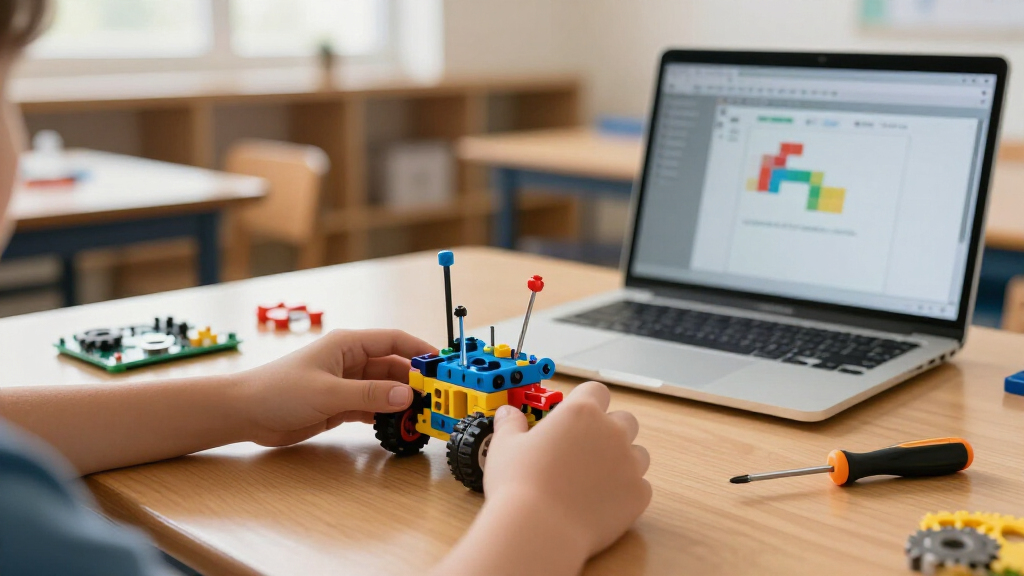
I evaluated each kit against four criteria that actually predict whether a child learns STEM concepts or just assembles a toy. Educational depth came first: kits that teach coding logic, circuits, or mechanical principles scored higher than pure build-and-play sets. Age-appropriate independence mattered next — a kit that an 8-year-old can complete without constant adult rescue has different value than one designed for supervised teen projects. I also weighed longevity and replayability, since a robot that gets built once and shelved teaches less than a simpler kit a child rebuilds five times. Finally, I considered parts quality and documentation, because thin plastic gears and confusing manuals are the most common failure points in this category.
The ranking order reflects a deliberate philosophy: programmable platforms sit at the top because they scale with a learner’s ability, followed by mechanically rich kits that teach physics through hydraulics and pneumatics, with high-count multi-model kits ranked by build quality and instructional clarity rather than raw model numbers. Duplicate-style solar kits were compared directly against each other so the differences between them are visible rather than hidden.
| robot kits for STEM education | Brand |
|---|---|
| Tsomtto 6-in-1 Robotics STEM K | Tsomtto |
| BeAndge 6-in-1 STEM Robotics K | — |
| Thames & Kosmos Mega Cyborg Ha | — |
| Bottleboom 13-in-1 Solar Power | Bottleboom |
| IITS UCMAKEGO STEM Robot Build | IITS UCMAKEGO |
| SMILESSKIDDO 120-in-1 Science | — |
| Sillbird STEM 5-in-1 Robot Bui | — |
| Sillbird STEM Solar Robot Buil | Sillbird |
| ELEGOO UNO R3 Smart Robot Car | — |
| DIY Robotic Arm STEM Building | — |
| Makeblock mBot STEM Coding Rob | Makeblock |
| BeAndge 4-Pack Doodling Robot | BeAndge |
| Bottleboom 13-in-1 Solar Power | Bottleboom |
| TEACH TECH Hydrobot Arm STEM H | — |
| Sillbird 12-in-1 Solar Robot B | Sillbird |
Factors to Consider When Choosing Robot Kits For STEM Education
Before choosing a specific kit, it helps to understand what actually separates a genuine learning tool from a novelty toy. These are the factors I weighed most heavily, plus the mistakes I see buyers make repeatedly.Coding Versus Mechanical Learning
The biggest fork in this category is whether you want your learner writing code or understanding machines. Coding kits like the mBot and ELEGOO car teach sequencing, logic, and debugging — skills that transfer directly to computer science coursework. Mechanical kits like the Hydrobot Arm and Mega Cyborg Hand instead teach force, pressure, and structural design through hydraulics and tendon systems. Neither path is superior, but mixing expectations causes disappointment: a child who wants to program robots will find a solar model kit boring within a week. Match the kit to what already fascinates the learner, not to what sounds most educational on the box.
Piece Count Is Not Learning Value
Manufacturers love advertising “120-in-1” and “600+ pieces,” but these numbers often work against younger builders. High piece counts mean longer builds, more losing-small-parts risk, and more steps where a single misplaced gear breaks the whole model. A 6-in-1 kit with a clear manual and satisfying builds frequently teaches more than a sprawling set that never gets finished. Treat model count as a replayability feature for patient kids aged 10 and up, not as a quality signal. If your learner is under 9 or has a short attention span, prioritize kits with fewer, chunkier builds they can complete in one sitting.
Screen Dependency and Supervision Time
Coding robots require an app, tablet, or computer, which means screen time negotiations and initial adult setup for account creation and Bluetooth pairing. Solar and mechanical kits need no screens at all, making them better for screen-limited households, classrooms with shared devices, or travel. Be honest about your own availability too: Arduino-based kits like the ELEGOO car realistically need an adult or older teen to troubleshoot wiring and driver issues. The sweet spot for independent play at ages 8–10 is a remote-control building kit — it has electronics but no programming environment to manage.
Power Source Tradeoffs
Solar-powered kits sound eco-friendly and battery-free, but their real-world performance depends heavily on lighting — a desk lamp often isn’t strong enough, leading to frustration. Motorized remote-control kits need consistent battery supply, so factor in rechargeable AA batteries as a hidden cost. USB-rechargeable robots like the mBot avoid both problems but add charging management to the routine. Hydraulic kits sidestep power entirely, using water pressure, though they need refilling and can drip. Whichever you pick, test the power situation on day one rather than letting the first build session end in disappointment.
Buying for One Child Versus a Group
A single-robot kit creates instant conflict in a classroom or a two-kid household, because one child builds while the other watches. Multi-pack options like the BeAndge 4-Pack exist specifically for this scenario and cost less per student than buying four individual kits. For homeschool co-ops and STEM clubs, also consider whether the kit produces a displayable result — doodling robots and cyborg hands generate ongoing demos that work well for science fairs. If you’re buying for a school, check whether the manufacturer sells replacement parts, because gears and motors do break with repeated classroom use.
Durability and the Second Build
Cheap plastic kits often survive exactly one assembly — the snap-fit connections loosen, and small gears strip when models are disassembled and rebuilt. Since the educational value of these kits comes largely from rebuilding and modifying, durability matters more than it first appears. Sturdier platforms like the mBot use metal frames and screws precisely because they’re designed for repeated modification. A common mistake is buying the largest, cheapest kit available; you end up with a fragile model that can’t be taken apart without breaking. Read the build system before the model count: screw-together construction outlasts snap-fit almost every time.
Frequently Asked Questions
What age is the right age to start with a robot kit for STEM learning?
Around age 8 is the practical starting point for most kits in this category, because that’s when fine motor skills can handle small gears and snap-fit assembly, and reading skills are strong enough to follow illustrated manuals. Younger children around 6 can enjoy kits like the Tsomtto 6-in-1 with heavy adult involvement, treating it as a shared project rather than independent play. The bigger risk is going too advanced too early — an Arduino kit handed to an 8-year-old often ends with a parent doing all the work while the child watches. If your learner is between 8 and 12 and new to robotics, start with a mechanical or remote-control kit, then move to a coding platform like the mBot once basic building confidence is established.
Are solar robot kits actually good for learning, or just a gimmick?
Solar kits are genuinely educational, but what they teach is energy conversion and mechanics, not robotics in the programming sense. Building one teaches how photovoltaic cells convert light to motor movement, which is a real physics lesson, and the multi-model formats like the Sillbird 12-in-1 teach following complex instructions. The honest limitation is performance: solar motors are weak, and cloudy days or indoor lighting can leave a robot motionless. They work best as an introduction to engineering for kids who like building but aren’t ready for screens and code. If your child specifically wants a robot that responds to commands, a remote-control or programmable kit will serve them better.
Should I buy a coding robot like the mBot or a cheaper build-only kit first?
If budget allows only one purchase and the child is 8 or older, the coding robot is usually the better investment because it grows with the learner — block coding at 8 can become Scratch extensions at 10 and Python later, so the same hardware stays relevant for years. Build-only kits are typically exhausted once every model has been assembled. That said, the cheaper kit is the right call if you’re unsure whether the child will sustain interest, or if the household limits screen time strictly. A reasonable strategy many families use is one inexpensive multi-model kit to test interest, then a programmable platform as a birthday or holiday upgrade once curiosity is confirmed.
Which kit works best for a classroom or homeschool co-op?
Multi-pack kits are the clear answer for groups, and the BeAndge 4-Pack Doodling Robot Kit is structured exactly for this — each student builds their own working robot, and the doodling output doubles as an instant science-fair artifact. For single-kit classroom demonstrations, hydraulic options like the TEACH TECH Hydrobot Arm work well because they’re visually dramatic, need no batteries or screens, and can be rebuilt by different students each session. Avoid screen-dependent coding robots for large groups unless you have a device per student. Also consider build time: kits that finish in 30–60 minutes fit a class period, while 600+ piece builds spanning multiple sessions risk half-finished models being scattered between lessons.
Do these kits require batteries, tools, or extra purchases I should plan for?
Most kits in this roundup include everything needed for basic assembly, but there are predictable extras. Motorized kits typically require AA batteries that aren’t included, so buy a set of rechargeables upfront. Arduino-based kits like the ELEGOO car need a computer with USB and some patience with driver installation. A small Phillips screwdriver is sometimes required and occasionally not included, so having a basic household set on hand prevents a stalled first build. Solar kits need no batteries but do need strong direct sunlight or a very bright lamp. The one hidden cost to watch is replacement parts — small gears and connector pins go missing quickly with younger builders, so a small parts organizer box is a worthwhile companion purchase.
Conclusion
After comparing all 15 kits, the right choice comes down to who’s building. For best overall, the Makeblock mBot wins because it’s the only kit here that scales from beginner block coding to real programming on hardware sturdy enough to survive years of modification. The ELEGOO UNO R3 Smart Robot Car Kit V4 takes the best premium spot for teens and adults ready for Arduino, electronics, and camera-based projects — it teaches more real engineering than anything else on this list, provided someone can troubleshoot the setup.
For best value, the Tsomtto 6-in-1 Robotics Kit delivers multiple genuine builds at an entry price, while the BeAndge 4-Pack Doodling Robot Kit is unbeatable value for classrooms and siblings. Best for beginners goes to the Sillbird STEM 5-in-1 Remote Control Kit, which adds motorized fun without any programming hurdle. Finally, for specific needs: the TEACH TECH Hydrobot Arm and Thames & Kosmos Mega Cyborg Hand for mechanical engineering and screen-free learning, and the IITS UCMAKEGO 600+ piece kit for patient builders aged 12 and up who want maximum construction challenge. Whatever you choose, match the kit to the learner’s actual interests — the best STEM education happens when the child keeps rebuilding the robot long after the first assembly is done.
Fall Picks
fall essentials
As an affiliate, we earn on qualifying purchases.