The best digital whiteboard for most classrooms is the JAV 55-Inch 4K Interactive Smart Board, whose Google EDLA certification, Android 14, and built-in AI camera suit lessons that mix writing, apps, and video calls. For larger rooms, the NEWORK NewBoard 75E offers a much bigger display, while the JAV 49-Inch Rotating Interactive Smart Whiteboard is a more compact fit for smaller spaces. The main tradeoffs are screen size versus room fit, built-in Android convenience versus device compatibility, and extra classroom hardware versus simpler setups. Read on for a comparison of all 13 options and guidance on choosing for your room, teaching style, and installation needs.

Prime made for students and young adults
- Fast, free delivery for dorm and study essentials
- Prime Video and Amazon Music included
- Member-only deals
Key Takeaways
- The JAV 55-Inch 4K EDLA model is the strongest all-around balance in this group: it pairs a classroom-friendly screen size with Android 14, 8GB RAM, 128GB storage, and an AI camera.
- The 75-inch NEWORK and JAV models target rooms where visibility matters most; their larger panels can help students see content from farther away, but require more wall space and a suitable mounting plan.
- Google EDLA certification is a useful divider, not a guarantee of classroom fit. It matters most when teachers need Google Play and familiar Google services directly on the display.
- The 49-inch rotating JAV and 43-inch AYSTeKMann address space constraints, while the 55-inch and 65-inch models are more natural candidates for shared whole-class instruction.
- Bundled extras vary as much as screen size. The JAV 55-inch package with a 100W soundbar and wall mount may simplify installation, while buyers with existing audio or mounting hardware may prefer a less bundled setup.


| digital whiteboards for classroom | Screen size | Operating system | Resolution |
|---|---|---|---|
| NEWORK 55-Inch Interactive Sma | 55 inches | — | — |
| COOLHOOD 65-Inch 4K UHD Intera | 65 inches | Android 16 | 3840 × 2160 (4K UHD) |
| JAV 55-Inch 4K UHD Interactive | 55 inches | Android 14 | 4K UHD |
| JAV 49-Inch Rotating Interacti | 49 inches | Android 14 | — |
| KEINONE 55-Inch 4K Interactive | 55 inches | Android 14 | 4K UHD, 3840 × 2160 |
| AYSTeKMann 43-Inch 4K Interact | 43 inches | Android 16 | 4K Ultra HD |
| NEWORK NewBoard 55E 55-Inch 4K | 55 inches | Android 14 | 4K UHD, 3840 × 2160 |
| NEWORK NewBoard E Series 75-In | 75 inches | — | — |
| BIG VUE 55-Inch 4K UHD Interac | 55 inches | Android 14 | 3840 × 2160 (4K UHD) |
| 55-Inch 4K Interactive Smart W | 55 inches | — | 4K UHD |
| NEWORK NewBoard 75E 75-Inch 4K | 75 inches | Android 14 | — |
| JAV 65-Inch 4K Interactive Sma | 65 inches | Android 14 | 4K UHD |
| JAV 55-Inch 4K UHD Google EDLA | 55 inches | Android 14 | 4K UHD |
More Details on Our Top Picks
NEWORK 55-Inch Interactive Smart Whiteboard with Google EDLA Certification
The NEWORK NewBoard E Series is a strong fit for classrooms where students regularly bring different devices and lessons move between apps. Its wireless casting for up to 16 connections gives a teacher room to invite several students to share work, while cloud saving and QR-code sharing make it easier to distribute lesson material afterward. Google EDLA certification and an OPS expansion slot also offer more flexibility than a fixed, single-system setup; adding Windows, though, requires a separate OPS device.
Compared with the KEINONE 55-Inch 4K Interactive Smart Whiteboard, this model emphasizes sharing capacity and app flexibility rather than a listed 4K resolution and 20-point touch. The tradeoff is its 55.5-pound weight, which makes installation a more involved job, and its listed specifications do not state screen resolution. I’d choose it for collaborative lessons, not for buyers whose first priority is a verified 4K panel.
Pros:- Wireless casting supports up to 16 connections for student sharing.
- Cloud saving and QR-code sharing can simplify distributing classroom work.
- Google EDLA certification and Google Play app support suit app-based lessons.
- OPS slot allows a separate Windows module to be added later.
Cons:- Screen resolution is not specified in the provided product details.
- At 55.5 pounds, mounting and repositioning call for planning and help.
- Windows functionality requires purchasing a separate OPS device.
Best for: Teachers who want students to cast work from many devices and value Google apps, cloud saving, and the option to add Windows later.
Not ideal for: Schools that need a specified 4K display or plan to move the board between rooms often; resolution is not listed, and the unit weighs 55.5 pounds.
- Screen size:55 inches
- Certification:Google EDLA
- Wireless casting:Up to 16 connections
- Multitasking:Split-screen for two apps
- Expansion:OPS slot for adding Windows
- Screen material:Tempered glass
- Weight:55.5 lbs
- Mounting:Wall mount included
Our verdict“Choose the NEWORK NewBoard E Series for device-heavy collaborative classrooms that value flexible sharing more than a listed 4K resolution.”
COOLHOOD 65-Inch 4K UHD Interactive Smart Whiteboard
For a room where learners need to read diagrams, annotations, and shared screens from farther away, the COOLHOOD 65-inch 4K UHD display makes a more classroom-focused case than the smaller 55-inch options. Its matte IPS screen and 20-point multi-touch support both clearer viewing under classroom lights and several people working at the board. The 6 ms response time and stated touch precision of ±1 mm give teachers useful detail for handwriting and marking up lesson materials.
Compared with the JAV 55-Inch 4K UHD Interactive Smart Board, COOLHOOD offers a larger canvas and newer listed Android 16, while JAV includes a built-in camera and Google EDLA certification. COOLHOOD’s own collaboration and conferencing tools may suit shared lessons, but a stand is sold separately, and the listed connections include only one HDMI port. I’d favor it for a fixed, larger classroom installation over a setup that needs easy room-to-room movement.
Pros:- 65-inch 4K UHD IPS display gives distant students a larger, detailed viewing area.
- Matte finish can reduce distracting reflections from classroom lighting.
- 20-point touch, 6 ms response time, and ±1 mm precision support group annotation.
- Wireless screen sharing supports Mac, Windows, iOS, and Android devices.
Cons:- Stand is sold separately, adding a separate purchasing and setup decision.
- Only one HDMI port is listed for wired classroom sources.
- The larger display may be harder to fit in small rooms than 55-inch alternatives.
Best for: Teachers presenting to larger classes who need a 65-inch 4K canvas, multi-touch annotation, and broad wireless sharing support.
Not ideal for: Schools that need a ready-to-use mobile setup or frequent wired connections; the stand is separate and only one HDMI port is listed.
- Screen size:65 inches
- Resolution:3840 × 2160 (4K UHD)
- Display:LCD, IPS; matte finish
- Operating system:Android 16
- Storage:128GB
- Touch:20-point multi-touch
- Response time:6 ms
- Mounting:Wall mount included; stand sold separately
Our verdict“Pick COOLHOOD when a fixed classroom needs a large, detailed 4K board for group viewing and hands-on annotation.”
JAV 55-Inch 4K UHD Interactive Smart Board, Google EDLA Certified, Android 14, 8GB RAM, 128GB Storage, 48MP AI Camera
The JAV H10S Pro is the clearest pick here for classrooms that mix in-person instruction with remote participation. Its built-in 48MP AI camera pairs with a 4K touchscreen, Android 14, and 128GB of storage, giving teachers a single board for conferencing, apps, annotation, and shared materials. Google EDLA certification supports access to Google services, while screen lock and USB password protection add practical controls when the board is shared across classes.
Compared with the JAV Z 49-Inch Rotating Interactive Smart Whiteboard, the H10S Pro gives up the portrait-orientation option in exchange for a larger 55-inch screen and a camera suited to conferencing. The camera’s video resolution and touchscreen input details are not specified, so I would not treat its camera label alone as proof of a particular meeting quality. It also takes substantial wall or desk space, making it a better fit for a dedicated teaching room than a compact classroom.
Pros:- Built-in 48MP AI camera supports a board setup designed for conferencing.
- 4K UHD screen and 4mm anti-glare tempered glass suit detailed lessons.
- Android 14, 8GB RAM, and 128GB storage support apps and saved materials.
- Google EDLA certification and security controls fit shared school environments.
Cons:- The 55-inch screen needs a substantial wall or desk footprint.
- Camera video resolution is not specified in the provided details.
- Touch input specifications are not listed, limiting direct comparison on writing performance.
Best for: Teachers and IT teams running hybrid lessons who want a 55-inch 4K board with a built-in camera, Google apps, and onboard storage.
Not ideal for: Small classrooms or buyers who need clearly stated camera video resolution and touch specifications before selecting conferencing hardware.
- Screen size:55 inches
- Resolution:4K UHD
- Operating system:Android 14
- Memory:8GB RAM
- Storage:128GB
- Camera:48MP AI camera
- Certification:Google EDLA
- Screen protection:4mm anti-glare tempered glass
Our verdict“Choose the JAV H10S Pro when hybrid teaching and a built-in camera matter more than compact size or a rotating display.”
JAV 49-Inch Rotating Interactive Smart Whiteboard, Android 14, 8GB RAM, 128GB Storage
The JAV Z stands apart from the larger boards by letting teachers rotate its 49-inch QLED screen between landscape and portrait. That can be useful when a lesson shifts from a wide presentation to a vertically arranged document or content that reads more naturally upright. Its four-way split-screen support, Google EDLA access, and mirroring through AirPlay, Miracast, or Chromecast make it adaptable for app-led lessons without relying on a single device ecosystem.
Compared with the COOLHOOD 65-Inch 4K UHD Interactive Smart Whiteboard, the JAV Z is more flexible in orientation and smaller-room placement, but it sacrifices screen area and does not list a 4K resolution. Its 6 ms stylus response time is useful for annotation, though Wi-Fi is limited to Wi-Fi 5 and the listed USB options are USB-C and USB 2.0. I’d choose it for lessons that benefit from rotating layouts, not for rooms where visibility from the back is the main concern.
Pros:- Rotates between portrait and landscape with automatic orientation adjustment.
- Supports up to four split-screen views for comparing materials or apps.
- Google EDLA certification provides access to Google apps and OTA updates.
- 6 ms stylus response time supports responsive annotation.
Cons:- At 49 inches, it offers less viewing area than the 55- and 65-inch alternatives.
- Resolution is not specified in the provided product details.
- Wi-Fi 5 and the listed USB-C and USB 2.0 ports may limit connectivity flexibility.
Best for: Teachers in compact or multipurpose rooms who switch between portrait and landscape materials and want several sources visible at once.
Not ideal for: Large classes needing a bigger 4K screen, or schools that require newer Wi-Fi standards or more varied USB ports.
- Screen size:49 inches
- Display:QLED
- Operating system:Android 14
- Memory:8GB RAM
- Storage:128GB
- Stylus response time:6 ms
- Split-screen:Up to four screens
- Rotation:Manual rotation with automatic landscape/portrait adjustment
Our verdict“Choose the JAV Z for a smaller teaching space where portrait-orientation lessons and multi-window use outweigh screen size.”
KEINONE 55-Inch 4K Interactive Smart Whiteboard with Android 14
The KEINONE 55-inch 4K board is a practical match for classrooms that connect several fixed sources, such as a teacher laptop, document camera, or media player. Its four HDMI ports and four USB ports offer more listed wired connections than the COOLHOOD, which specifies one HDMI port, while 20-point touch gives multiple students room to annotate together. Android 14, 8GB RAM, and 128GB storage also provide an onboard platform for apps and classroom materials.
Compared with the NEWORK 55-Inch Interactive Smart Whiteboard, KEINONE makes its 4K resolution and touch-point count explicit, while NEWORK highlights casting for up to 16 connections and OPS expansion. KEINONE’s glossy screen can reflect bright windows or overhead lighting, and its 31.75 kg weight makes installation a planned, likely fixed setup rather than a mobile one. I’d favor it where wired inputs are a priority and the board can be placed away from glare.
Pros:- 4K UHD resolution provides a detailed canvas for text, diagrams, and shared work.
- 20-point touch and 6 ms response time support group annotation.
- Four HDMI and four USB ports accommodate multiple wired sources.
- Android 14, 8GB RAM, and 128GB storage support apps and saved materials.
Cons:- Glossy screen finish may reflect classroom lights and windows.
- At 31.75 kg, installation and repositioning require planning.
- The listed details do not specify Google EDLA certification.
Best for: Teachers with multiple wired classroom devices who want a 55-inch 4K board with multi-touch and onboard Android storage.
Not ideal for: Classrooms with strong window or ceiling-light glare, or teams that need to move the board frequently; the finish is glossy and the unit weighs 31.75 kg.
- Screen size:55 inches
- Resolution:4K UHD, 3840 × 2160
- Operating system:Android 14
- Memory:8GB RAM
- Storage:128GB
- Touch:20 points; 6 ms response time
- Connectivity:AirPlay, Wi-Fi, USB-C, HDMI
- Ports:4 HDMI and 4 USB
- Weight:31.75 kg
Our verdict“Pick KEINONE for a fixed classroom that needs several wired inputs and a specified 4K multi-touch screen, provided glare can be managed.”
AYSTeKMann 43-Inch 4K Interactive Smart Whiteboard with Android 16
The AYSTeKMann makes the most sense when a classroom needs an interactive board but has limited wall space. Its 43-inch 4K touchscreen is smaller than the NEWORK NewBoard 55E, so it suits a small teaching room or a focused station better than whole-class instruction from the back of a large room. Google EDLA certification brings Google Play and Workspace access, while Android 16 and 128 GB of storage give it more onboard room than the NEWORK 55E’s 64 GB. Sharing from up to 16 devices can support student contributions without passing a cable around. The tradeoff is its wall-mount-only setup: unlike boards with a mobile-cart option, placement is less flexible, and the compact display may be hard to read at distance.
Pros:- 4K touchscreen with a 178-degree viewing angle and 100% NTSC color gamut.
- Google EDLA certification provides access to Google Play and Google Workspace.
- Wireless screen sharing supports up to 16 devices.
- 128 GB of storage offers more onboard space than the NEWORK NewBoard 55E.
Cons:- The 43-inch display may be difficult to read from the back of a larger classroom.
- Wall mounting limits placement changes compared with a board that supports a mobile cart.
Best for: Teachers in small classrooms, breakout rooms, or tutoring spaces who want a compact Google-certified board with room for apps and files.
Not ideal for: Teachers presenting to a large class or anyone who needs to move the board between rooms; its 43-inch screen and wall-mount design limit reach and placement flexibility.
- Screen size:43 inches
- Resolution:4K Ultra HD
- Operating system:Android 16
- Google certification:Google EDLA-certified
- Storage:128 GB
- Brightness:500 nits
- Wireless sharing:Up to 16 devices
- Mounting:Wall mount; mounting hardware included
Our verdict“Choose the AYSTeKMann for a small, fixed teaching space where Google apps and generous onboard storage matter more than screen size.”
NEWORK NewBoard 55E 55-Inch 4K Interactive Smart Board
The NewBoard 55E earns its place for classrooms where several students need to write or manipulate content at once. Its 40-point touch system supports simultaneous input from up to five users, making group problem-solving more practical than on the JYXCN 55-inch board, which supports 20 touch points. Google EDLA certification adds access to Play and Workspace, and sharing from up to 16 devices helps teachers bring student screens into a lesson. The 55-inch 4K display is a useful middle ground: larger than the compact AYSTeKMann, but less demanding to install than a 75-inch board. The main classroom compromise is the glossy screen, which can reflect windows or overhead lights. It supports a mobile cart, but the cart is not included in the listed package.
Pros:- 40 touch points support simultaneous writing by up to five users.
- Google EDLA certification provides access to Google Play and Google Workspace.
- Wireless screen sharing supports up to 16 devices.
- Includes a wall mount, cables, remote control, and touch pen.
Cons:- The glossy screen can reflect classroom windows and overhead lighting.
- A mobile cart is not listed among the included components.
- Its 64 GB storage is less than the 128 GB offered by the AYSTeKMann and BIG VUE boards.
Best for: Teachers who run collaborative lessons and want multiple students writing on a shared board, with casting for student devices.
Not ideal for: Classrooms with strong window glare or schools that need a ready-to-roll setup; the glossy finish can reflect light, and the mobile cart is not included.
- Screen size:55 inches
- Resolution:4K UHD, 3840 × 2160
- Operating system:Android 14
- RAM and storage:8 GB RAM; 64 GB storage
- Touch points:40
- Wireless sharing:Up to 16 devices
- Connections:3 HDMI ports; 1 USB port; HDMI and DisplayPort connectivity
- Mounting:Wall mount; mobile cart supported but not listed as included
Our verdict“Pick the NewBoard 55E when shared writing is central to lessons and you can manage glare and source a cart separately if needed.”
NEWORK NewBoard E Series 75-Inch Interactive Smart Whiteboard
For a class that needs to read diagrams, annotations, and shared work from across the room, the NewBoard E Series stands apart with its 75-inch display. It offers a more readable teaching surface than the 55-inch NEWORK NewBoard 55E, while its unlimited canvas, cloud saving, and QR code sharing suit lessons that continue beyond one session. Split-screen multitasking lets a teacher keep two apps visible side by side, and casting can connect up to 16 devices. The expandable OPS slot offers a path to Windows, but that module is an added purchase rather than part of the standard setup. Size brings its own classroom costs: at 101.4 pounds, installation and repositioning take more planning, and wall mounting makes this a fixed-room choice rather than a portable teaching station.
Pros:- 75-inch screen gives large classes more room to see notes and shared content.
- Unlimited writing canvas, cloud saving, and QR code sharing support lesson continuity.
- Split-screen multitasking can keep two apps visible at once.
- Wireless casting supports up to 16 connections.
Cons:- At 101.4 pounds, the board takes more effort and planning to install.
- Windows requires a separately purchased OPS module.
- Wall mounting limits flexibility compared with a classroom cart setup.
Best for: Schools equipping a permanent, spacious classroom where large-group visibility, saved lesson work, and side-by-side app use are priorities.
Not ideal for: Teachers in compact rooms or those who move equipment between classrooms; the 75-inch, 101.4-pound board is a substantial fixed installation, and Windows requires an extra OPS module.
- Screen size:75 inches
- Weight:101.4 lb
- Materials:Tempered glass; aluminum frame
- Writing tools:Unlimited canvas; stylus included
- Collaboration:Wireless casting for up to 16 connections
- Software features:Cloud saving, QR code sharing, and split-screen multitasking
- Operating system expansion:Expandable OPS slot for adding Windows OS
- Mounting:Wall mount included
Our verdict“Choose the NewBoard E Series for a permanent large classroom that needs a broad shared canvas and does not require included Windows computing.”
BIG VUE 55-Inch 4K UHD Interactive Smart Board
The BIG VUE is a strong fit for teachers who switch between fine annotations and broad, quick marks. Its dual-tip styluses pair a 2.8 mm fine tip with an 8 mm broad tip, giving more control for detailed diagrams than the NEWORK NewBoard 55E’s listed touch pen. Both boards offer 40-point touch and 55-inch 4K screens, but BIG VUE doubles the NEWORK’s listed storage with 128 GB, leaving more room for classroom apps and files. EDLA certification, AirPlay, Miracast, and Chromecast support give teachers several ways to bring content onto the screen. The compromise is that its optional Windows OPS module is sold separately, and the 55-inch format still may not carry well in a large room. Its listed contrast ratio is also lower than the NEWORK 55E’s.
Pros:- Two stylus pens with fine and broad tips support different writing and marking tasks.
- 40 touch points accommodate collaborative classroom input.
- 128 GB of storage exceeds the NEWORK NewBoard 55E’s listed 64 GB.
- Supports AirPlay, Miracast, and Chromecast screen mirroring.
Cons:- The optional Windows OPS module is sold separately.
- A 55-inch screen may be limiting in a large classroom.
- The 1200:1 contrast ratio is lower than the NEWORK NewBoard 55E’s listed 2000:1.
Best for: Teachers who frequently annotate diagrams or student work and want two stylus tip sizes, broad casting compatibility, and ample local storage.
Not ideal for: Large lecture rooms that need a bigger display, or schools that require Windows computing included rather than as a separate OPS module.
- Screen size:55 inches
- Resolution:3840 × 2160 (4K UHD)
- Operating system:Android 14
- Memory and storage:8 GB RAM; 128 GB storage
- Touch points:Up to 40
- Stylus tips:2.8 mm fine tip and 8 mm broad tip
- Screen mirroring:AirPlay, Miracast, and Chromecast
- Connections:USB-C, HDMI, and USB Touch-Out (Type-B)
Our verdict“Choose BIG VUE if varied stylus work and broad device mirroring matter more than a larger screen or included Windows hardware.”
55-Inch 4K Interactive Smart Whiteboard with Android 11 and Windows 10
This 55-inch board is the pick in this group for teachers who want video conferencing built into the classroom display rather than relying solely on a connected laptop. It also offers palm erasing, 20-point touch, and simultaneous sharing from up to four devices. That sharing limit is narrower than the 16-device capacity on the BIG VUE and NEWORK NewBoard 55E, so it suits a small group of presenters better than a lesson built around many student devices. The optional Intel i5 Windows 10 OPS gives schools a potential route to desktop software, while Google Play access covers Android apps. The important caveat is that the Windows PC is optional and Windows activation may not be included. Android 11 is also older than the Android 14 systems on the competing 55-inch boards.
Pros:- Built-in video conferencing supports classroom calls without relying only on a connected computer.
- Palm erasing and 20-point touch support direct board interaction.
- Shares content from up to four devices simultaneously.
- Includes a 3-year warranty.
Cons:- The Windows OPS PC is optional, and Windows activation may not be included.
- Android 11 is older than Android 14 on the BIG VUE and NEWORK NewBoard 55E.
- Four-device sharing is more limited than the 16-device support on those competing boards.
Best for: Teachers who hold remote lessons or classroom calls and want a built-in conferencing system, palm erasing, and a longer listed warranty.
Not ideal for: Schools that need Windows ready to use out of the box, newer Android software, or screen sharing for many student devices at once.
- Screen size:55 inches
- Resolution:4K UHD
- Operating systems:Android 11; Windows 10 support
- Optional Windows PC:OPS PC with Intel i5 processor
- Memory and storage:8 GB RAM; 256 GB storage
- Touch:20-point touch with palm erasing
- Device sharing:Up to 4 devices simultaneously
- Warranty:3 years
Our verdict“Choose this board when built-in conferencing and its longer listed warranty outweigh the older Android version and limited device-sharing capacity.”
NEWORK NewBoard 75E 75-Inch 4K Smart Interactive Whiteboard
For a room where students need to read and contribute from the back, the 75-inch 4K display gives this NewBoard an advantage over the 65-inch JAV model. Its 50-point touch supports simultaneous writing by up to 10 users, making group problem-solving less of a turn-taking exercise. Google EDLA certification brings access to Google Play and Google Workspace on Android 14, while casting for up to 16 devices can help teachers bring student work onto the main screen. The tradeoff is its footprint: this is a substantial panel that needs a suitable wall or mobile cart, and its glossy finish can reflect classroom lights. I’d favor it for visibility and shared interaction, not for a glare-prone room or a small teaching space.
Pros:- 75-inch 4K screen gives students across a larger room more viewing area than the 65-inch JAV board
- 50-point touch supports simultaneous writing by up to 10 users
- Google EDLA certification provides access to Google Play and Google Workspace
- Wireless casting can connect up to 16 devices
Cons:- Glossy screen can reflect classroom lights and windows
- Large display requires substantial wall space or a suitable mobile cart
- The 12-month warranty is limited for a device intended for frequent classroom use
Best for: Teachers in larger classrooms who need a readable front-of-room display and frequent multi-student collaboration
Not ideal for: Schools with small rooms or bright, uncontrolled lighting, where the large panel and glossy screen may be difficult to accommodate
- Screen size:75 inches
- Resolution and refresh rate:3840 × 2160 (4K) at 60 Hz
- Operating system:Android 14
- Memory and storage:8 GB RAM, 64 GB ROM
- Touch:50 points; up to 10 simultaneous users
- Wireless casting:Up to 16 devices
- Display brightness:450 cd/m²
- Connectivity:3 HDMI ports and 8 USB ports, including 4 USB 3.0 ports
- Mounting:Wall mount or mobile cart
Our verdict“Choose the NewBoard 75E when a large class needs a roomy, collaborative 4K board and the room can manage its size and screen reflections.”
JAV 65-Inch 4K Interactive Smart Whiteboard with Google EDLA Certification and 48MP AI Camera
The integrated 48MP AI camera and eight-microphone array make this JAV a better fit for lessons that regularly include remote participants than the NewBoard 75E, which puts more emphasis on size and multi-user touch. Its 65-inch 4K screen keeps the display more manageable than that 75-inch alternative, while Android 14 and Google EDLA certification provide access to Google services and education tools. Twenty-point touch supports group annotation, and wireless sharing helps bring student devices into a discussion. Those conferencing strengths come with a compromise: the panel is smaller than the NewBoard, and the camera, microphones, and conferencing features may depend on software or platform compatibility. I’d pick it for a class that needs face-to-face and remote participation in one setup, rather than for maximum writing capacity.
Pros:- Integrated 48MP AI camera supports video lessons without a separate camera mounted above the board
- Eight-microphone array has a stated 180-degree pickup range for room audio
- 4K touchscreen supports writing, drawing, and annotation
- Android 14 with Google EDLA certification supports Google services and education tools
Cons:- 20-point touch offers less simultaneous input than the NewBoard 75E’s 50-point screen
- Camera and conferencing features may depend on software and platform compatibility
- The 65-inch panel still needs substantial wall space in a compact classroom
Best for: Teachers who regularly run hybrid lessons and need an integrated camera and microphone array alongside classroom annotation
Not ideal for: Large classes that need the biggest possible writing surface or frequent simultaneous input from many students
- Screen size:65 inches
- Resolution:4K UHD
- Operating system:Android 14
- Google certification:Google EDLA
- Memory and storage:8 GB RAM, 128 GB storage
- Touch:20-point touch
- Camera:48MP AI camera
- Microphones:Eight-microphone array with 180-degree pickup range
Our verdict“Choose this JAV when hybrid participation matters more than a very large screen or the highest touch-point count.”
JAV 55-Inch 4K UHD Google EDLA Smart Interactive Whiteboard with AI Camera, 100W Soundbar, Android 14, 8GB RAM, 128GB Storage, and Wall Mount
This 55-inch JAV brings more than the usual touch display to a classroom: an AI camera, microphone array, and 100W soundbar are built into the package, reducing the number of separate conferencing components a school may need to install. Its etched anti-glare glass is a practical advantage in rooms where lights or windows can reflect off a screen—an issue with the glossy NewBoard 75E. The 4K display, 20-point touch, annotation tools, and support for AirPlay, Miracast, and Chromecast suit lessons that move between teacher-led material and student contributions. It has less screen area and fewer touch points than the NewBoard, so it is not the pick for large-group writing. Brightness and refresh rate are also unspecified, which limits comparison for rooms with demanding display conditions.
Pros:- Integrated 48MP AI camera, microphone array, and 100W soundbar combine classroom display and conferencing hardware
- Etched anti-glare glass is designed to reduce reflections
- 20-point touch supports collaborative annotation, OCR, and PDF import
- AirPlay, Miracast, and Chromecast support sharing across different device types
Cons:- 55-inch screen provides less viewing and writing area than the 65-inch JAV and 75-inch NewBoard
- 20 touch points are fewer than the NewBoard 75E’s 50, limiting large-group simultaneous input
- Brightness and refresh rate are not specified in the supplied product details
Best for: Teachers in small or medium rooms who want an interactive board with built-in audio and video tools for hybrid lessons
Not ideal for: Large classrooms or activities where many students need to write on the board at once
- Screen size:55 inches
- Resolution:4K UHD
- Operating system:Android 14
- Processor:8-core CPU, Cortex-A73 x4
- Memory and storage:8 GB RAM, 128 GB storage
- Touch:20 touch points
- Camera and microphone:48MP AI camera; 8-array microphone with 180-degree pickup
- Audio:100W soundbar
- Screen glass:Etched anti-glare glass
Our verdict“Choose this JAV for a smaller classroom that benefits from integrated conferencing and glare-reducing glass, but look to the larger boards for more group writing space.”
How We Picked
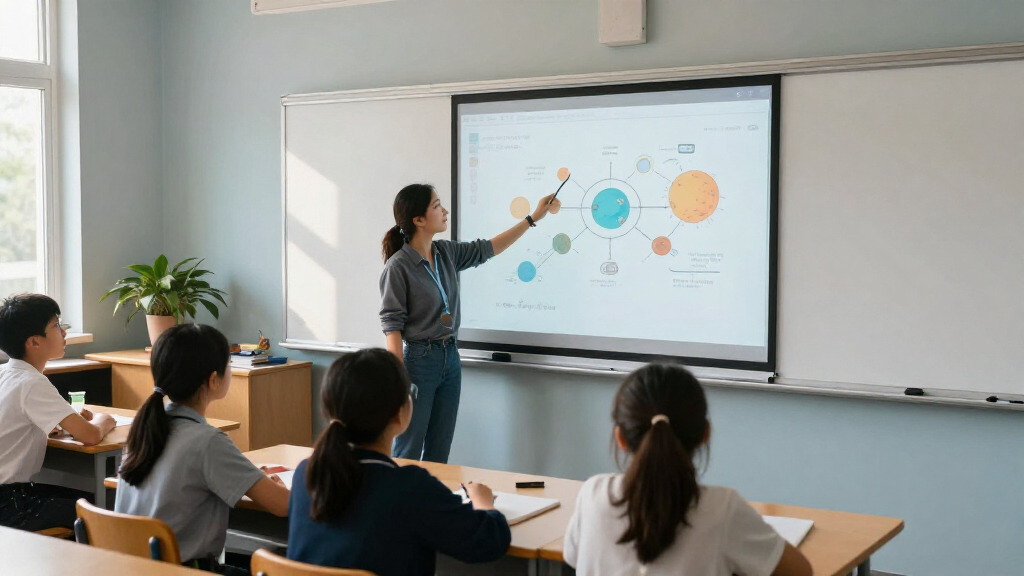
I ranked these digital whiteboards for classroom use by how well their stated features address everyday teaching needs: visibility from across a room, interactive lesson use, access to familiar apps, and support for video or hybrid instruction. I also weighed practical fit, including screen size, operating system, memory and storage when listed, and whether accessories such as a camera, soundbar, or wall mount could simplify setup. Product names and specifications supplied for this roundup form the basis of comparison; I do not treat unlisted features as confirmed.
The ranking gives the strongest positions to options that combine a useful classroom size with a capable software platform and features that serve more than one teaching scenario. Larger displays rank higher for spacious rooms but not automatically for every classroom, since installation and viewing distance matter. Compact and rotating models earn their place for constrained rooms, while models with less detail in their supplied specifications rank lower because buyers have fewer clear points of comparison. A screen’s stated resolution or Android version alone does not establish touch quality, software support, or long-term reliability.
| digital whiteboards for classroom | Operating system |
|---|---|
| NEWORK 55-Inch Interactive Sma | — |
| COOLHOOD 65-Inch 4K UHD Intera | Android 16 |
| JAV 55-Inch 4K UHD Interactive | Android 14 |
| JAV 49-Inch Rotating Interacti | Android 14 |
| KEINONE 55-Inch 4K Interactive | Android 14 |
| AYSTeKMann 43-Inch 4K Interact | Android 16 |
| NEWORK NewBoard 55E 55-Inch 4K | Android 14 |
| NEWORK NewBoard E Series 75-In | — |
| BIG VUE 55-Inch 4K UHD Interac | Android 14 |
| 55-Inch 4K Interactive Smart W | — |
| NEWORK NewBoard 75E 75-Inch 4K | Android 14 |
| JAV 65-Inch 4K Interactive Sma | Android 14 |
| JAV 55-Inch 4K UHD Google EDLA | Android 14 |
Factors to Consider When Choosing Digital Whiteboards For Classrooms
Before choosing a board, I would start with the room and the way lessons are delivered rather than the longest feature list. These broader checks can prevent a display that is too large, difficult to install, or poorly matched to school devices.
Match Screen Size to the Room, Not Just the Class Size
Students need to read small text and follow annotations from the seats they actually use, so measure the farthest viewing distance before picking a screen. A 75-inch model can make sense in a large classroom, but it may dominate a small room and leave less flexibility for board placement. A 43- or 49-inch display can suit a compact teaching space or small-group room, though it may be hard to see during whole-class instruction. Check the wall width, mounting height, and nearby sightlines, including any windows that could add glare. A common mistake is choosing by diagonal measurement alone without checking the usable teaching area and seating layout.
Treat App Access and School IT Rules as a Buying Requirement
Android-based boards can run apps on the display itself, which may reduce reliance on a teacher’s laptop during lessons. Google EDLA certification can matter when staff need access to Google Play and Google services, but the school should still confirm that its account policies and network rules support the intended setup. Ask IT staff whether the display can join the school network, receive updates, and work with the apps teachers already use. Do not assume that a newer Android version automatically means longer support or compatibility with every classroom tool. If the board will mainly mirror a managed laptop, compatibility with that device may matter more than onboard app access.
Decide Whether the Board Needs to Stand Alone
Some classrooms need a display that can run a lesson without a connected computer, while others already rely on teacher laptops and school-managed devices. Built-in memory and storage can help with local apps and files, but they do not replace a plan for shared accounts, file access, and classroom data handling. A board used as a touch display for a computer may need different ports and connection behavior from one used as an independent Android device. Confirm how teachers will switch between sources and whether the setup works with the devices they bring to class. Buying a feature-rich operating system that staff rarely use can add complexity without changing daily teaching.
Check Audio and Camera Needs Before Paying for Extras
Built-in or bundled camera and audio features can help with remote lessons, guest speakers, and recorded instruction, but they are not useful to every classroom. A listed AI camera or soundbar does not by itself tell you how well the equipment performs in a noisy room or how it handles privacy settings. If video calls are part of the plan, ask about camera placement, microphone pickup, app compatibility, and whether the camera can be covered or disabled. Compare bundled equipment with existing classroom speakers and conferencing hardware so you do not buy duplicate gear. For in-person lessons without conferencing, screen visibility and writing workflow may deserve more attention than a camera package.
Plan for Mounting, Mobility, and Ongoing Care
A large interactive display is heavy equipment, so confirm wall construction, mounting compatibility, power access, and installation responsibility before ordering. A wall mount included with one package may reduce sourcing work, but it does not prove that the mount fits the room or meets local safety requirements. Rotating or mobile formats can give teachers more flexibility, yet they need clear floor space and a stable setup that can handle repeated classroom use. Schools should also ask how the screen surface is cleaned, whether replacement pens or parts are available, and who handles software updates. Skipping these checks can turn a suitable display into an installation or maintenance burden.
Choose Features That Solve a Real Teaching Problem
Higher resolution can make text and diagrams look sharper, but the benefit depends on the content, screen size, and viewing distance. More memory and storage may help when the board runs multiple apps, while basic annotation and screen sharing may not need a high-spec configuration. Write down the lesson tasks that matter most—such as annotating documents, using educational apps, or joining video calls—and check each model against them. Avoid treating camera counts, Android versions, or bundled accessories as a substitute for clear details about touch response, connectivity, warranty, and support. Paying for added capabilities makes sense when they remove a daily classroom obstacle, not simply because they appear on a spec sheet.
Frequently Asked Questions
Is a 55-inch digital whiteboard large enough for a regular classroom?
It can work well in a smaller classroom or a room where students sit relatively close, but size alone cannot settle the question. Check whether the smallest text teachers use is readable from the farthest seat, and account for diagrams or split-screen content that may need more area. For longer viewing distances, a 65- or 75-inch model may be easier to follow, provided the room can accommodate it. If possible, compare the display size against the current board area and seating plan before ordering. A larger panel is not a substitute for placing it at a comfortable height with clear sightlines.
Do I need Google EDLA certification for classroom use?
No; it is most useful when teachers want Google services and compatible apps available directly on the display. A school that primarily connects managed laptops may get more value from dependable device compatibility and straightforward screen sharing. Check school account policies and IT requirements before relying on Google Play or other onboard services. Certification does not answer every question about updates, app support, or network access. Treat it as a helpful compatibility signal, then confirm the actual workflow with the school’s technology team.
Should I choose a board with Android or one that includes Windows?
The better fit depends on the software teachers already use and how the school manages devices. Android can offer a self-contained way to run apps and annotate without always attaching a computer, while a Windows setup may better suit workflows built around Windows programs. The listed 55-inch Android 11 and Windows 10 option is distinct in offering both platforms, but buyers should clarify how the two environments are accessed and maintained. Ask whether teachers can switch between systems without disrupting a lesson and who will install updates. A familiar, school-supported workflow is usually more useful than choosing an operating system by version number alone.
Is a built-in AI camera worth prioritizing?
It can be useful if the display will regularly support video lessons, remote guests, or conferencing from the classroom. For mostly in-person teaching, a camera may add little compared with a larger visible writing area or a more straightforward setup. Before choosing one, check compatibility with the school’s video-call software, camera placement, privacy controls, and whether audio equipment is also needed. A camera specification does not reveal how well it handles lighting or sound in a busy room. Schools should also set clear rules for when the camera may be used and how it is disabled between sessions.
What should a school check before installing a 75-inch interactive board?
Measure the wall and confirm that the panel will not block doors, windows, storage, or other teaching tools. Check wall structure, mounting hardware, electrical access, cable routing, and who is responsible for installation. Then test sightlines from the back and sides of the room, since a large display can still be hard to see if it is mounted too high or catches glare. Confirm that the display’s connectivity and software suit the devices teachers will use. Finally, plan delivery, setup, and any training needed before the board is expected to support lessons.
Conclusion
For the best overall classroom balance, I recommend the JAV 55-Inch 4K EDLA model, which combines a practical mid-size screen with Android 14, substantial listed memory and storage, and an AI camera. For a larger room or a school prioritizing visibility, consider the NEWORK NewBoard 75E or the JAV 65-Inch EDLA; choose between them by comparing room fit and the features your staff will use. Best value depends on what your school already owns: the 55-inch Android 11 and Windows 10 option may suit buyers who want both environments, while the JAV 55-inch bundle may reduce sourcing work if its soundbar and wall mount match the installation. For beginners, a 55-inch board with familiar Google services, such as the JAV EDLA option, offers a clear starting point for app-based lessons. For compact spaces, look at the rotating 49-inch JAV or 43-inch AYSTeKMann; for hybrid teaching, prioritize a camera-equipped model and verify conferencing and privacy details before choosing.
Black Friday Picks

Vitamix 62827 Vita-Prep Blender, Black, 32 oz
As an affiliate, we earn on qualifying purchases.