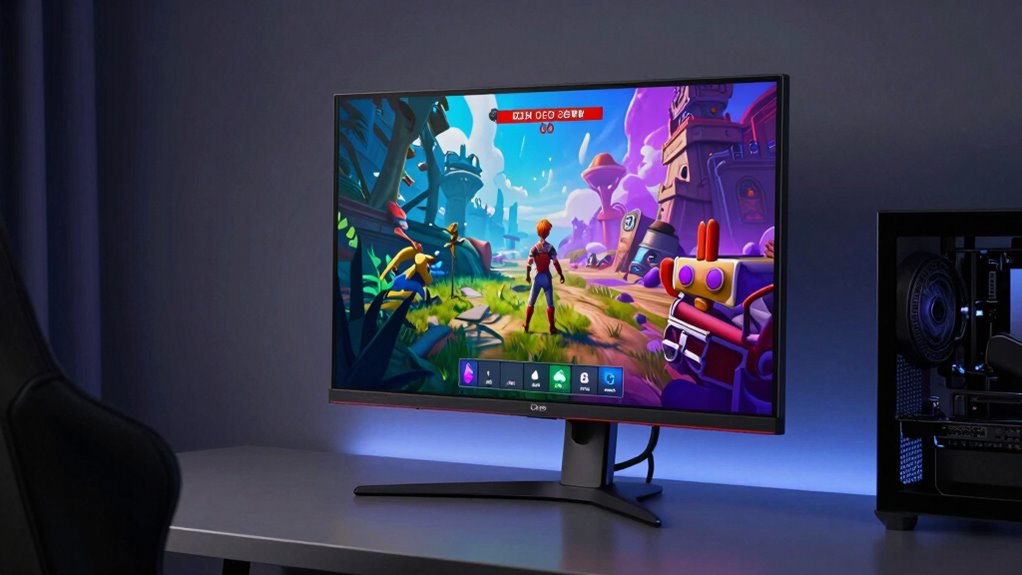

OLED gaming monitors offer incredible visuals with vibrant colors and smooth gameplay. However, static images like HUDs or scoreboards can cause burn-in, leaving permanent ghost images. Modern features such as pixel shifting, screen savers, and auto-dimming help reduce this risk, making OLEDs more durable than before. To protect your monitor, avoid leaving static images on the screen for too long and use protective settings. Continue exploring how to enjoy stunning visuals without compromising your display’s lifespan.

Prime made for students and young adults
- Fast, free delivery for dorm and study essentials
- Prime Video and Amazon Music included
- Member-only deals
Key Takeaways
- Modern OLED gaming monitors incorporate safeguards like pixel shifting and screen savers to reduce burn-in risk.
- Burn-in occurs from prolonged static images, but advanced tech minimizes this issue effectively.
- Manufacturers have improved OLED lifespan and wear leveling to enhance durability during gaming.
- Proper usage, such as avoiding static UI elements, significantly lowers burn-in chances.
- Overall, with proper precautions, OLED gaming monitors offer excellent visuals with manageable burn-in risk.
Are OLED gaming monitors the future of immersive gaming? Many gamers believe so, thanks to their incredible display qualities. OLED screens offer superior color accuracy, making every scene pop with vibrant, lifelike hues. This level of color precision means you can enjoy more realistic visuals, whether you’re exploring open worlds or engaging in competitive play. Additionally, OLED monitors typically boast high refresh rates, sometimes reaching 120Hz or even 240Hz, which ensures smooth motion and reduces motion blur. This combination of sharp visuals and fluid gameplay can truly elevate your gaming experience by providing clarity during rapid movements and fast-paced action.
OLED gaming monitors deliver vibrant visuals, high refresh rates, and smooth motion for an immersive gaming experience.
However, alongside these benefits, there’s a concern that’s often discussed: the risk of burn-in. Burn-in occurs when static elements, like HUDs or scoreboards, remain on screen for extended periods, leading to permanent ghost images. While OLED displays excel in delivering rich contrast and perfect black levels, this characteristic also makes them more susceptible to burn-in compared to traditional LCD screens. It’s understandable to worry that regular gaming sessions, which often feature static UI elements, might cause lasting damage over time. But it’s important to know that manufacturers have implemented various safeguards to minimize this risk, such as pixel shifting, screen savers, and auto-dimming features. These can help protect your monitor while preserving the quality and performance benefits. In addition, the lifespan of OLED displays has improved significantly with recent technological advancements, making the risk more manageable for most users. Moreover, understanding the wear leveling techniques used in modern OLEDs can further reassure users about the durability of these displays.
Furthermore, many manufacturers now incorporate preventive technologies designed specifically to extend the lifespan and reduce the risk of burn-in, making OLED monitors more durable than ever. These innovations have contributed to a growing confidence among gamers and tech enthusiasts about adopting OLED technology for their gaming setups.
To reduce the likelihood of burn-in, you can adopt simple habits, like avoiding leaving static images on the screen for long periods or enabling protective settings during extended gaming sessions. Many modern OLED monitors also come with built-in technologies designed specifically to mitigate burn-in, making the risk more manageable than it used to be. Additionally, some displays use advanced pixel management techniques to prolong the lifespan of the screen. Remember, the key is moderation and utilizing the features designed to protect the display. If you’re a casual or even serious gamer, understanding how to care for an OLED monitor can ensure you enjoy its stunning visual capabilities without worrying about long-term damage.
In the end, the decision to choose an OLED gaming monitor depends on balancing the exceptional visual quality with the potential burn-in risk. If you prioritize color accuracy and a high refresh rate for immersive, vibrant gameplay, OLED might be the perfect choice—just with some mindful usage. With proper precautions and modern protections, you can enjoy the stunning, smooth visuals OLED displays provide, making your gaming sessions more engaging and visually impressive than ever before.
OLED gaming monitor with burn-in protection
As an affiliate, we earn on qualifying purchases.
As an affiliate, we earn on qualifying purchases.
Frequently Asked Questions
How Long Does OLED Burn-In Typically Take to Develop?
OLED burn-in can develop over a few hours to several months, depending on pixel aging and screen retention habits. If you display static images for extended periods, you increase the risk of uneven pixel aging, leading to burn-in. To minimize this, avoid static content and use screen savers. Regularly changing images helps balance pixel aging, reducing the chance of permanent screen retention issues over time.
Are There Specific Game Genres More Prone to Causing Burn-In?
Certain game genres are more prone to causing burn-in on OLED monitors, especially those with static elements like HUDs or scoreboards. Fast-paced games with varied visuals can help maintain pixel longevity, reducing burn-in risk. To guarantee screen uniformity, avoid prolonged display of static images. By rotating content and using screen savers, you protect your OLED’s lifespan, keeping your monitor vibrant and free from burn-in artifacts over time.
Can Software Updates Reduce the Risk of Burn-In on OLED Monitors?
Did you know that OLED screens can experience up to 40% less pixel wear with proper software updates? Yes, these updates often include features designed to improve color retention and reduce static image persistence, which are critical factors in burn-in prevention. By regularly updating your monitor’s firmware, you help minimize burn-in risk, as the software manages pixel activity better, prolonging the lifespan of your OLED gaming monitor.
What Are the Best Practices for Preventing Burn-In During Gaming?
To prevent burn-in during gaming, you should regularly calibrate your screen to avoid static images from lingering. Use power management features to turn off or dim the display when not active. Avoid leaving static HUD elements on screen for extended periods. Additionally, consider enabling screen savers or shifting on-screen elements slightly. These practices help distribute pixel usage evenly, reducing the risk of burn-in on your OLED monitor.
How Does Ambient Lighting Affect OLED Burn-In Risk?
Ambient light can influence OLED burn-in risk by reducing screen reflection and glare, making it easier on your eyes. Proper ambient lighting minimizes contrast differences between the screen and surroundings, which helps prevent static images from causing burn-in. When you keep the room well-lit, your monitor’s pixels refresh more evenly, lowering the chances of burn-in. So, adjusting ambient light levels is a simple way to protect your OLED display during long gaming sessions.
high refresh rate OLED gaming monitor
As an affiliate, we earn on qualifying purchases.
As an affiliate, we earn on qualifying purchases.
Conclusion
While OLED gaming monitors shine with stunning visuals, they carry the risk of burn-in like a delicate flame that needs careful tending. By understanding this risk and taking proactive steps, you can enjoy their vibrant display without the worry of permanent damage. Think of it as walking a tightrope—balance is key. With mindful usage, you’ll keep your monitor glowing brightly, transforming your gaming experience into a masterpiece that endures.
OLED monitor screen saver technology
As an affiliate, we earn on qualifying purchases.
As an affiliate, we earn on qualifying purchases.
OLED monitor wear leveling technology
As an affiliate, we earn on qualifying purchases.
As an affiliate, we earn on qualifying purchases.
Halloween Picks
halloween
As an affiliate, we earn on qualifying purchases.