
Video calls can be exhausting because they demand more mental effort and visual focus than face-to-face interactions. Extended screen time causes eye strain, dryness, and blurred vision, while trying to interpret limited nonverbal cues increases cognitive load. Constant self-view, distractions, and technical glitches add to mental fatigue. You can reduce this stress by adjusting your environment, taking breaks, and practicing eye care strategies. Keep exploring to discover more ways to make your calls more comfortable and less tiring.
Key Takeaways
- Video calls increase mental effort due to interpreting limited nonverbal cues and focusing intensely on small faces.
- Prolonged screen time causes eye strain, dryness, and visual discomfort, contributing to fatigue.
- Constant self-view and technical issues distract attention and elevate cognitive load.
- Lack of proper ergonomic setup and brightness calibration worsens visual discomfort and fatigue.
- Frequent breaks and environment adjustments help reduce visual and mental exhaustion during video calls.
What Is Zoom Fatigue and Why Does It Happen?

Many people experience Zoom fatigue because video calls demand more mental effort than in-person conversations. You might notice increased eye strain from staring at screens for extended periods, which can contribute to overall discomfort. As you focus on small faces on your monitor, your brain works harder to interpret non-verbal cues and maintain eye contact, even if it’s through a screen. This constant concentration leads to mental fatigue, making you feel drained long after the call ends. Unlike face-to-face interactions, video calls require extra effort to process information and stay engaged, which taxes your cognitive resources. Additionally, the contrast ratio of your screen can influence visual comfort, potentially increasing eye strain during long sessions. Studies show that visual ergonomics can significantly reduce fatigue by optimizing display settings and workspace setup. Over time, this combination of eye strain and mental fatigue can considerably reduce your ability to concentrate and communicate effectively. Incorporating ergonomic practices such as proper lighting and screen positioning can help reduce some of these issues. Good lighting conditions can further alleviate eye strain by minimizing glare and shadows, making it easier to focus. Maintaining good air quality in your workspace can also help improve overall comfort and reduce fatigue during long video calls.
How Video Calls Strain Your Eyes and Brain

Video calls put a significant strain on your eyes and brain because your eyes must constantly focus on small, brightly lit screens, which can cause eye strain. Staring at screens for extended periods forces your eyes to work harder, leading to discomfort, dryness, and blurred vision. Prolonged screen exposure can also disrupt your sleep patterns and circadian rhythms, further impacting your overall well-being. Additionally, the constant demand to interpret facial expressions and subtle cues can increase mental fatigue. Simultaneously, your brain processes a flood of visual information, including faces, gestures, and backgrounds, which can be overwhelming. This constant cognitive effort results in fatigue, making it harder to concentrate and stay alert. Being aware of visual processing demands can help you implement strategies to reduce digital eye strain and improve your overall comfort during virtual interactions. Recognizing how visual attention is taxed during video calls encourages mindful breaks and eye exercises that can alleviate strain. The combination of eye strain and cognitive fatigue from prolonged video calls drains your mental energy quickly. Over time, this persistent stress impacts your overall well-being and reduces your ability to perform tasks effectively.
How Do Limited Nonverbal Cues Make Calls More Fatiguing?

When nonverbal cues are limited during a call, your brain works harder to interpret meaning and gauge emotions. Without clear facial expressions or body language, you have to rely on words alone, which can be ambiguous. This demands increased support breakfast as you try to read between the lines and understand the speaker’s true feelings. Additionally, the absence of visual context prevents you from using natural cues like gestures or posture, which normally aid comprehension. The visual cues that help us process information quickly are missing, forcing your brain to compensate in other ways. Over time, this constant effort becomes tiring. The lack of visual context makes it harder to pick up on subtle cues, leading to increased cognitive load. As a result, your brain expends more energy, contributing to the mental fatigue that makes video calls feel draining even when nothing physically strenuous is happening.
Does Constant Self-View Drain Your Energy?

Constantly seeing your own image on screen can add to the mental load during video calls. This self-view distraction pulls your attention away from the conversation and makes you more self-conscious. Instead of focusing on what others are saying, you’re monitoring your facial expressions, posture, or appearance. This constant self-awareness can lead to mental fatigue, known as energy drain. The more you fixate on how you look or react, the more your brain works to process these visual cues, which can be exhausting. Incorporating practical, room-by-room solutions and simple routines can help create a calmer environment that reduces unnecessary visual distractions, including self-view. Being mindful of visual attention and reducing self-view or turning it off when possible can help lessen this distraction and preserve your mental energy during long video calls. Creating a dedicated, clutter-free space for calls can also help minimize visual distractions and keep your focus on the conversation. Paying attention to lighting quality and adjusting it appropriately can also reduce strain and improve overall comfort during calls. Recognizing the importance of mental load management can also assist in mitigating fatigue during virtual interactions.
How Do Technical Glitches and Poor Audio Contribute to Fatigue?

Technical glitches and poor audio quality can markedly increase mental fatigue during virtual meetings. When you experience audio delays or microphone issues, your brain works harder to interpret speech and maintain focus. These disruptions force you to compensate, which drains your energy faster. To illustrate, consider the following:
| Issue | Effect | Solution |
|---|---|---|
| Audio delays | Makes conversations feel disjointed and frustrating | Use wired connections or update software |
| Microphone issues | Causes muffled or inconsistent sound | Check mic connections and settings |
| Glitches | Interrupt flow, causing confusion | Restart devices or update apps |
| Echo or feedback | Distracts and increases mental load | Use headphones and mute when needed |
| Lag in video feed | Adds to cognitive load, disrupting focus | Improve internet stability |
Additionally, stable internet connection can significantly reduce these issues and help maintain focus during calls. Maintaining audio quality is essential for reducing cognitive load and ensuring smooth communication throughout the meeting.
Tips to Reduce Eye Strain During Video Calls
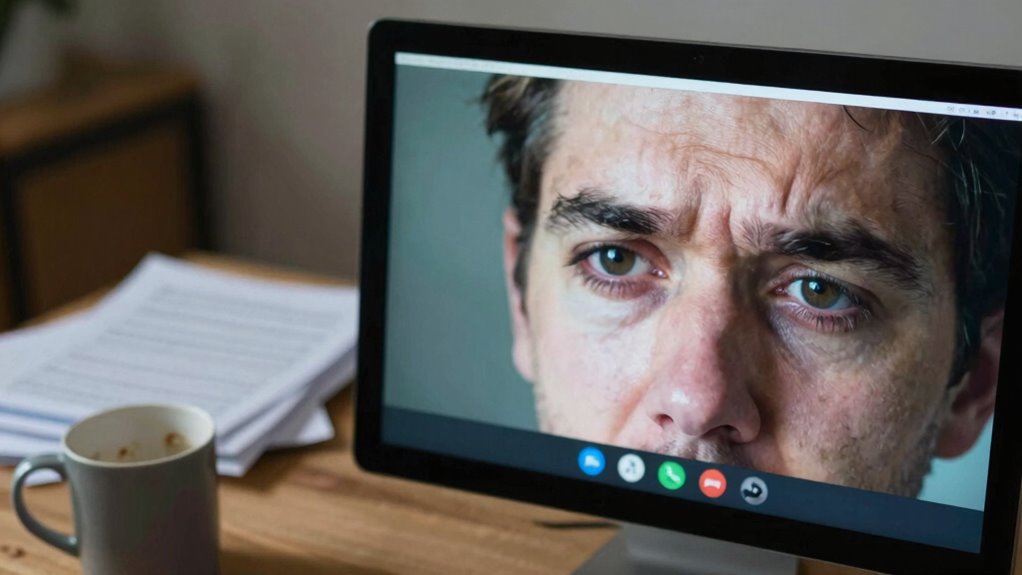
To reduce eye strain during video calls, start by adjusting your screen brightness so it matches your environment. Remember the 20-20-20 rule: every 20 minutes, look at something 20 feet away for 20 seconds. Keep your screen at the proper distance to avoid unnecessary fatigue and keep your eyes comfortable. Incorporating natural lighting into your workspace can also lessen eye strain and improve overall comfort during long calls. Additionally, verifying your investment company’s registration and researching reviews can prevent distractions that contribute to mental fatigue during extended screen time. Using outdoor wisdom principles, such as taking breaks and adjusting your environment, can further enhance your visual comfort during extended screen use. Recognizing the importance of holistic well-being can help you develop habits that reduce fatigue and boost overall productivity during your video interactions.
Adjust Screen Brightness
Adjusting your screen brightness can considerably reduce eye strain during video calls. Proper screen calibration ensures your display isn’t too bright or too dim, which minimizes eye fatigue.
Start by setting your brightness to match the ambient lighting in your environment—if your room is dim, lower your screen brightness; if it’s brightly lit, increase it slightly. Use your device’s brightness adjustment controls or enable automatic brightness settings to maintain consistency.
Avoid glare and reflections by positioning your screen away from direct light sources. When your screen’s brightness aligns with your surroundings, your eyes won’t have to work as hard to focus, helping prevent strain and discomfort.
Regularly fine-tuning your brightness settings supports healthier, more comfortable viewing during long video calls.
Follow the 20-20-20 Rule
Since staring at your screen for extended periods can cause eye fatigue, following the 20-20-20 rule is an effective way to give your eyes a break. Every 20 minutes, look at something 20 feet away for at least 20 seconds. This simple habit helps relax your eye muscles and prevents strain. Incorporating eye exercises during these breaks to strengthen your eye muscles and reduce discomfort can be beneficial. Remember, maintaining good posture correction also contributes to overall eye health and reduces tension. Additionally, using ergonomic practices can further reduce strain during long screen time sessions. Proper soil quality in your workspace, such as ensuring a comfortable and well-lit environment, can help minimize eye strain. Here are some tips to follow:
- Take short breaks regularly to reset your focus
- Practice eye exercises like blinking or focusing on distant objects
- Adjust your screen to eye level for better posture
- Use reminders or timers to stay consistent
- Keep a comfortable distance from your screen to reduce eye strain
Maintain Proper Distance
Maintaining the proper distance from your screen is essential for reducing eye strain during video calls. You should keep your monitor at a distance that respects your personal space and physical boundaries, ideally about an arm’s length away. Sitting too close causes your eyes to work harder, increasing fatigue. Adjust your screen height so that your eyes are level with the top of the display, preventing unnecessary strain. By respecting your personal space and setting clear physical boundaries, you help your eyes relax and minimize discomfort. Ensuring your environment accounts for proper viewing distance can significantly reduce eye fatigue, making your video calls more comfortable and less exhausting. Additionally, using a white noise machine can help create a calming environment that reduces overall stress during long virtual interactions. Remember, creating a workspace that honors your physical boundaries promotes better eye health and overall well-being during long virtual interactions. Proper ergonomic setup is also crucial to support your posture and reduce additional strain on your eyes and neck.
Strategies to Manage Mental Load and Take Breaks

To prevent burnout during video calls, you need to prioritize regular break times.
Practicing mindful engagement helps you stay present and avoid unnecessary mental fatigue.
Prioritize Break Times
Taking regular breaks during video calls isn’t just a luxury—it’s essential for managing mental load and maintaining focus. Prioritizing break times helps protect your mental health and preserves work-life balance.
When you schedule short pauses, you give your mind a chance to reset and prevent burnout. During breaks, step away from screens, stretch, or take deep breaths. This refreshes your energy and clarity, making your next meeting more productive.
Remember, consistent breaks reduce fatigue and boost overall well-being. To stay on track, consider these tips:
- Set alarms for break intervals
- Avoid screens during breaks
- Practice quick stretching routines
- Hydrate regularly
- Take deep breaths or meditate briefly
Prioritizing these moments ensures your mental health stays intact and your work-life balance remains manageable.
Practice Mindful Engagement
Practicing mindful engagement during video calls helps you manage mental load and avoid burnout. Focus on active listening by giving your full attention to the speaker, rather than multitasking or letting your mind wander. This helps you stay present and reduces the mental clutter that drains your energy.
Set intentions before each call—know what you want to achieve and how you’ll contribute—so you stay engaged without feeling overwhelmed. Take brief pauses to breathe deeply or stretch, which can reset your focus.
Limit distractions by closing unnecessary tabs or notifications. Remember, you don’t have to be constantly on; pause when needed to recharge. Cultivating mindful engagement enables you to participate more effectively and preserve your mental well-being during demanding video calls.
Practical Ways to Make Video Calls More Comfortable and Less Exhausting
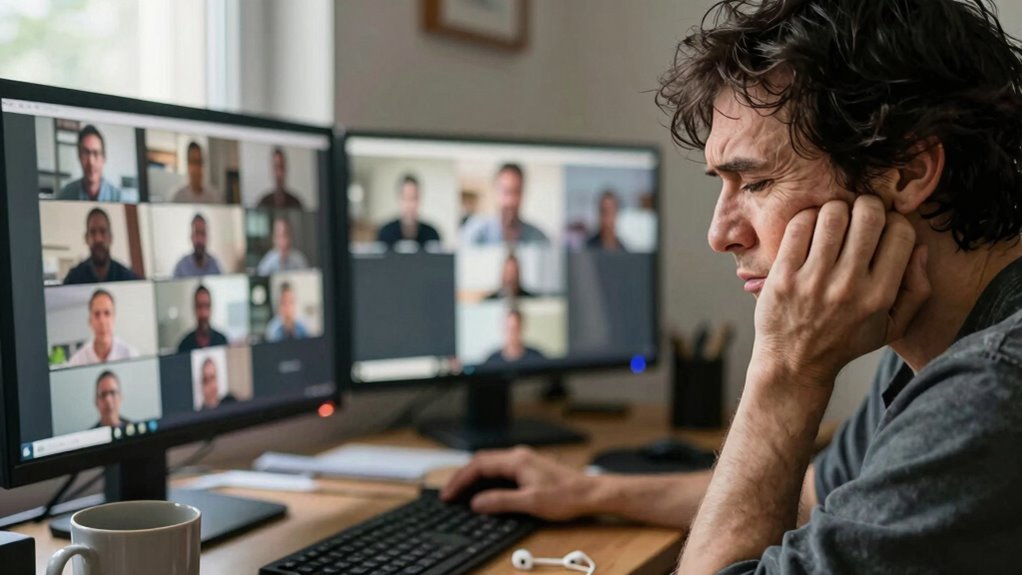
If you want to reduce the fatigue from video calls, start by adjusting your environment and habits. Simplify your setup to avoid overstimulation, like using a neutral background or virtual backgrounds that aren’t distracting.
Stick to a comfortable dress code, so you don’t feel pressured to look perfect all the time.
Take breaks between meetings to stretch or breathe, and limit the number of consecutive calls.
Use headphones to block out background noise and stay focused.
Keep your camera at eye level for better engagement and avoid multitasking to stay present.
- Choose calming virtual backgrounds to reduce visual strain
- Dress comfortably to feel more relaxed
- Schedule short breaks between meetings
- Use headphones for better focus
- Keep your camera steady and at eye level
Frequently Asked Questions
Can Lighting Conditions Affect Zoom Fatigue Levels?
Yes, lighting conditions can influence your Zoom fatigue levels. Poor lighting glare causes eye strain, making you feel more exhausted.
Similarly, the color temperature of your environment affects your alertness; overly warm or cool lighting can be distracting or uncomfortable.
How Does Multitasking During Video Calls Impact Fatigue?
Think of multitasking during video calls as juggling flaming torches while walking a tightrope. It splits your focus, creating a whirlwind of distraction and simultaneous engagement that drains your energy faster.
Every time you divide your attention, your brain works harder to keep up, increasing fatigue. So, multitasking during calls turns a simple conversation into a mental marathon, leaving you exhausted and less effective by the end.
Are There Specific Mental Health Effects Linked to Prolonged Video Conferencing?
Prolonged video conferencing can increase mental health risks like anxiety and depression, making you feel emotionally exhausted.
You may find yourself more stressed and less able to disconnect, which worsens overall well-being.
Constantly being on camera and multitasking can drain your mental energy, leading to burnout.
To protect your mental health, set boundaries, take breaks, and limit your screen time to reduce these negative effects.
What Role Does Camera Placement Play in Reducing Eye Strain?
You should position your camera at eye level to reduce eye strain. Imagine you’re in a meeting, and your camera is too low or high—your eyes strain as you look up or down.
Does the Duration of a Video Call Correlate With Increased Fatigue?
Yes, longer call durations tend to increase fatigue, creating a clear fatigue correlation.
As you spend more time on video calls, your mental energy depletes, and eye strain and discomfort build up. Extended periods of continuous focus make it harder to stay engaged, leading to exhaustion.
To combat this, take regular breaks, limit call lengths, and stay mindful of how call duration affects your overall energy and well-being.
Conclusion
The next time you feel drained after a video call, remember it’s not just in your head—it’s your brain and eyes working overtime. That exhaustion often sneaks up when you least expect it, making you realize how even small adjustments can make a big difference. So, take breaks, minimize distractions, and be mindful of your limits. Sometimes, the simplest change can turn a tiring call into a more manageable, even enjoyable, experience.