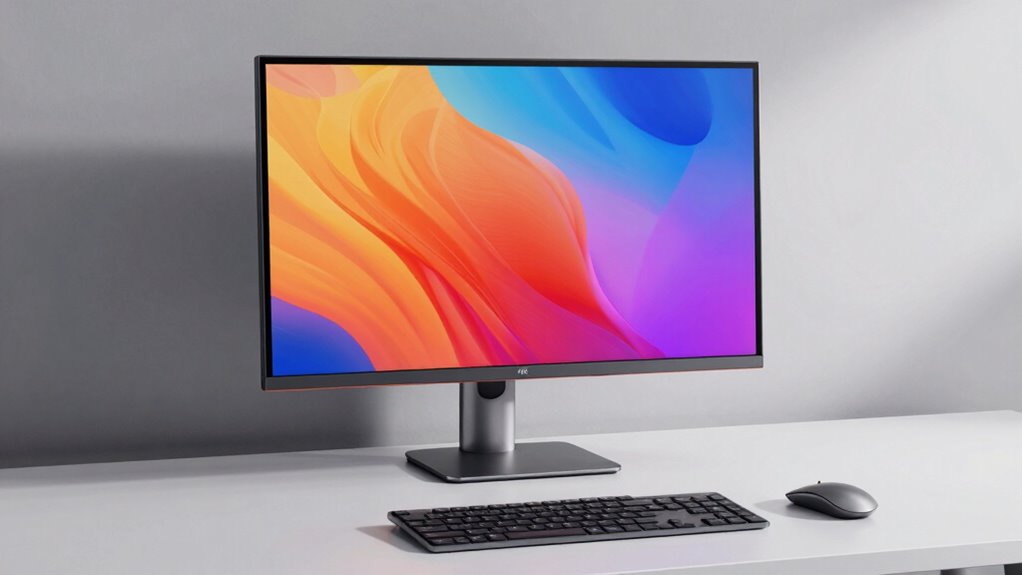
For a 4K monitor under $600, my best overall pick is the Dell 27 Plus S2725QS, which pairs 4K resolution with a 120Hz refresh rate for a useful mix of sharpness and smooth motion. The ASUS TUF VG27UQ1A and SANSUI dual-mode monitor stand out for gaming, while the LG UltraFine 27US500-W offers a simpler choice for everyday 4K work. The main tradeoff is between refresh rate and connectivity or screen size: faster gaming features may mean fewer work-focused connections, while 32-inch models offer more space but take up more desk room. Read on for the full breakdown of how these 11 options differ and which best fits your setup.

Prime made for students and young adults
- Fast, free delivery for dorm and study essentials
- Prime Video and Amazon Music included
- Member-only deals
Key Takeaways
- The Dell S2725QS is the clearest all-rounder: its 27-inch 4K IPS panel and 120Hz refresh rate balance crisp desktop work with smoother scrolling and casual gaming.
- Gaming picks split into distinct camps: the ASUS TUF and SANSUI focus on high-refresh 4K, while the Acer Nitro offers a more modest 72Hz at 4K and a faster FHD mode.
- Dual-mode displays trade resolution for speed: the SANSUI and Amzfast can switch to high-refresh 1080p, which suits competitive play but does not deliver the same detail as 4K.
- Screen size changes the desk experience: the 32-inch options from the unnamed IPS model and LG provide more physical workspace than 27-inch displays, but need more room and may suit different viewing distances.
- Work connectivity sets the premium apart: the Dell UltraSharp U2725QE is the standout for Thunderbolt 4, while basic HDMI-and-DisplayPort models make more sense when a straightforward display connection is enough.
| LG 27UP650K-W 27-Inch 4K UHD IPS Monitor with Adjustable Stand |  | Best for Ergonomic Work Setups | Screen size: 27 inches | Resolution: 3840 × 2160 (4K UHD) | Panel type: IPS | VIEW ON AMAZON | See Our Full Breakdown |
| 32-Inch 4K UHD IPS Monitor, 3840 × 2160 |  | Best for a Larger 4K Workspace | Screen size: 32 inches | Resolution: 3840 × 2160 (4K UHD) | Panel type: IPS | VIEW ON AMAZON | See Our Full Breakdown |
| SANSUI 27″ 4K Gaming Monitor with 160Hz/144Hz and FHD 320Hz/240Hz Dual Mode, Fast IPS, 1ms Response, HDR400, Built-in Speakers, Eye Care, Adjustable Stand |  | Best for Competitive Dual-Mode Gaming | Display size: 27 inches | Resolution modes: 4K UHD and FHD | Refresh rate: Up to 160 Hz at 4K; up to 320 Hz at FHD | VIEW ON AMAZON | See Our Full Breakdown |
| Amzfast 27″ 4K Gaming Monitor, UHD 160Hz / FHD 320Hz Dual Mode, Fast IPS |  | Best for Dual-Mode Gaming Connections | Screen size: 27 inches | Resolution modes: 4K UHD and FHD | Refresh rate: Up to 160 Hz at 4K; up to 320 Hz at FHD | VIEW ON AMAZON | See Our Full Breakdown |
| Dell 27 Plus 4K Monitor S2725QS, 27-Inch IPS, 120Hz |  | Best Overall for Mixed Work and Play | Screen size: 27 inches | Resolution: 3840 × 2160 (4K UHD) | Panel type: IPS | VIEW ON AMAZON | See Our Full Breakdown |
| LG UltraFine 27-Inch 4K UHD IPS Monitor, 27US500-W |  | Best for Everyday Work | Screen size: 27 inches | Resolution: 3840 x 2160 (4K UHD) | Panel type: IPS | VIEW ON AMAZON | See Our Full Breakdown |
| Acer Nitro VG270K L1bmiipx 27-Inch 4K UHD Gaming IPS Monitor |  | Best for Flexible Resolution and Refresh | Screen size: 27 inches | Resolution: 3840 x 2160 (4K UHD) | Panel type: IPS | VIEW ON AMAZON | See Our Full Breakdown |
| Dell UltraSharp U2725QE 27-Inch 4K UHD IPS Monitor with Thunderbolt 4 |  | Best for Creative Work and Docking | Display size: 27 inches | Resolution: 3840 x 2160 (4K UHD) | Color coverage: 99% DCI-P3 | VIEW ON AMAZON | See Our Full Breakdown |
| LG 32UR500K-B 32-Inch 4K UHD HDR10 Monitor with Built-in Speakers |  | Best for a Larger Screen and Simple Setup | Display size: 32 inches | Resolution: 3840 x 2160 (4K UHD) | Display technology: VA LED | VIEW ON AMAZON | See Our Full Breakdown |
| ASUS TUF Gaming VG27UQ1A 27-Inch 4K 160Hz Gaming Monitor |  | Best for High-Refresh 4K Gaming | Screen size: 27 inches | Resolution: 3840 x 2160 (4K UHD) | Panel type: Fast IPS | VIEW ON AMAZON | See Our Full Breakdown |
| Gawfolk 27 Inch 4K IPS Monitor, UHD 3840 x 2160p, 60Hz, HDMI & DP Support, Wall Mount Compatible |  | Best for Everyday 4K Work | Screen size: 27 inches | Resolution: 3840 × 2160 (4K UHD) | Refresh rate: 60Hz | VIEW ON AMAZON | See Our Full Breakdown |
| 4k monitor under 600 | Refresh rate | Resolution | Screen size | Panel type |
|---|---|---|---|---|
| LG 27UP650K-W 27-Inch 4K UHD I | 60 Hz | 3840 × 2160 (4K UHD) | 27 inches | IPS |
| 32-Inch 4K UHD IPS Monitor | 60 Hz | 3840 × 2160 (4K UHD) | 32 inches | IPS |
| SANSUI 27" 4K Gaming Monitor w | Up to 160 Hz at 4K; up to 320 Hz at FHD | — | — | Fast IPS |
| Amzfast 27" 4K Gaming Monitor | Up to 160 Hz at 4K; up to 320 Hz at FHD | — | 27 inches | — |
| Dell 27 Plus 4K Monitor S2725Q | Up to 120 Hz | 3840 × 2160 (4K UHD) | 27 inches | IPS |
| LG UltraFine 27-Inch 4K UHD IP | 60 Hz | 3840 x 2160 (4K UHD) | 27 inches | IPS |
| Acer Nitro VG270K L1bmiipx 27- | Up to 72Hz at 4K; up to 144Hz at 1920 x 1080 with DFR | 3840 x 2160 (4K UHD) | 27 inches | IPS |
| Dell UltraSharp U2725QE 27-Inc | 120Hz | 3840 x 2160 (4K UHD) | — | — |
| LG 32UR500K-B 32-Inch 4K UHD H | 60 Hz | 3840 x 2160 (4K UHD) | — | — |
| ASUS TUF Gaming VG27UQ1A 27-In | 160Hz | 3840 x 2160 (4K UHD) | 27 inches | Fast IPS |
| Gawfolk 27 Inch 4K IPS Monitor | 60Hz | 3840 × 2160 (4K UHD) | 27 inches | IPS |
More Details on Our Top Picks
LG 27UP650K-W 27-Inch 4K UHD IPS Monitor with Adjustable Stand
The LG 27UP650K-W is a strong fit for desk work where stand flexibility and color matter more than high refresh rates. Its 27-inch 4K IPS panel gives text and images plenty of detail, while coverage of up to 95% DCI-P3 and DisplayHDR 400 support suit mixed creative and entertainment use. Unlike the 32-inch IPS option in this lineup, it takes up less desk space and offers a height-, tilt-, and pivot-adjustable stand rather than tilt alone. That ergonomic range is a meaningful advantage for long work sessions or portrait-oriented documents. The tradeoff is its 60 Hz refresh rate, which makes it less appealing for fast gaming than the Dell S2725QS or the dual-mode SANSUI. Its single USB port also limits peripheral connections.
Pros:- 4K IPS resolution with up to 95% DCI-P3 coverage
- Height, tilt, and pivot adjustments support flexible positioning
- DisplayHDR 400 adds HDR compatibility for supported content
- Reader Mode and Flicker Safe features support extended viewing
Cons:- 60 Hz refresh rate is less fluid for gaming than the Dell S2725QS
- Only one USB port is listed
Best for: Home-office users and occasional creators who want a compact 27-inch 4K display with an adjustable stand and broad color coverage.
Not ideal for: Competitive gamers or users who need a high refresh rate, along with desk setups that rely on several USB-connected accessories.
- Screen size:27 inches
- Resolution:3840 × 2160 (4K UHD)
- Panel type:IPS
- Refresh rate:60 Hz
- HDR:VESA DisplayHDR 400
- Color gamut:Up to 95% DCI-P3
- Ports:2 HDMI, 1 USB
- Stand adjustment:Height, tilt, and pivot
Our verdict“Choose the LG 27UP650K-W for a flexible, color-capable work monitor, but pick a higher-refresh model if gaming smoothness matters more.”
32-Inch 4K UHD IPS Monitor, 3840 × 2160
This 32-inch 4K IPS monitor puts a large workspace ahead of ergonomic extras. The added screen area can make spreadsheets, timelines, and side-by-side windows easier to manage than on the 27-inch LG 27UP650K-W, while its two DisplayPort 1.4 inputs allow more than one DisplayPort source to stay connected. AMD FreeSync support can help reduce tearing with compatible graphics hardware. The tradeoff is a basic tilt-only stand: unlike the LG and Dell S2725QS, it does not offer listed height or pivot adjustment, so buyers may want a VESA arm. Brightness is rated at 230 cd/m², and there are no built-in speakers. Its 60 Hz refresh rate is suitable for everyday use but not the smoothest choice for fast-paced gaming.
Pros:- 32-inch 4K IPS screen offers more working area than the 27-inch picks
- Two DisplayPort 1.4 inputs support multiple connected sources
- AMD FreeSync compatibility can reduce tearing with supported graphics cards
- VESA 100 × 100 mm mounting allows use with a monitor arm
Cons:- Stand adjusts for tilt only, unlike the height- and pivot-adjustable LG 27UP650K-W
- No built-in speakers
- 230 cd/m² brightness and 60 Hz refresh rate limit its appeal for bright rooms and fast gaming
Best for: Spreadsheet-heavy home-office users and multitaskers who want a 32-inch 4K canvas and multiple DisplayPort connections.
Not ideal for: People who need a height-adjustable stand, built-in audio, or a higher refresh rate for fast gaming.
- Screen size:32 inches
- Resolution:3840 × 2160 (4K UHD)
- Panel type:IPS
- Refresh rate:60 Hz
- Brightness:230 cd/m²
- Connectivity:1 HDMI 2.0, 2 DisplayPort 1.4
- Stand adjustment:Tilt ±15°
- Speakers:None
Our verdict“Pick this model if a roomy 32-inch 4K workspace matters more than a flexible stand, onboard speakers, or gaming speed.”
SANSUI 27″ 4K Gaming Monitor with 160Hz/144Hz and FHD 320Hz/240Hz Dual Mode, Fast IPS, 1ms Response, HDR400, Built-in Speakers, Eye Care, Adjustable Stand
The SANSUI is the most gaming-focused option here for buyers who want to switch between sharp 4K play and very high frame rates. Its 4K mode reaches 160 Hz, while FHD mode goes up to 320 Hz, giving it more range for competitive games than the 60 Hz LG 27UP650K-W or the 120 Hz Dell S2725QS. The Fast IPS panel, 1 ms overdrive response specification, and HDMI 2.1 inputs support that gaming focus; the adjustable stand also offers height, swivel, tilt, and pivot changes. The compromise is that those high refresh rates depend on a capable source device, and reducing resolution to FHD trades away fine detail. Built-in speakers are convenient, but the product data does not establish that they can replace a dedicated audio setup.
Pros:- 4K refresh rate up to 160 Hz and FHD refresh rate up to 320 Hz
- Fast IPS panel with a listed 1 ms overdrive response
- HDMI 2.1 and DisplayPort 1.4 inputs
- Stand supports height, swivel, tilt, and pivot adjustments
Cons:- High refresh rates depend on the source device and game
- FHD mode sacrifices the detail of 4K
- Built-in speakers may not meet the needs of buyers seeking strong audio
Best for: PC and console gamers with hardware capable of high frame rates who want both detailed 4K play and a lower-resolution competitive mode.
Not ideal for: Office-first buyers who do not need dual gaming modes, or users whose computer cannot drive the listed high refresh rates.
- Display size:27 inches
- Resolution modes:4K UHD and FHD
- Refresh rate:Up to 160 Hz at 4K; up to 320 Hz at FHD
- Panel type:Fast IPS
- Response time:1 ms (OD)
- HDR:HDR400
- Inputs:2 × HDMI 2.1, 2 × DisplayPort 1.4, 3.5 mm audio jack
- Stand adjustments:Pivot, swivel, height (0–130 mm), tilt (-5° to 20°)
Our verdict“Choose the SANSUI if you want high-refresh gaming flexibility in one monitor and have hardware that can make use of it.”
Amzfast 27″ 4K Gaming Monitor, UHD 160Hz / FHD 320Hz Dual Mode, Fast IPS
The Amzfast shares the same headline gaming idea as the SANSUI: 4K at up to 160 Hz or FHD at up to 320 Hz. Its listed 10-bit color depth, 93% DCI-P3 coverage, and HDR400 support give it a visual feature set that reaches beyond basic high-speed play. It also includes two HDMI 2.1 and two DisplayPort 1.4 ports, plus a stand with height, swivel, tilt, and rotation adjustments. Compared with the Dell S2725QS, this model prioritizes much higher gaming refresh rates over a clearly specified everyday sRGB target and a stated ComfortView Plus feature. The tradeoff is that the supplied details do not describe how mode switching works or specify speaker performance, so buyers should not assume those parts of the experience are especially polished.
Pros:- Dual modes offer up to 160 Hz at 4K and 320 Hz at FHD
- Two HDMI 2.1 and two DisplayPort 1.4 inputs
- Stand supports height, swivel, tilt, and rotation
- Listed 10-bit color depth, HDR400, and 93% DCI-P3 coverage
Cons:- Switching modes may add complexity for users who want a simple setup
- Built-in speaker audio quality is not specified
- FHD gaming mode gives up 4K image detail
Best for: Gamers who alternate between 4K visual detail and high-frame-rate FHD play and want several modern video inputs.
Not ideal for: Buyers seeking a straightforward productivity monitor or those who want clearly documented audio quality and mode-switching controls.
- Screen size:27 inches
- Resolution modes:4K UHD and FHD
- Refresh rate:Up to 160 Hz at 4K; up to 320 Hz at FHD
- Response time:1 ms MPRT
- Color depth:10 bit
- Color coverage:126% sRGB, 93% DCI-P3
- Ports:2 × HDMI 2.1, 2 × DisplayPort 1.4
- Stand adjustments:Height, swivel, tilt, rotate
Our verdict“The Amzfast suits gamers who value dual-mode speed and a broad input selection, provided they are comfortable with less-documented usability details.”
Dell 27 Plus 4K Monitor S2725QS, 27-Inch IPS, 120Hz
The Dell S2725QS is the lineup’s most balanced 27-inch choice for buyers who split time between everyday work and gaming. Its 4K IPS panel at up to 120 Hz is a more fluid step up from the 60 Hz LG 27UP650K-W, without the specialized 4K/FHD mode choices of the SANSUI and Amzfast gaming monitors. AMD FreeSync Premium supports smoother play with compatible hardware, while 99% sRGB coverage suits general creative work and media. Dell also lists built-in speakers, ComfortView Plus, and a stand with height, tilt, swivel, and pivot adjustment. The compromises are less detailed gaming specs than the dual-mode rivals and connectivity data that names DisplayPort and HDMI without giving port counts. Its listed response-time figures conflict, so I would not choose it based on the 0.03 ms claim alone.
Pros:- 4K IPS display with up to 120 Hz refresh rate
- 99% sRGB coverage and AMD FreeSync Premium
- Stand adjusts for height, tilt, swivel, and pivot
- Built-in speakers and ComfortView Plus support an all-purpose setup
Cons:- Refresh rate is below the 160 Hz 4K modes on the SANSUI and Amzfast
- Port counts are not specified in the supplied connectivity details
- Response-time information is inconsistent in the product data
Best for: Buyers seeking one 27-inch 4K monitor for office tasks, general creative work, and smoother casual gaming.
Not ideal for: Competitive gamers who want very high refresh rates or buyers who need confirmed port counts and unambiguous response-time specifications.
- Screen size:27 inches
- Resolution:3840 × 2160 (4K UHD)
- Panel type:IPS
- Refresh rate:Up to 120 Hz
- Color gamut:99% sRGB
- Adaptive sync:AMD FreeSync Premium
- Connectivity:DisplayPort, HDMI; port counts not specified
- Stand features:Height adjustment, tilt, swivel, and pivot
Our verdict“Choose the Dell S2725QS for a well-rounded 4K work-and-play display, but favor a dual-mode model for more demanding high-refresh gaming.”
LG UltraFine 27-Inch 4K UHD IPS Monitor, 27US500-W
The LG UltraFine 27US500-W is a sensible pick for a desk focused on documents, browsing, and occasional photo work: its 27-inch 4K IPS panel keeps text and fine details crisp, while the matte finish and wide viewing angles suit shared or bright workspaces. Its up-to-90% DCI-P3 coverage gives creative tasks more color range than a basic office display, though it falls short of the Dell UltraSharp U2725QE’s stated 99% coverage and factory calibration. HDR10 support is included, but the 300-nit brightness and 60Hz refresh rate make this a standard productivity monitor rather than a standout HDR or gaming choice. OnScreen Control adds convenient workspace layout and display adjustments; the stand, however, only tilts, so ergonomic flexibility is limited.
Pros:- 4K resolution on a 27-inch IPS panel produces sharp text and broad viewing angles
- Up-to-90% DCI-P3 coverage supports richer color than a basic office display
- OnScreen Control offers workspace splitting and display adjustments
- HDMI and DisplayPort provide straightforward desktop connectivity
Cons:- 60Hz refresh rate is less suited to fast gaming than the Acer Nitro or ASUS TUF options
- Stand adjusts only for tilt, limiting ergonomic positioning
- 300 cd/m² brightness and HDR10 support offer modest HDR capability
Best for: Home-office users who want sharp 4K text, an IPS screen, and simple workspace controls for everyday productivity.
Not ideal for: Competitive gamers or users needing a height-adjustable stand, high refresh rate, or stronger color coverage for professional grading.
- Screen size:27 inches
- Resolution:3840 x 2160 (4K UHD)
- Panel type:IPS
- Refresh rate:60 Hz
- Color gamut:Up to 90% DCI-P3
- Brightness:300 cd/m²
- HDR:HDR10
- Connectivity:HDMI, DisplayPort
Our verdict“Choose the LG UltraFine for crisp everyday 4K work and useful software controls, but skip it if you need gaming speed or more flexible ergonomics.”
Acer Nitro VG270K L1bmiipx 27-Inch 4K UHD Gaming IPS Monitor
The Acer Nitro VG270K takes a split approach to gaming: it supports up to 72Hz at 4K, or up to 144Hz at 1080p using DFR. That flexibility suits players who would rather trade detail for faster motion in competitive games, a choice the 60Hz LG UltraFine 27US500-W does not offer. Its IPS panel, FreeSync, HDR10, and stated 95% DCI-P3 coverage also make it a more gaming-oriented alternative to that LG productivity model. The compromises are the mode switch itself and limited top-end refresh at native 4K: the ASUS TUF VG27UQ1A reaches 160Hz while keeping 4K resolution. Acer’s tilt-only stand and lack of listed USB connectivity also make it less adaptable as a long-term desk hub.
Pros:- DFR lets users choose up to 72Hz at 4K or up to 144Hz at 1080p
- IPS panel and stated 95% DCI-P3 coverage support detailed, colorful images
- FreeSync helps reduce tearing when frame rates fluctuate
- DisplayPort 1.4 and two HDMI 2.0 ports support multiple connected devices
Cons:- The higher refresh mode requires dropping resolution to 1080p
- Maximum listed 4K refresh rate of 72Hz trails the ASUS TUF VG27UQ1A
- Tilt-only stand offers limited ergonomic adjustment
Best for: Budget-conscious PC gamers who alternate between detailed 4K single-player games and higher-refresh 1080p competitive play.
Not ideal for: Players who want high refresh rates at native 4K, extensive workstation connectivity, or a stand with height adjustment.
- Screen size:27 inches
- Resolution:3840 x 2160 (4K UHD)
- Panel type:IPS
- Refresh rate:Up to 72Hz at 4K; up to 144Hz at 1920 x 1080 with DFR
- Response time:Up to 0.5ms GTG
- Color gamut:Up to 95% DCI-P3
- Adaptive sync:AMD FreeSync
- Connectivity:1 x DisplayPort 1.4, 2 x HDMI 2.0
Our verdict“Pick the Acer Nitro if you want to switch between 4K detail and faster 1080p play, not if high-refresh 4K is your priority.”
Dell UltraSharp U2725QE 27-Inch 4K UHD IPS Monitor with Thunderbolt 4
The Dell UltraSharp U2725QE is the most capable desk display here for people combining color-sensitive work with a laptop-centric setup. Its factory calibration and 99% DCI-P3 coverage give it a clearer professional-color advantage over the LG UltraFine 27US500-W, while 120Hz makes scrolling and motion feel smoother than on the LG’s 60Hz panel. Thunderbolt 4 with up to 140W power delivery can reduce cable clutter and charge a compatible laptop through one connection; Ethernet and USB ports add useful desk-hub functions. Those extras make the Dell a more specialized choice than the gaming-focused ASUS TUF VG27UQ1A, which instead prioritizes 160Hz play. Buyers should check their laptop and cable setup for compatibility, and the Dell’s extensive connections may be unnecessary for a simple desktop workstation.
Pros:- Factory calibration and 99% DCI-P3 coverage suit color-focused creative work
- 120Hz refresh rate is smoother than the 60Hz LG UltraFine 27US500-W
- Thunderbolt 4 supports up to 140W power delivery for compatible laptops
- HDMI 2.1, USB-A, USB-C, Ethernet, and ergonomic adjustments support a flexible desk setup
Cons:- The broad port selection and docking functions may be unnecessary for a basic desktop setup
- Laptop charging and docking benefits depend on compatible devices and cables
- At 120Hz, it does not match the ASUS TUF VG27UQ1A’s listed 160Hz gaming ceiling
Best for: Creative professionals and laptop-based workers who need broad color coverage, smooth 120Hz motion, and a high-power Thunderbolt docking connection.
Not ideal for: Buyers seeking a straightforward gaming display or users whose computer cannot make use of Thunderbolt docking and high-wattage USB-C charging.
- Display size:27 inches
- Resolution:3840 x 2160 (4K UHD)
- Color coverage:99% DCI-P3
- Refresh rate:120Hz
- Response time:5ms
- Connectivity:Thunderbolt 4, HDMI 2.1, USB-C, USB-A, Ethernet
- Power delivery:Up to 140W
- Features:Factory calibrated, blue light reduction, ergonomic adjustments
Our verdict“Choose the Dell UltraSharp if color work and laptop docking justify its extensive connectivity, rather than buying it for gaming refresh alone.”
LG 32UR500K-B 32-Inch 4K UHD HDR10 Monitor with Built-in Speakers
The LG 32UR500K-B puts 4K across a 32-inch screen, making it a better fit than the 27-inch LG UltraFine 27US500-W for viewers who want larger text, a roomier workspace, or a more immersive distance-viewing setup. Built-in stereo speakers also remove the need for separate audio hardware for calls and casual video. Its VA panel and HDR10 support add to its entertainment focus, but the supplied specifications list 60Hz refresh and 80% DCI-P3 coverage; the Acer Nitro VG270K offers higher color coverage and a refresh-rate option for players willing to use 1080p. Brightness is listed at 250 nits, and the stand only tilts, so this model is less compelling for bright rooms or carefully adjustable workstations. The response time is not specified.
Pros:- 32-inch 4K screen offers more physical viewing area than the 27-inch models
- Built-in stereo speakers simplify casual video and call setups
- HDR10 support is available for compatible content
- 178-degree viewing angle supports viewing from different seating positions
Cons:- 60Hz refresh rate is a poor fit for high-refresh gaming
- 250-nit brightness and 80% DCI-P3 coverage are modest beside the Acer Nitro VG270K
- Stand adjustment is limited to tilt, and response time is not specified
Best for: People who want a larger 4K screen for streaming, casual gaming, and everyday tasks, with built-in speakers for a simple setup.
Not ideal for: Competitive gamers, bright-room users, or professionals who need high color coverage and a fully adjustable stand.
- Display size:32 inches
- Resolution:3840 x 2160 (4K UHD)
- Display technology:VA LED
- Refresh rate:60 Hz
- Brightness:250 nits
- Color gamut:80% DCI-P3
- HDR:HDR10
- Audio:Built-in stereo speakers
Our verdict“Choose the LG 32UR500K-B if screen size and built-in sound matter more than high refresh, brighter output, or advanced color work.”
ASUS TUF Gaming VG27UQ1A 27-Inch 4K 160Hz Gaming Monitor
For gamers who want fast play without dropping to 1080p, the ASUS TUF VG27UQ1A is the standout in this group: its Fast IPS panel pairs 4K resolution with a 160Hz refresh rate and 1ms response time. That is a sharper high-refresh option than the Acer Nitro VG270K, whose faster mode requires switching to 1080p. G-SYNC compatibility, FreeSync Premium, and ELMB Sync offer multiple tools for reducing tearing and motion blur, while HDMI 2.1 supports up to 4K at 120Hz from compatible consoles. The 95% DCI-P3 coverage also gives games more color range than the LG 32UR500K-B’s stated 80%. Its tradeoffs are a 27-inch screen that may feel compact for couch-distance play and a listed 1000:1 contrast ratio that is typical for IPS rather than a deep-black strength.
Pros:- 160Hz at 4K combines high resolution and fast motion
- 1ms response time and ELMB Sync support clearer fast action
- G-SYNC compatibility and FreeSync Premium provide adaptive-sync options
- HDMI 2.1 supports up to 4K at 120Hz for compatible consoles
Cons:- 27-inch screen may feel small for users who prefer a larger or couch-distance display
- 1000:1 contrast ratio is limited for deep blacks in dark scenes
- High-refresh 4K gaming requires a capable computer to make full use of the panel
Best for: PC and console gamers who want sharp 4K detail with a high refresh rate, adaptive sync, and HDMI 2.1 console support.
Not ideal for: Buyers who want a large screen for distant viewing, deep contrast for dark-room films, or a monitor primarily for professional color grading.
- Screen size:27 inches
- Resolution:3840 x 2160 (4K UHD)
- Panel type:Fast IPS
- Refresh rate:160Hz
- Response time:1ms
- Color gamut:95% DCI-P3
- Adaptive sync:NVIDIA G-SYNC Compatible, AMD FreeSync Premium
- Connectivity:HDMI 2.1, DisplayPort
Our verdict“Choose the ASUS TUF VG27UQ1A if high-refresh 4K gaming is your priority; pick the LG 32UR500K-B instead if you value a larger screen over speed.”
Gawfolk 27 Inch 4K IPS Monitor, UHD 3840 x 2160p, 60Hz, HDMI & DP Support, Wall Mount Compatible
The Gawfolk is a straightforward pick for buyers who want 4K detail for office tasks, study, and streaming rather than gaming-focused speed. Its 27-inch IPS panel pairs sharp UHD resolution with wide viewing angles, while two HDMI 2.0 and two DisplayPort 1.4 inputs make it easier to keep several devices connected. Flicker-free technology and low blue light add comfort-focused features for long desk sessions.
Compared with the Dell S2725QS, which offers a 120Hz refresh rate, this model is limited to 60Hz; fast games and motion-heavy use are better matched to the Dell or the higher-refresh gaming options in this roundup. The tradeoff is a simpler feature set: there are no built-in speakers, and the stand’s adjustment options are not specified. Its stated 3000:1 contrast ratio is unusual for an IPS listing, so buyers who prioritize verified display measurements may prefer a more established alternative.
Pros:- 3840 × 2160 resolution gives fine text and detailed images on a 27-inch screen.
- IPS panel supports wide viewing angles for shared viewing and varied desk positions.
- Two HDMI 2.0 and two DisplayPort 1.4 inputs accommodate multiple connected devices.
- Flicker-free technology and low blue light provide eye-comfort features for extended sessions.
Cons:- 60Hz refresh rate is less suited to fast-paced gaming than the Dell S2725QS and high-refresh gaming models in the roundup.
- No built-in speakers, so audio requires separate equipment.
- Stand adjustment details are not provided, limiting confidence for buyers who need ergonomic positioning.
Best for: Home-office users, students, and general-purpose desktop buyers who want a 27-inch 4K IPS screen with several video inputs and plan to use external speakers or headphones.
Not ideal for: Competitive gamers who want refresh rates above 60Hz, or desk users who need built-in speakers and a clearly specified adjustable stand.
- Screen size:27 inches
- Resolution:3840 × 2160 (4K UHD)
- Refresh rate:60Hz
- Panel type:IPS
- Contrast ratio:3000:1
- Connectivity:2 × HDMI 2.0, 2 × DisplayPort 1.4, audio out
- Wall mount compatible:Yes
Our verdict“Choose the Gawfolk for everyday 4K work and flexible device connections, but pick a higher-refresh model if gaming performance is a priority.”
How We Picked
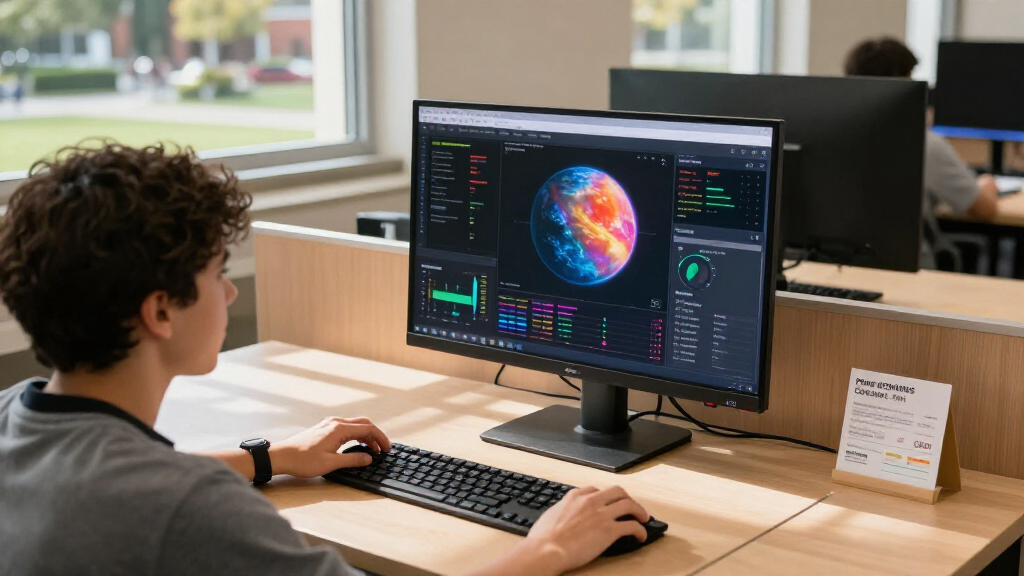
I ranked these monitors by how well their stated features serve the needs implied by a 4K display: clear text and detail, comfortable everyday use, and a sensible fit for gaming or desk work. I gave extra weight to features that change the experience in practice, such as refresh rate, screen size, adjustable stands, and Thunderbolt 4, rather than treating every 4K panel as interchangeable. I also considered whether a model’s feature mix has a clear audience, since a high-refresh gaming screen and a simple 60Hz work monitor solve different problems.
The ranking favors versatility first, then more specialized strengths. That puts the Dell S2725QS ahead as a balanced 120Hz 27-inch option, while the ASUS and SANSUI earn attention for gaming-focused refresh-rate features. The UltraSharp is positioned for buyers who need advanced connectivity, not as the default pick for everyone. Simpler or less fully specified models rank lower because buyers have fewer stated features to distinguish them, not because 4K resolution alone makes them poor choices.
Factors to Consider When Choosing 4k Monitor Under 600
Choosing a 4K screen is only the first decision. I would match the monitor to the computer, desk, and work or play habits before placing much weight on headline specifications.
Choose Refresh Rate for Your Actual Workload
A 60Hz monitor can be perfectly suitable for documents, video, browsing, and many creative tasks; a higher refresh rate is most noticeable in motion, such as fast games and scrolling. If you play competitive games, check whether the monitor can run at its advertised refresh rate at 4K, since some models reach their faster mode only after switching to 1080p. That distinction matters for the SANSUI and Amzfast dual-mode designs: their speed option changes the resolution, not just the refresh rate. Also check whether your computer can output 4K at the desired refresh rate through the connection you plan to use. Paying for a high refresh rate makes little sense if your system or games cannot take advantage of it.
Pick a Screen Size That Fits Your Desk and Scaling Needs
At 27 inches, 4K packs a great deal of detail into a compact screen, which can make text and interface elements look small at default scaling. Operating-system scaling can make menus easier to read, though it may reduce how much content fits on screen at once. A 32-inch display gives elements more physical size and can feel roomier for spreadsheets or side-by-side windows, but it occupies more desk space and may call for a greater viewing distance. Consider the depth of your desk as well as its width before choosing a larger panel. The best size is the one that lets you read comfortably without constantly rearranging windows or moving your head.
Check Connections Before Choosing a Work or Laptop Monitor
DisplayPort and HDMI can be enough for a single desktop connection, but laptop users may want a monitor that can also simplify charging and peripherals. The Dell UltraSharp U2725QE’s Thunderbolt 4 connection gives it a more work-focused role than models described with basic HDMI and DisplayPort support. Before buying, check the exact port versions and whether the connection supports the resolution and refresh rate you need. Do not assume that a USB-C-shaped port supplies power or carries video; those capabilities vary by monitor. If you regularly attach a laptop, a dock or one-cable connection can reduce desk clutter, but it is less valuable when the monitor will stay connected to one desktop.
Separate Gaming Features From Display Quality Claims
Gaming labels and short response-time claims do not tell the whole story about how a monitor will perform. Match the refresh rate to the games you play, and check for adaptive sync support that works with your graphics card. A 4K gaming monitor also asks more of a PC than a 1080p display, so your graphics card may not reach high frame rates in demanding games at full resolution. Dual-mode FHD operation can help in competitive titles, but it means giving up the extra detail that motivated a 4K purchase. If gaming is occasional rather than central, a balanced 120Hz monitor may be a better fit than paying attention only to the highest listed refresh rate.
Treat Stand Adjustability and Desk Fit as Everyday Features
A sharp panel is less comfortable if it sits too low, reflects distracting light, or cannot be positioned to suit your chair. Compare the included stand’s adjustment range with your desk setup, and check whether the monitor supports a VESA mount if you use an arm. The LG 27UP650K-W is specifically listed with an adjustable stand, giving it a practical advantage for buyers who want to set screen height without extra hardware. Wall-mount compatibility, listed for the Gawfolk, can help with placement but is not the same as having a flexible supplied stand. Measure the monitor’s footprint too; a large base can compete with a keyboard, speakers, or work materials.
Pay for Features You Will Use, Not Just a Premium Label
Spend more when a feature solves a recurring problem: Thunderbolt 4 can simplify a laptop desk, a higher refresh rate can improve gaming, and a larger screen can ease multitasking. If your use is mostly email, browsing, and office applications, a straightforward 4K IPS model may provide the core benefit without gaming or docking features. Built-in speakers can handle basic audio, but buyers who care about sound quality may still prefer dedicated speakers or headphones. HDR labels also vary in how much they add to the viewing experience, so do not choose a monitor on that label alone. Set your priorities before comparing specifications to avoid paying for features that your computer, workspace, or habits will not use.
Frequently Asked Questions
Is a 4K monitor under $600 worth it if I mostly use office apps?
It can be a good fit if you value fine text, detailed images, or room for multiple windows. At 27 inches, however, you may want to adjust display scaling so menus and text are comfortable to read. If your work is mainly documents and browsing, a high refresh rate is less important than a suitable stand and comfortable screen size. A basic 4K IPS model may serve you as well as a gaming-focused one for those tasks. Choose based on how much workspace you want on screen, not just the resolution label.
Will my computer run games at 4K and high refresh rates?
That depends on your graphics card, the game, and the connection between the computer and monitor. A monitor’s maximum refresh rate does not mean a computer can produce enough frames to reach it in demanding 4K games. Check the monitor’s supported resolution and refresh rate for each input, then compare those requirements with your graphics card’s output specifications. Some dual-mode models offer a faster FHD setting, which can be useful for competitive games when 4K performance is too demanding. If you mostly play graphically intensive titles, prioritize a refresh rate your system can realistically sustain.
Should I choose a 27-inch or 32-inch 4K monitor?
Choose 27 inches if desk space is limited or you prefer a compact screen with high pixel density. A 32-inch model gives windows and interface elements more physical room, which can help with multitasking and may reduce the need for aggressive scaling. The larger size also needs more desk depth and can feel less comfortable if you sit close. Think about how far you sit from the display and whether you need more screen area or a smaller footprint. Neither size is automatically better for every setup.
Does Thunderbolt 4 matter if I already have HDMI or DisplayPort?
For a desktop connected to one display, HDMI or DisplayPort may be all you need. Thunderbolt 4 is more useful for a laptop setup where you want a single connection to handle display data and compatible peripherals, subject to the monitor’s port capabilities. Confirm whether the specific monitor supplies laptop power and supports the features you expect; the Thunderbolt label alone does not answer every docking question. If you rarely connect or disconnect a laptop, the added connectivity may not change your day-to-day use. The Dell UltraSharp is the option in this lineup aimed most clearly at that work setup.
Should I buy a dual-mode 4K monitor if I play competitive games?
A dual-mode model can suit you if you want detailed 4K for everyday use and a faster FHD mode for competitive play. The tradeoff is that the speed setting uses a lower resolution, so fine detail is reduced when you switch modes. Check how the mode is activated and whether your preferred games benefit from the higher frame rate. If you want to play at high refresh rates while keeping 4K resolution, compare the monitor’s native 4K refresh rate instead. The ASUS TUF and SANSUI are more directly gaming-oriented choices in this roundup, while dual-mode specifications need to be read carefully.
Conclusion
For most buyers, I would start with the Dell 27 Plus S2725QS as the best overall: its combination of 4K, IPS, and 120Hz makes it the most balanced choice across work and casual gaming. For gaming-first setups, compare the ASUS TUF VG27UQ1A with the SANSUI; the SANSUI is especially relevant if you want a dual-mode option, while the ASUS is a dedicated high-refresh 4K alternative. The best premium work pick is the Dell UltraSharp U2725QE for buyers who will use Thunderbolt 4, and the best value-minded route is a simpler 4K IPS model such as the LG UltraFine 27US500-W if advanced gaming features are not a priority. For a first 4K monitor, I would favor an uncomplicated 27-inch model with a comfortable stand over paying for specifications you may not use. Choose one of the 32-inch models if extra workspace matters more than a compact desk footprint.