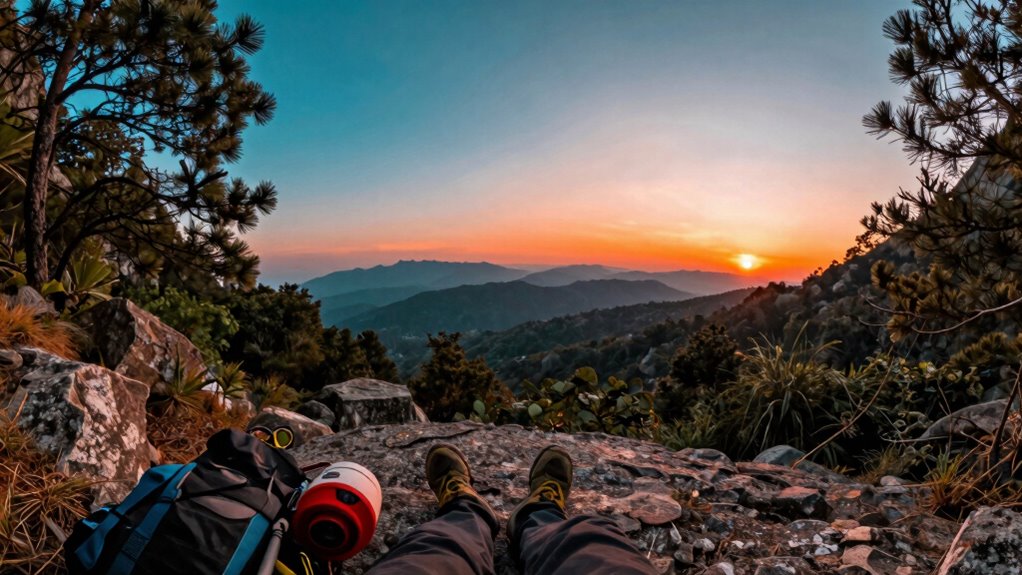

Your action camera’s field of view modes determine how your footage looks—either natural or “fish-eye.” Wide and super-wide modes capture a more immersive, rounded scene with a noticeable distortion. This effect adds a dynamic feel but can look exaggerated. Linear mode reduces distortion for a more realistic image, while narrow focuses tightly on distant subjects. Exploring these settings will help you achieve the perfect shot—if you keep exploring, you’ll discover more about how to optimize your footage.
Key Takeaways
- Action cameras offer various field of view modes, including super-wide, wide, linear, and narrow, affecting scene capture and distortion.
- Fish-eye or super-wide modes produce a rounded, immersive look by capturing more of the scene but introduce distortion.
- Linear mode reduces distortion for a more natural, eye-like perspective, minimizing the fish-eye effect.
- The choice of view mode influences the footage’s aesthetic, from immersive with distortion to realistic or tightly focused shots.
- Proper mounting and stabilization enhance the effectiveness of the chosen field of view, impacting the final “fish-eye” appearance.
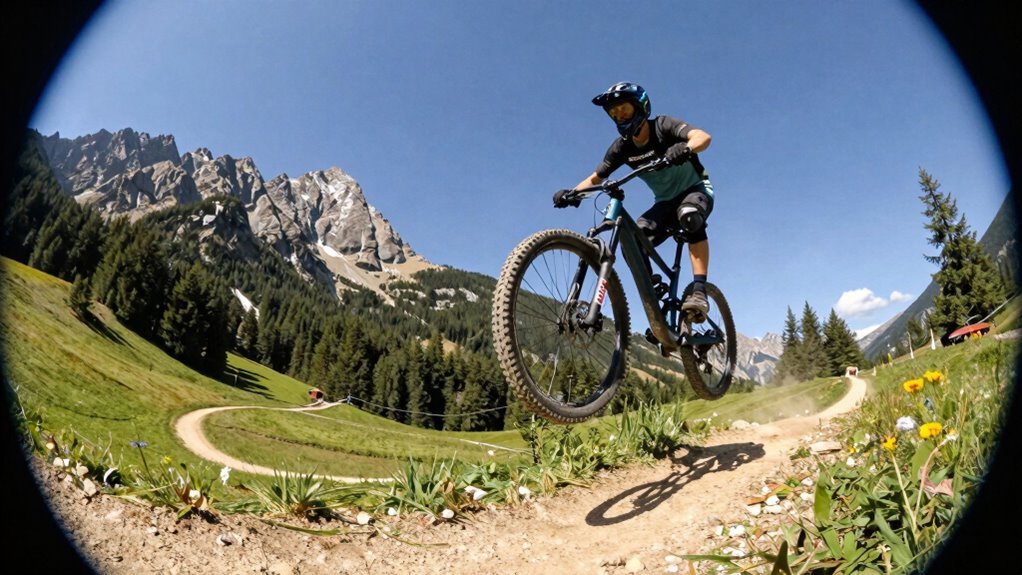
Have you ever wanted to capture your adventures in stunning detail? Action cameras make that possible, offering a variety of field of view modes that let you customize your footage. One key aspect that influences the look of your videos is the camera’s field of view settings. These modes include super-wide, wide, linear, and narrow, each offering a different perspective. The super-wide and wide modes provide that characteristic “fish-eye” look, which captures more of the scene but also introduces distortion. This distortion creates a rounded, immersive effect that many find exciting, especially for fast-paced sports or outdoor activities. Linear mode, on the other hand, reduces distortion for a more natural look, aligning closer to what your eyes see, while narrow mode focuses tightly on distant subjects. Choosing the right field of view depends on your activity and desired aesthetic, but it’s important to understand how each mode influences the final image.
Another critical factor that shapes your footage’s quality is image stabilization. Action cameras often feature built-in stabilization technology that smooths out shaky footage caused by movement, making your videos look more professional and polished. This is especially vital when you’re recording fast-moving scenes or attaching your camera to a helmet, bike, or vehicle. Effective image stabilization ensures your shots remain clear and steady, even in rugged conditions. When combined with the right field of view mode, stabilization helps you achieve a clean, immersive shot without the distracting jitters that can ruin an otherwise great scene.
Effective image stabilization ensures steady, professional-looking footage even in rugged, fast-paced situations.
Mounting options also play a vital role in how you capture your adventures. You can attach your action camera to helmets, handlebars, chest mounts, or even drones, allowing you to get unique perspectives. The versatility of mounting options means you can place your camera in the most suitable position for your activity, whether you’re skiing down a slope or mountain biking along rugged trails. Proper mounting not only provides stability but also ensures your camera’s lens is pointed at the action, making the field of view mode selection even more essential. When your camera is securely mounted, and you’ve chosen the right field of view, combined with effective image stabilization, your footage will look sharp, immersive, and true to life.
In the end, understanding how field of view modes influence the “fish-eye” effect and how mounting options and image stabilization work together allows you to capture stunning, professional-looking videos. The key is to experiment with different settings and mounts to find what best suits your style and activity. With the right combination, you’ll bring your adventures to life with clarity, depth, and a sense of immersion that truly transports viewers into the scene. Additionally, understanding these concepts can help you troubleshoot and optimize your footage, ensuring the best possible results every time.

chllyeoo Lightweight Travel Camera with Multiple Mode and Antislip Grip Sport Camera Birthday Gift WiFi Action
- Slow Motion and Time Lapse: Includes slow motion and time lapse features
- App Management via USB-C: Manage camera settings through USB-C app
- Integrated Microphone: Enhanced sound with built-in microphone
As an affiliate, we earn on qualifying purchases.
As an affiliate, we earn on qualifying purchases.
Frequently Asked Questions
How Do Different FOV Modes Affect Video Editing?
Different FOV modes markedly impact your video editing by altering lens distortion and the cinematic effect. Wide FOV captures more scene but introduces fish-eye distortion, which you can correct or emphasize for creative flair. Narrower modes reduce distortion, giving a more natural look. Adjusting FOV helps you craft the desired visual style, whether emphasizing action or creating a cinematic feel, making your edits more dynamic and polished.
Can You Switch FOV Modes During Recording?
Yes, you can switch FOV modes during recording on many action cameras, but be aware it might affect FOV consistency and cause lens distortion. Changing modes mid-recording can introduce visual shifts, so it’s best to plan your shots accordingly. If you must switch, do so smoothly to minimize jarring changes and lens distortion, ensuring your footage remains cohesive and professional-looking.
Do All Action Cameras Have Adjustable FOV Options?
Not all action cameras have adjustable FOV options. Some models offer fixed lenses, so you’re limited in controlling lens distortion and image cropping. If you want flexibility, look for a camera with multiple FOV modes or adjustable lens settings. These features help reduce fish-eye effects and allow you to customize your shot, minimizing lens distortion and optimizing image framing for your specific activity.
How Does FOV Influence Battery Life?
You might think wider FOV uses more battery, and you’d be right. A broader field of view increases sensor activity, leading to higher battery drain. Effective power management becomes essential, especially during extended shoots. Using narrower FOV modes can conserve energy, as they require less sensor work. So, adjusting FOV isn’t just about image style; it directly influences your camera’s battery life, helping you plan your recording time better.
Are Wider FOV Modes Better for All Activities?
Wider FOV modes aren’t always better for all activities because they offer a wider perspective but can cause visual distortion. If you’re capturing fast-moving action or close-up shots, the distortion might be distracting or misleading. For more natural footage, a narrower FOV is usually preferable. Consider your activity and the type of shot you want; sometimes, a narrower view provides clearer, more realistic results.

4K Waterproof Mini Action Camera, 64GB WiFi POV Video Wearable Body Camera
- 4K Video with EIS Stabilization: Records smooth 4K/30FPS videos with stabilization
- Ultra-Wide-Angle Lens: 150° field of view for immersive footage
- WiFi Connectivity & Remote Control: Real-time preview, file transfer, and remote shooting
As an affiliate, we earn on qualifying purchases.
As an affiliate, we earn on qualifying purchases.
Conclusion
Now that you know how different field of view modes affect your footage, you’re better equipped to choose the right setting for your adventure. Remember, it’s all about finding the perfect balance to capture what matters most. Don’t be afraid to experiment—sometimes, a little fish-eye can make your shots truly stand out. After all, you’ve got to think outside the box if you want your videos to make a splash!

Aluminum Camera Tripod Adapter 1/4"-20 Conversion Adapter Mounts Compatible with Gopro Action Cameras Insta360 and Other Standard 1/4 Accessories, Quarter Inch Mount Adapter (Type AA)
- Material: Full CNC aluminum for durability
- Compatibility: Fits 1/4-20 cameras and accessories
- Application: Mounts cameras to GoPro and more
As an affiliate, we earn on qualifying purchases.
As an affiliate, we earn on qualifying purchases.

SmallRig ND Filter Kit for DJI Osmo Action 5 Pro/4-5411
- Compatible Models: For DJI Osmo Action 4 and 5 Pro
- Complete Filter Set: Includes CPL, ND8, ND16, ND32 filters
- Full-Spectrum Technology: Reduces light evenly for true colors
As an affiliate, we earn on qualifying purchases.
As an affiliate, we earn on qualifying purchases.
![Using The Railway Network As A Flatbed Scanner [Video]](https://rottenpanda.com/wp-content/uploads/2026/08/using-the-railway-network-as-a-flatbed-scanner-video-featured-560x300.jpg)