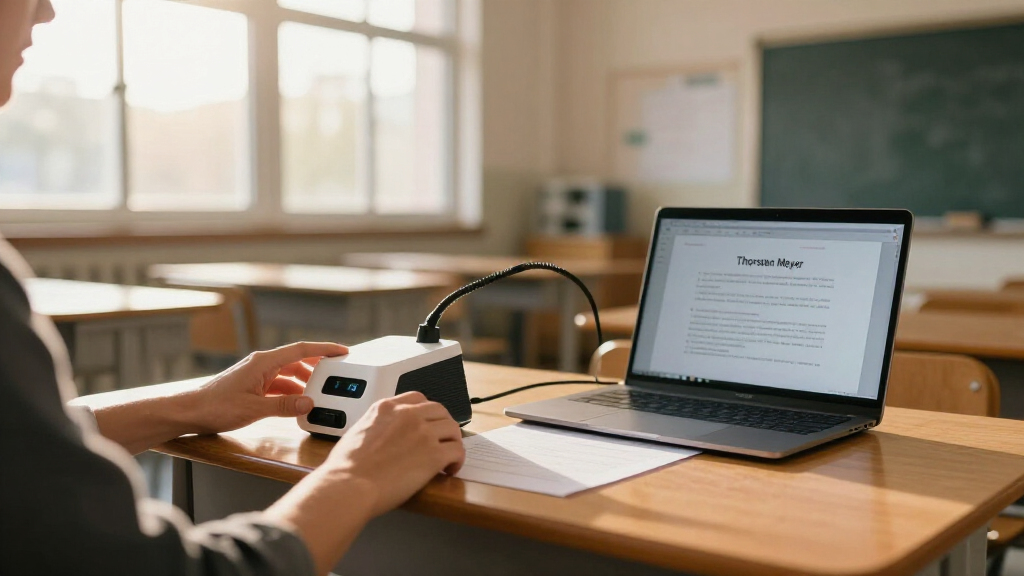
A portable document camera lets teachers share worksheets, textbooks, science demos, and student work on a projector or video call in seconds — but the classroom setting demands things a home office setup does not: fast setup between class periods, durability around students, and compatibility with whatever platform the school uses. My top overall pick is the IPEVO V4K, which balances 8MP image quality, a stable weighted base, and plug-and-play simplicity better than anything else in this lineup. If budget is the deciding factor, the PAKOTOO 8MP covers A3 pages and adds a fill light for far less, while the JOYUSING 8MP Wireless is the standout for teachers who move between rooms or want to cut cables entirely. The main tradeoff you will face here is sensor resolution and connectivity versus price and portability: the cheapest 2MP models struggle with fine text, while the 4K flagship units cost and weigh more. Read on for the full breakdown, including who each model is for and which ones to skip.

Prime made for students and young adults
- Fast, free delivery for dorm and study essentials
- Prime Video and Amazon Music included
- Member-only deals
Key Takeaways
- 8MP is the classroom sweet spot: every top-five finisher in this comparison uses an 8MP or higher sensor, because 2MP and 3MP models (the AlKOR 2MP, generic visualizer cams) blur small text when projected on a large screen.
- A3 coverage matters more than teachers expect — the PAKOTOO and TreasLin models with A3/A4 capture handle full textbook spreads and group work, while A4-only models like the INSWAN INS-1 force you to crop or reposition constantly.
- Wireless capability changed the ranking: the JOYUSING 8MP’s built-in 7200mAh battery and WiFi freed it from the podium, making it the clear pick for floating teachers and mobile demo carts despite its higher complexity.
- Foldability varies widely — the INSWAN INS-Flip 4 (0.67 lbs) and IPEVO V4K fold into a bag pocket, while multi-angle TreasLin units trade portability for shooting flexibility like portrait and low-angle capture.
- Built-in lights and dual microphones are no longer premium features: mid-priced models like the THUSTAR and PAKOTOO now include both, so paying extra for a 4K sensor alone is only worth it for art classes and detailed close-up work.
| USB Document Camera for Teachers, Manual Focus Webcam with Mic, Visualizer |  | Best Budget Pick | Resolution: 2MP / 1080p | Frame Rate: 30 fps | Focus: Manual (rotating lens) | VIEW LATEST PRICE | See Our Full Breakdown |
| INSWAN INS-1 Classic USB Document Camera and Webcam, 8MP |  | Best Overall | Resolution: 8MP stills / 1080p video | Max Still Resolution: 3264 × 2448 pixels | Frame Rate: 30 fps | VIEW LATEST PRICE | See Our Full Breakdown |
| INSWAN INS-Flip 4 Foldable 4K 13MP Document Camera |  | Best Premium Portable Pick | Resolution: 13MP stills / 4K (3840 × 2160) video | Frame Rate: 30 fps | Focus: Autofocus, macro from 10 cm | VIEW LATEST PRICE | See Our Full Breakdown |
| THUSTAR 8MP Document Camera and Webcam with Dual Microphones |  | Best for Well-Lit Demos | Resolution: 8MP / 2448P | Frame Rate: 30 fps | Lighting: 14 LEDs, 3 brightness levels | VIEW LATEST PRICE | See Our Full Breakdown |
| PAKOTOO 8MP USB Document Camera for Teachers and Classroom, A3/A4 Size |  | Best Value 8MP Pick | Resolution: 8MP / 2448P | Connection: USB 2.0 (USB-C cable) | Max Coverage Area: 16.5″ × 11.6″ (A3) | VIEW LATEST PRICE | See Our Full Breakdown |
| IPEVO V4K 8MP Ultra HD USB Document Camera |  | Best Overall | Camera resolution: 8 MP | Maximum image resolution: 3264 × 2448 pixels | Frame rate: Up to 30 fps at Full HD; 15 fps at max resolution | VIEW LATEST PRICE | See Our Full Breakdown |
| AlKOR 2MP 3-in-1 Document Camera with Manual Focus and Built-in Microphone |  | Best Value Pick | Video resolution: 1080p Full HD at 30 fps | Effective still resolution: 2 MP | Zoom: 2x optical, 10x digital | VIEW LATEST PRICE | See Our Full Breakdown |
| 4K USB Document Camera with 8MP Sensor, Dual Microphones, LED Light, and Foldable Design (Kitchbai) |  | Best for Dim Classrooms | Resolution: 8MP / 2448P | Frame rate: 30 fps | Max capture area: A3 (16.5″ x 11.6″) | VIEW LATEST PRICE | See Our Full Breakdown |
| TreasLin Document Camera for Teachers, HDMI/USB-C, 15MP with LED Light and Multi-Angle Rotation |  | Best for Projector-First Classrooms | Sensor: 15MP CMOS | Video modes: 4K@15Hz, 1080P@30Hz, 720P@30Hz | Coverage area: A3 (16.5″ x 11.7″) | VIEW LATEST PRICE | See Our Full Breakdown |
| JOYUSING 8MP Wireless Document Camera with WiFi/USB/VGA/HDMI and 7200mAh Battery |  | Best Portable / Cable-Free Setup | Resolution: 8MP still, 1080p @ 30 fps video | Connectivity: WiFi, USB, VGA, HDMI | Battery: 7200mAh, up to 6 hours | VIEW LATEST PRICE | See Our Full Breakdown |
| OKIOCAM S-4K 8MP USB Document Camera for Teachers with OKIOPoint |  | Best for Engaging Live Lessons | Sensor: 8MP Sony Exmor R CMOS | Max resolution: 3264 x 2448 stills | Frame rate: 30fps at 1080p; 15fps at max resolution | VIEW LATEST PRICE | See Our Full Breakdown |
| INSWAN INS-2 UHD 4K 13MP Document Camera |  | Best Image Quality | Resolution: 4K Ultra HD (3840 x 2160) | Frame rate: 30 fps | Sensor: 13MP Sony | VIEW LATEST PRICE | See Our Full Breakdown |
| INSWAN INS-3 Handheld USB Document Camera |  | Best for Hands-On Demos | Max resolution: 2560 x 1920 (2K) | Frame rate: 30 fps | Effective still resolution: 5MP | VIEW LATEST PRICE | See Our Full Breakdown |
| TreasLin 10MP USB Document Camera with LED Light |  | Best Budget Workhorse | Sensor: 10MP | Resolution and frame rate: 2160p at 15fps; 1080p at 30fps; 720p at 30fps | Max coverage: A3 paper | VIEW LATEST PRICE | See Our Full Breakdown |
| JOYUSING V500 13MP 4K Document Camera |  | Best for Direct Projection | Sensor: 13MP 1/3-inch CMOS | Video resolution: 4K at 30 fps; 1080p at 60 fps | Connectivity: HDMI, VGA, USB 2.0 | VIEW LATEST PRICE | See Our Full Breakdown |
| portable document cameras for classroom | Compatibility | Connectivity | Frame Rate | Resolution |
|---|---|---|---|---|
| USB Document Camera for Teache | Windows, Mac, Chromebook | — | 30 fps | 2MP / 1080p |
| INSWAN INS-1 Classic USB Docum | Windows, Mac, iPad, Chromebook | — | 30 fps | 8MP stills / 1080p video |
| INSWAN INS-Flip 4 Foldable 4K | Windows, Mac, Chromebook | — | 30 fps | 13MP stills / 4K (3840 × 2160) video |
| THUSTAR 8MP Document Camera an | Windows, macOS, Chrome OS | USB | 30 fps | 8MP / 2448P |
| PAKOTOO 8MP USB Document Camer | Windows, Mac, Chromebook; Zoom, Google Meet, Teams, TikTok | — | — | 8MP / 2448P |
| IPEVO V4K 8MP Ultra HD USB Doc | Mac, Windows, Chromebook | USB | Up to 30 fps at Full HD; 15 fps at max resolution | — |
| AlKOR 2MP 3-in-1 Document Came | Windows, Mac, Chromebook | USB 2.0 / USB-C | — | — |
| 4K USB Document Camera with 8M | Windows 7/8/10/11, macOS 10.11+, Chrome OS 38+ | USB-C plug-and-play | 30 fps | 8MP / 2448P |
| TreasLin Document Camera for T | Windows, Mac OS, Chrome OS, Linux, Chromebook | USB-C, HDMI | — | — |
| JOYUSING 8MP Wireless Document | Windows XP–11, macOS 10–14, Chromebook, Android | WiFi, USB, VGA, HDMI | — | 8MP still, 1080p @ 30 fps video |
| OKIOCAM S-4K 8MP USB Document | Windows, Mac, Chromebook, iOS, interactive displays | USB 2.0, plug and play | 30fps at 1080p; 15fps at max resolution | — |
| INSWAN INS-2 UHD 4K 13MP Docum | Windows 7+, macOS 13.5+, iPadOS 17+ (USB-C), Chromebook 38.0+ | UVC plug-and-play USB | 30 fps | 4K Ultra HD (3840 x 2160) |
| INSWAN INS-3 Handheld USB Docu | Windows 7+, macOS 13.5+, iPadOS 17+ (USB-C), Chromebook 38.0+ | UVC plug-and-play USB | 30 fps | — |
| TreasLin 10MP USB Document Cam | Windows, Mac, Chromebook; Zoom, Teams, Google Meet, OBS, Skype | USB 3.0 Type B with USB 2.0 hub | — | — |
| JOYUSING V500 13MP 4K Document | Mac, Windows, Chromebook | HDMI, VGA, USB 2.0 | — | — |
More Details on Our Top Picks
USB Document Camera for Teachers, Manual Focus Webcam with Mic, Visualizer
This is the lowest-resolution camera in the lineup at 2MP/1080p, but that limitation is also its selling point: it costs far less than the 8MP and 13MP options while still handling basic worksheet sharing and live demos. The manual focus lens is a deliberate tradeoff — unlike the autofocus on the PAKOTOO or THUSTAR models, you rotate the ring yourself, which means no hunting or pulsing blur mid-lesson, but also no instant refocus when you swap between a workbook and a 3D object. Its 20.4-inch reach is taller than most foldable rivals, giving it an edge for showing larger spreads. Just know it must be tethered to a computer and won’t work with iPads or phones, unlike the INSWAN INS-1.
Pros:- Manual focus eliminates autofocus blur during sustained close-up work
- 20.4-inch reach accommodates larger documents and objects
- 3-in-1 flexibility as document camera, webcam, and visualizer
- Folds compactly for storage in a shared classroom cart
Cons:- 2MP/1080p resolution is noticeably softer than the 8MP standard elsewhere in this roundup
- Computer required — no phone or iPad compatibility
- Manual focus means constant adjustment when materials change
Best for: Teachers on tight budgets who mainly display one type of material at a time and don’t mind dialing focus manually
Not ideal for: Anyone switching between documents and 3D objects frequently, or iPad-based classrooms — autofocus and tablet support are absent
- Resolution:2MP / 1080p
- Frame Rate:30 fps
- Focus:Manual (rotating lens)
- Max Height:20.4 inches
- Rotation:360 degrees
- Microphone:Built-in noise-reducing
- Connection:USB-C
- Compatibility:Windows, Mac, Chromebook
Our verdict“A serviceable entry point for cash-strapped classrooms that mostly share flat documents and can live with 1080p clarity.”
INSWAN INS-1 Classic USB Document Camera and Webcam, 8MP
The INS-1 earns the top spot because it nails the fundamentals teachers actually touch every day: reliable autofocus, an 8MP sensor with true 3264 × 2448 still capture, and built-in LED lighting with seven brightness steps — more granular control than the three-level lights on the PAKOTOO or THUSTAR. Its macro focus down to 10 cm makes science demos and art detail work practical, and the bundled software adds annotation and recording without extra subscriptions. It even works with iPads, which the budget 2MP model and PAKOTOO can’t manage. Compared with the INS-Flip 4, it gives up 4K resolution and pocket-sized portability, but its multi-joint desk stand feels sturdier for daily classroom abuse. The USB-A connection is the one friction point on modern MacBook-only setups.
Pros:- Autofocus with 10 cm macro range handles mixed 2D and 3D materials
- 7-level LED brightness control outclasses rivals’ 3-level lights
- Bundled software covers recording, snapshots, and annotation
- iPad support beyond the usual Windows/Mac/Chromebook trio
Cons:- Streams at 1080p despite the 8MP still capability
- USB-A connection needs an adapter on newer USB-C-only laptops
- Not as compact as folding rivals like the INS-Flip 4
Best for: Classroom teachers who want one dependable do-everything camera for daily demos, annotation, and hybrid lessons
Not ideal for: Teachers who travel between buildings or present in 4K — the desk-bound design and 1080p streaming cap are real limits
- Resolution:8MP stills / 1080p video
- Max Still Resolution:3264 × 2448 pixels
- Frame Rate:30 fps
- Focus:Autofocus, macro from 10 cm
- Lighting:Built-in LED, 7-segment brightness
- Microphone:Built-in
- Connection:USB-A
- Compatibility:Windows, Mac, iPad, Chromebook
Our verdict“The most balanced pick here — strong image quality, useful software, and lighting flexibility make it the default choice for most classrooms.”
INSWAN INS-Flip 4 Foldable 4K 13MP Document Camera
The INS-Flip 4 is what you buy when image detail and portability both matter. Its 13MP Sony sensor streams genuine 4K at 3840 × 2160 — a clear step above the 8MP INSWAN INS-1 — which pays off when students need to read fine print or examine detailed diagrams on a big screen. At 0.67 lbs and 0.68 inches thick when folded, it slips into a bag pocket the way the INS-1 simply can’t, and the metal base accepts magnets for mounting on whiteboard partitions to free up desk space. Macro capture from 3.9 inches beats the INS-1’s 10 cm range. The tradeoffs: a maximum arm height of 11.81 inches limits coverage of tall objects, and 4K streaming demands a reasonably capable computer to keep up at 30 fps.
Pros:- True 4K streaming from a 13MP Sony sensor
- Pencil-case-size folding design with carry pouch
- Macro capture from just 3.9 inches
- Magnet-friendly metal base enables wall or partition mounting
Cons:- 11.81-inch max arm height is shorter than several 8MP rivals
- 4K at 30 fps requires a capable host computer
- Premium build commands a premium over the 8MP field
Best for: Traveling specialists, tutors, and presenters who carry their gear daily and need maximum visual detail
Not ideal for: Classrooms wanting to capture very large spreads — the arm height and B4-plus coverage fall short of the THUSTAR’s A3 reach with room to spare
- Resolution:13MP stills / 4K (3840 × 2160) video
- Frame Rate:30 fps
- Focus:Autofocus, macro from 10 cm
- Weight:0.67 lbs (305 g)
- Folded Size:8.58″ × 2.46″ × 0.68″
- Max Arm Height:11.81 inches
- Coverage:Documents larger than B4
- Connection:USB 2.0 Type-A
- Compatibility:Windows, Mac, Chromebook
Our verdict“The pick for detail-obsessed presenters on the move — unmatched clarity and packability if your machine can keep up.”
THUSTAR 8MP Document Camera and Webcam with Dual Microphones
Where the THUSTAR pulls ahead of similarly-priced 8MP rivals is illumination: 14 LED beads with three brightness levels give it more total light output than the PAKOTOO’s 3-level array, which matters in dim classrooms or evening tutoring sessions. It matches the PAKOTOO on A3 coverage and adds dual noise-reducing microphones that outperform the single sealed mics on the budget 2MP options. The one-touch autofocus is a compromise — it locks on demand rather than tracking continuously, so it’s steadier than hunting autofocus for static worksheets, but you’ll need to tap again after moving objects, unlike the always-adjusting INSWAN INS-1. Foldability makes it easy to move between rooms, though it isn’t as slim as the INS-Flip 4.
Pros:- 14-LED array with adjustable brightness outshines most rivals
- A3-size coverage for full-page and spread capture
- Dual noise-reducing microphones suit narration-heavy lessons
- Foldable design travels between classrooms easily
Cons:- Autofocus doesn’t track moving objects continuously
- Published coverage dimensions are inconsistent, so verify A3 fit before buying
- Bulkier folded footprint than ultra-slim options like the INS-Flip 4
Best for: Teachers in poorly lit rooms or evening tutors who need strong fill lighting plus solid voice pickup
Not ideal for: Fast-paced demos with constantly moving objects — the on-demand autofocus requires manual re-tapping each time
- Resolution:8MP / 2448P
- Frame Rate:30 fps
- Lighting:14 LEDs, 3 brightness levels
- Capture Area:Up to A3
- Focus:One-touch autofocus
- Microphones:Dual noise-reducing
- Connectivity:USB
- Compatibility:Windows, macOS, Chrome OS
Our verdict“A strong mid-range choice when lighting is your biggest classroom challenge and you’re willing to manage focus manually at times.”
PAKOTOO 8MP USB Document Camera for Teachers and Classroom, A3/A4 Size
The PAKOTOO delivers the core 8MP experience at a friendlier price than the INSWAN INS-1, and for many classrooms the differences won’t matter. You get the same resolution class, fast autofocus, A3 coverage, dual mics, and a 3-level LED light — plus 10-level exposure adjustment, which is finer-grained brightness control than the THUSTAR offers and handy for balancing glare off glossy textbook pages. The hardware image-inversion button flips orientation without touching software, a small convenience that saves fumbling mid-lesson. The catch: it’s not truly plug-and-play — you have to select ‘USB Camera’ in system settings each time — and there’s no iPad support or HDMI output, both of which the INS-1 and standalone HDMI models handle better.
Pros:- 8MP/2448P resolution with fast autofocus at an accessible price
- 10-level exposure adjustment handles glare and lighting variation well
- Hardware image-inversion button works without software
- Foldable multi-joint arm captures both 2D pages and 3D objects
Cons:- Requires manually selecting ‘USB Camera’ in system settings — not plug-and-play
- No zoom or HDMI output
- Not compatible with iPad
Best for: Budget-conscious teachers who want 8MP quality and A3 coverage without paying premium-brand pricing
Not ideal for: iPad classrooms or anyone expecting true plug-and-play — the settings switch and lack of tablet support add friction
- Resolution:8MP / 2448P
- Connection:USB 2.0 (USB-C cable)
- Max Coverage Area:16.5″ × 11.6″ (A3)
- LED Light:3 brightness levels
- Exposure Adjustment:10 levels
- Microphone:Dual mics
- Macro Capture:Objects as small as 3.94″
- Compatibility:Windows, Mac, Chromebook; Zoom, Google Meet, Teams, TikTok
Our verdict“The smart value play — near-premium image quality for standard classrooms, as long as you can tolerate a slightly clunkier setup routine.”
IPEVO V4K 8MP Ultra HD USB Document Camera
The IPEVO V4K earns the top spot because it gets the fundamentals right where classroom use demands them: 8MP capture, smooth Full HD streaming, and a multi-jointed stand that holds its position when a teacher is mid-demonstration. The Sony CMOS sensor delivers cleaner color and less noise than the generic sensors in models like the AlKOR 3-in-1, which matters when students are reading fine print from the back of a room on a projector. Fast focusing means less awkward dead time when swapping between a worksheet and a textbook — a weakness of button-triggered models like the Kitchbai 4K, where focus has to be manually refreshed. The tradeoff is unglamorous but real: streaming performance leans on your computer meeting spec, and it must be recognized as a UVC camera by your chosen software.
Pros:- High 8MP resolution with Sony CMOS sensor for accurate color and low noise
- Fast focusing keeps live demonstrations flowing
- Multi-jointed stand holds precise angles without drifting
- Broad compatibility across Mac, Windows, and Chromebook
Cons:- Streaming quality drops if the host computer falls short of stated requirements
- Relies on software recognizing it as a UVC camera
- No built-in light for dim classrooms
Best for: Teachers who need a dependable daily-driver document camera for live lessons, hybrid teaching, and recorded content
Not ideal for: Classrooms wanting a computer-free setup — the V4K has no HDMI output or battery, so it always needs a connected laptop
- Camera resolution:8 MP
- Maximum image resolution:3264 × 2448 pixels
- Frame rate:Up to 30 fps at Full HD; 15 fps at max resolution
- Image sensor:Sony CMOS
- Maximum shooting area:13.46 × 10.04 inches
- Connectivity:USB
- Compatibility:Mac, Windows, Chromebook
Our verdict“If you want one camera that handles daily classroom duty without excuses, this is the safest pick in the lineup.”
AlKOR 2MP 3-in-1 Document Camera with Manual Focus and Built-in Microphone
The AlKOR 3-in-1 makes the list as the budget-friendly entry point, and its case rests on versatility per dollar rather than raw image quality. The 360-degree rotatable lens on a flexible hose lets it double as a webcam and visualizer — something the fixed-stand IPEVO V4K can’t match — while the built-in noise-reducing microphone covers audio for teachers who don’t want a separate mic. Manual focus is framed as a feature here, and honestly it solves the focus-hunting problem that plagues cheap autofocus cameras. The compromise is sharp: at 2MP still resolution, text and artwork look noticeably softer than the 8MP IPEVO V4K or Kitchbai, so it’s better for showing objects than dense documents.
Pros:- Flexible hose and 360-degree rotating lens make webcam conversion effortless
- Manual focus eliminates autofocus hunting mid-lesson
- Built-in noise-reducing microphone saves buying a separate mic
- Very light at 1.1 pounds for carrying between classrooms
Cons:- 2MP still resolution is the lowest in this roundup
- Requires a computer — no iPad or phone support
- Manual focus means constant hands-on adjustment when switching materials
Best for: Student teachers and educators on tight budgets who need one affordable device for webcam duty, demos, and video calls
Not ideal for: Anyone displaying detailed worksheets or small text — 2MP resolution won’t hold up on a large projector
- Video resolution:1080p Full HD at 30 fps
- Effective still resolution:2 MP
- Zoom:2x optical, 10x digital
- Focus type:Manual
- Microphone:Built-in sealed silicon, noise-reducing
- Connectivity:USB 2.0 / USB-C
- Max height:20.4 inches
- Weight:1.1 pounds
- Compatibility:Windows, Mac, Chromebook
Our verdict“A sensible low-cost starter camera for teachers who value flexibility over image fidelity.”
4K USB Document Camera with 8MP Sensor, Dual Microphones, LED Light, and Foldable Design (Kitchbai)
The Kitchbai 8MP occupies the middle ground between the IPEVO V4K and the AlKOR: near-identical resolution to the former at a friendlier footprint, with features the latter lacks entirely. Its standout is the 3-level adjustable LED light, which makes it the pick for rooms where overhead lighting is inconsistent or shut off for screen viewing — neither the V4K nor the AlKOR offers any illumination. Add dual noise-reducing microphones and A3 capture (larger than the V4K’s shooting area), and it covers most classroom scenarios well. The frustration is focus: it’s triggered by button rather than running continuously, so every repositioning of a document needs a tap. That’s a small ritual, but it interrupts the flow the IPEVO handles automatically.
Pros:- 3-level LED light handles dark or mixed lighting conditions
- A3 capture area exceeds the IPEVO V4K’s coverage
- Dual noise-reducing microphones built in
- Foldable multi-joint design packs down small for storage
Cons:- Focus must be manually triggered rather than continuous
- No continuous autofocus mode for live demos
- Macro shooting requires precise 3.94-inch positioning
Best for: Teachers in poorly lit rooms who also want built-in mics for recording lessons without extra gear
Not ideal for: Fast-paced demonstrations with frequent material changes — button-triggered focus slows you down
- Resolution:8MP / 2448P
- Frame rate:30 fps
- Max capture area:A3 (16.5″ x 11.6″)
- Macro distance:3.94 inches
- LED light:3-level adjustable brightness
- Microphones:Dual silicon, noise-reducing
- Connectivity:USB-C plug-and-play
- Compatibility:Windows 7/8/10/11, macOS 10.11+, Chrome OS 38+
Our verdict“The right choice when classroom lighting is your biggest problem and built-in mics are a bonus.”
TreasLin Document Camera for Teachers, HDMI/USB-C, 15MP with LED Light and Multi-Angle Rotation
The TreasLin 15MP is the only camera in this batch that plugs directly into a TV, monitor, or projector via HDMI — no computer in the loop at all. That’s a genuine advantage for classrooms where a laptop isn’t part of the daily routine, and the TF card slot even lets you snap and store images in standalone HDMI mode. Its 15MP sensor out-resolves everything here on paper, though the catch is that 4K video runs at just 15Hz, so smooth motion requires dropping to 1080p — where the IPEVO V4K’s 30 fps feels noticeably more fluid. Driver-free setup across Windows, Mac, Chrome OS, and Linux, plus a built-in LED, round out a compelling package for display-centric rooms.
Pros:- Direct HDMI connection to projectors and TVs without a computer
- 15MP sensor is the highest still resolution in this batch
- TF card slot enables standalone image capture in HDMI mode
- Driver-free setup across Windows, Mac, Chrome OS, and Linux
Cons:- 4K mode limited to a choppy 15Hz frame rate
- TF card storage only functions in HDMI mode
- Mac users may need a USB-C adapter
Best for: Teachers who present straight to a projector or TV and want to skip the laptop entirely
Not ideal for: Anyone recording fluid 4K video — the 15Hz cap at 4K makes motion choppy versus 1080p alternatives
- Sensor:15MP CMOS
- Video modes:4K@15Hz, 1080P@30Hz, 720P@30Hz
- Coverage area:A3 (16.5″ x 11.7″)
- Connectivity:USB-C, HDMI
- Storage:TF card slot (HDMI mode only)
- Lighting:Built-in LED light
- Driver required:No
- Compatibility:Windows, Mac OS, Chrome OS, Linux, Chromebook
Our verdict“Buy it for the HDMI-direct workflow and high resolution; skip it if smooth 4K motion is the goal.”
JOYUSING 8MP Wireless Document Camera with WiFi/USB/VGA/HDMI and 7200mAh Battery
The JOYUSING wireless is built for teachers who move — between classrooms, to auditoriums, or into distance-learning setups at home. With four connection modes (WiFi, USB, VGA, HDMI) and a 7200mAh battery good for roughly 6 hours, it can run an entire school day untethered, something no other camera here can claim; even the TreasLin, which shares HDMI output, still needs wall power. WiFi streaming plus Android support opens up tablet-based workflows the computer-only AlKOR and IPEVO V4K simply can’t touch. Onboard SD storage for JPEG and MP4 files means recordings live on the camera, not your laptop. The downsides: software must be manually downloaded from the manufacturer’s site rather than installing plug-and-play, and the fixed aperture removes any advanced exposure control.
Pros:- Four connection modes (WiFi, USB, VGA, HDMI) cover nearly any display or device
- 6-hour battery enables a full day without outlets
- Works with Android and Chromebook, not just desktop OSes
- SD card expansion for onboard JPEG and MP4 recording
Cons:- Software must be manually downloaded from the manufacturer’s website
- Fixed aperture limits control in tricky lighting
- Video tops out at 1080p despite the 8MP sensor
Best for: Roaming teachers and presenters who need a battery-powered camera that works anywhere, on any display or device
Not ideal for: Users who expect plug-and-play simplicity — the required manual software download adds friction on day one
- Resolution:8MP still, 1080p @ 30 fps video
- Connectivity:WiFi, USB, VGA, HDMI
- Battery:7200mAh, up to 6 hours
- Storage:SD/SDHC/SDXC cards
- File formats:JPEG, MP4
- ISO range:100–3200
- Aspect ratio:16:9
- Compatibility:Windows XP–11, macOS 10–14, Chromebook, Android
Our verdict“The pick for untethered teaching — just budget ten minutes for the manual software install.”
OKIOCAM S-4K 8MP USB Document Camera for Teachers with OKIOPoint
The OKIOCAM S-4K stands out for something no other camera in this lineup offers: the OKIOPoint AI pointer, which lets the camera automatically zoom in and follow wherever a teacher points on the page. For live demos and hybrid lessons, that tracking turns a static overhead shot into something closer to a directed broadcast. Compared with the IPEVO V4K, the S-4K matches the 8MP Sony sensor quality but adds onboard exposure, zoom, and flip buttons, so teachers aren’t fumbling through software mid-lesson. The fold-flat design fits a letter-size page in landscape despite the small footprint, and the hinges were lab-tested through 10,000 rotations — a real durability signal for daily classroom abuse. The tradeoff: full HD streams at 30fps, but max resolution drops to 15fps, so the INSWAN INS-2 is smoother if you need 4K at full frame rate.
Pros:- Unique OKIOPoint AI pointer that auto-zooms and follows where you point
- Onboard buttons for exposure, zoom, focus, and 180-degree flip
- Compact folding design that still captures letter-size pages in landscape
- Hinges tested to over 10,000 rotations for classroom durability
Cons:- Frame rate drops to 15fps at maximum 3264×2448 resolution
- OKIOPoint and annotation features depend on OKIOCAM’s own software rather than working everywhere
Best for: Teachers who present live, dynamic lessons and want AI-assisted zoom tracking without touching software controls
Not ideal for: Schools recording high-frame-rate 4K video — the 15fps cap at maximum resolution falls short of the INSWAN INS-2
- Sensor:8MP Sony Exmor R CMOS
- Max resolution:3264 x 2448 stills
- Frame rate:30fps at 1080p; 15fps at max resolution
- Capture size:Letter-size in landscape
- Connectivity:USB 2.0, plug and play
- Compatibility:Windows, Mac, Chromebook, iOS, interactive displays
- Weight:269 g
Our verdict“This is the pick for teachers who want their document camera to actively participate in the lesson rather than just sit overhead.”
INSWAN INS-2 UHD 4K 13MP Document Camera
If raw image fidelity is the priority, the INSWAN INS-2 makes a strong case with a 13MP Sony sensor recording true 4K at a full 30fps — a combination neither the OKIOCAM S-4K nor the IPEVO V4K can match. That resolution headroom matters for art teachers showing fine detail, or for zooming into a textbook diagram without it turning to mush. The flexible multi-joint arm covers documents up to A3, and the built-in LED plus anti-glare sheet handle the glossy-page reflections that plague cheaper cameras. Unlike the handheld INSWAN INS-3, this one sits anchored on the desk, which suits teachers who work hands-free. The Documate software adds annotation, OCR, and recording for free. Tradeoffs: the 3.9-inch minimum focus distance limits extreme close-ups, and iPad use requires a USB-C port — older Lightning iPads are out.
Pros:- True 4K at 30fps from a 13MP Sony sensor, the sharpest image in this batch
- Covers documents and artwork up to A3 size
- Built-in LED light, microphone, and included anti-glare sheet
- Documate software bundles annotation, OCR, scanning, and recording at no extra cost
Cons:- 3.9-inch minimum focus distance limits very close macro work
- No iPad support without a USB-C port
Best for: Art teachers, science demos, and anyone displaying large A3 materials or fine visual detail
Not ideal for: Owners of Lightning-port iPads — USB-C is required for tablet use
- Resolution:4K Ultra HD (3840 x 2160)
- Frame rate:30 fps
- Sensor:13MP Sony
- Max document size:A3
- Minimum focus distance:3.9 inches
- Connectivity:UVC plug-and-play USB
- Compatibility:Windows 7+, macOS 13.5+, iPadOS 17+ (USB-C), Chromebook 38.0+
- Lighting and audio:LED light, built-in microphone, anti-glare sheet
Our verdict“The INS-2 is the choice when image clarity is non-negotiable and the material being shown is large or detail-rich.”
INSWAN INS-3 Handheld USB Document Camera
Every other camera here is mounted; the INSWAN INS-3 is meant to be picked up. That single design difference changes what a teacher can do: instead of rotating an object under a fixed lens, you bring the camera to the object — ideal for showing a dissection from multiple angles, walking a camera around an architecture model, or demonstrating a craft technique from the student’s point of view. Image quality sits below its sibling the INSWAN INS-2 (2560×1920 rather than 4K), but the handheld freedom is the point, and it still covers material larger than B4 size when set down. The same Documate software with 16x zoom, annotation, and OCR carries over. Real tradeoffs: holding a camera steady while teaching takes practice, the fixed cable tethers you to the computer, and there’s no dock arm for traditional overhead document work — the PAKOTOO 8MP handles that role better.
Pros:- Handheld design frees you to shoot any object from any angle
- Covers subjects larger than B4 size (15 x 11.22 inches)
- LED light, anti-glare sheet, and 7-segment brightness control handle varied lighting
- Full Documate software suite with 16x zoom, annotation, OCR, and recording
Cons:- No mounting arm — steady overhead capture requires a separate stand or tripod
- Lower resolution than the INSWAN INS-2 (2560×1920 vs 4K)
- Wired USB connection limits how far you can roam
Best for: Teachers doing live physical demonstrations — science labs, crafts, 3D models — from multiple angles
Not ideal for: Teachers who mostly show flat worksheets; a mounted camera like the INSWAN INS-2 is easier for steady page-by-page work
- Max resolution:2560 x 1920 (2K)
- Frame rate:30 fps
- Effective still resolution:5MP
- Capture size:Larger than B4 (15 x 11.22 inches)
- Focus:Dual-mode autofocus with macro mode
- Connectivity:UVC plug-and-play USB
- Compatibility:Windows 7+, macOS 13.5+, iPadOS 17+ (USB-C), Chromebook 38.0+
- Features:LED light, built-in mic, 7-segment brightness, image flip
Our verdict“The INS-3 earns its spot by being the only truly mobile option here — buy it for demos, not for documents.”
TreasLin 10MP USB Document Camera with LED Light
The TreasLin 10MP plays the value card in this lineup: it delivers a 10MP sensor, A3 coverage, adjustable LED lighting, and a multi-joint rotating arm for noticeably less than the premium names here. Compared with the IPEVO V4K, it actually ups the megapixel count and adds a built-in USB 2.0 hub — handy for plugging in a USB headset or microphone so you don’t chase extra ports on a classroom desktop. It works plug-and-play with the usual conferencing apps, and manual image-flip controls fix the mirrored output some platforms produce. But the compromises show where money was saved: 4K mode runs at just 15fps, so smooth motion means dropping to 1080p, and there’s no bundled annotation software like INSWAN’s Documate — you rely entirely on third-party apps. Build is serviceable rather than refined.
Pros:- 10MP sensor and A3 coverage at an accessible price point
- Built-in USB 2.0 hub for headsets, microphones, or flash drives
- Multi-joint arm with free rotation for 2D and 3D object capture
- Adjustable LED light and manual image-flip controls
Cons:- 4K mode limited to 15fps; smooth motion requires dropping to 1080p
- No bundled teaching software — depends entirely on third-party apps
- Build quality is functional but less refined than OKIOCAM or INSWAN rivals
Best for: Budget-conscious schools equipping multiple classrooms where ‘good enough at 1080p’ beats ‘perfect at 4K’
Not ideal for: Anyone needing smooth 4K motion capture or built-in annotation tools — the INSWAN INS-2 covers both
- Sensor:10MP
- Resolution and frame rate:2160p at 15fps; 1080p at 30fps; 720p at 30fps
- Max coverage:A3 paper
- Connectivity:USB 3.0 Type B with USB 2.0 hub
- Compatibility:Windows, Mac, Chromebook; Zoom, Teams, Google Meet, OBS, Skype
- Features:LED light, autofocus/manual focus, image reversal, zoom and ISO controls
- Weight:0.59 kg
Our verdict“A sensible bulk-buy for districts that need capable document cameras in every room without premium pricing.”
JOYUSING V500 13MP 4K Document Camera
The JOYUSING V500 solves a problem the other four can’t: it plugs straight into a projector or display via HDMI or VGA — no computer required. For classrooms running a projector without a connected laptop, or for assembly-hall presentations, that direct connection removes an entire layer of setup friction. Compared with the INSWAN INS-2, the V500 matches the 13MP/4K spec and adds a 100x digital zoom plus a remote control, which is genuinely useful when you’re standing at the front of a room. The three-level dimmable LED handles dim classrooms. The tradeoffs are weight and software: at 2 kg it’s the heaviest camera here — this is a carry-between-rooms device, not a slip-in-your-bag one like the OKIOCAM S-4K — and computer use requires downloading software from the manufacturer’s website rather than a bundled disc or automatic install.
Pros:- Direct HDMI and VGA output to projectors and displays without a computer
- 13MP 4K sensor with 100x digital zoom and remote control
- Three-level dimmable LED for low-light rooms
- Complete accessory bundle including HDMI cable, adapter, and remote
Cons:- At 2 kg, it’s the least portable camera in this lineup
- Computer use requires downloading software from the manufacturer’s website
Best for: Teachers presenting through a projector or external display without a computer in the loop
Not ideal for: Traveling or itinerant teachers — at 2 kg it’s far heavier than folding options like the INSWAN INS-Flip 4
- Sensor:13MP 1/3-inch CMOS
- Video resolution:4K at 30 fps; 1080p at 60 fps
- Connectivity:HDMI, VGA, USB 2.0
- Zoom:100x digital
- Focus:Autofocus
- Lighting:Three-level dimmable LED
- Compatibility:Mac, Windows, Chromebook
- Weight:2 kg
Our verdict“The V500 is the pick when the presentation destination is a projector, not a laptop — just don’t plan on carrying it far.”
How We Picked
I evaluated each camera through a classroom-first lens rather than a generic webcam checklist. Image quality on a projector came first: an 8MP sensor resolves student handwriting and textbook diagrams clearly at full-screen size, so models below that threshold had to justify themselves elsewhere (price, size, or simplicity). Setup speed and stability mattered almost as much — teachers get minutes between classes, so plug-and-play USB models with weighted bases outranked fiddlier options that need manual focus or software tweaking. I also weighed coverage area (A3 vs A4), portability (foldability and weight), connectivity (USB, USB-C, HDMI, VGA, WiFi), and extras like fill lights and microphones only when they translated into a real classroom outcome.
The ranking logic is straightforward: the IPEVO V4K leads because it nails the fundamentals without compromise, while value picks like the PAKOTOO and THUSTAR follow closely by matching core performance at a lower price. Premium 4K models (INSWAN INS-2, JOYUSING V500) rank high for specialist use but are flagged as overkill for basic worksheet sharing. Budget and niche models fill the lower slots with honest tradeoffs spelled out — every product here earned a place, but not every product deserves your classroom budget.
Factors to Consider When Choosing Portable Document Cameras For Classrooms
Before you commit to a specific model, it helps to understand what actually separates a camera that gets used daily from one that gathers dust in a cabinet. These are the factors that shaped my rankings — and the mistakes I see teachers make most often when buying.Sensor Resolution: Why 2MP Is Not Enough for Projection
The single most common buying mistake is saving money on resolution. A 2MP or 3MP camera looks fine on a laptop screen, but projectors enlarge the image dramatically — and suddenly that worksheet’s 10-point font turns to mush. An 8MP sensor is the practical minimum for sharing printed text with a full class, and 13MP/4K models buy you the ability to zoom into a single paragraph or show brushstroke detail in an art demo. The honest tradeoff: higher-resolution sensors demand more from your computer and software, and older classroom PCs can stutter with 4K streams. If your school hardware is aging, a well-handled 8MP image beats a stuttering 13MP one every time.
Coverage Area: A3 vs A4 Changes How You Teach
Most teachers underestimate this until the first week of use. An A4-only camera covers one worksheet, but textbooks, picture books, and dual-page spreads demand A3 capture. Without it, you will constantly reposition materials mid-lesson — a small frustration that compounds daily. A3-capable models like the PAKOTOO and TreasLin need taller arms and wider bases, which means more desk footprint and less bag-friendliness. My advice: if you teach younger grades with big-format books, or share student journals side by side, A3 is non-negotiable. Secondary teachers sharing single sheets can happily choose the more portable A4 models.
Connectivity: Match the Camera to Your Display, Not the Other Way Around
This is where classrooms differ most from home offices. A pure USB camera needs a computer in the loop — fine for Zoom lessons and screen sharing, but clumsy if you just want to plug into a projector. Models with HDMI or VGA output connect directly to displays, skipping the PC entirely, which is faster for substitute teachers and non-tech staff. Wireless models like the JOYUSING 8MP add battery-powered freedom for demo carts and room-to-room teaching, at the cost of pairing steps and charging discipline. Check what your projector actually accepts before buying — a camera with only USB-C may need adapters your school doesn’t own.
Portability and Build: What Survives a School Year
Foldable designs like the INSWAN INS-Flip 4 (under 0.7 lbs) slip into a tote, which matters enormously for teachers who don’t have their own classroom. But portability always trades against stability — a light camera on a wobbly arm produces shaky, distracting footage the moment a student bumps the desk. Look for weighted bases and multi-joint locks if the camera will live on a shared table. Also consider who touches it: in elementary settings, cameras with exposed moving joints and dangling cables take a beating, and a slightly heavier, sturdier unit usually outlasts a delicate one by years.
Lights, Microphones, and Extras: Real Value or Box-Tick Features?
Fill lights genuinely help in classrooms with dim overhead lighting or when filming under a shadow-casting arm — the 3-level LED rings on the PAKOTOO and THUSTAR are legitimately useful, not marketing fluff. Dual microphones matter only if the camera doubles as your video-call device; if you already use a headset or classroom mic, don’t pay for microphone quality. Image inversion (flipping the picture when the camera points at you) is quietly one of the most practical features for hybrid teaching. The extras worth skipping: bundled software suites that duplicate what your school platform already does, and smart pointer gimmicks unless you specifically present annotated live demos.
Software Compatibility: The Dealbreaker Nobody Checks First
A brilliant camera that won’t work with your school’s locked-down laptops is a paperweight. Before buying, verify the camera is UVC-compliant (standard USB video class), which lets it run as a webcam with Zoom, Google Meet, Teams, and Chromebooks without installing drivers. This matters most in districts using Chromebooks or managed devices, where teachers often can’t install software at all. Brands like IPEVO and OKIOCAM are notably strong here, with browser-based tools that need no installation. Vendor-specific apps add scanning and annotation features but should be a bonus, never a dependency — assume you’ll sometimes use the camera on hardware where you can’t install anything.
Frequently Asked Questions
Can a document camera work with a Chromebook or school-managed laptop?
Yes, as long as the camera is UVC-compliant, meaning it registers as a standard USB webcam without needing installed drivers. This is the default for most models in this roundup, including the IPEVO V4K, OKIOCAM S-4K, and the INSWAN line, all of which work on Chromebooks, Macs, and Windows machines out of the box. The catch is with bundled software: features like scanning, annotation, and time-lapse capture often require vendor apps that locked-down school devices won’t let you install. Before buying, decide whether you need those extras — if pure live video is the goal, any UVC camera will serve you well on managed hardware.
Is 4K resolution worth paying extra for in a classroom?
For most classrooms, no — 8MP handles textbook text, handwriting, and diagrams clearly at projection size, and it’s why the 8MP IPEVO V4K tops this roundup over pricier 4K models. 4K earns its price in specific situations: art classes showing fine technique, science demos where you zoom into small specimens, or hybrid lessons where remote students view on large screens. There’s also a hardware catch — streaming 4K smoothly requires a reasonably modern computer, and older classroom PCs can drop frames. If your budget is tight, spend the difference on a better base, fill light, or A3 coverage rather than raw resolution.
Do I need a document camera with HDMI, or is USB enough?
USB is enough if a computer is always part of your lesson flow — that’s the case for Zoom classes, Google Meet, and anything you want to record or annotate. HDMI (and VGA on the JOYUSING 8MP) lets the camera plug straight into a projector or monitor with no computer involved, which is genuinely faster for daily worksheet sharing and far friendlier for substitute teachers. The tradeoff is that direct-HDMI setups usually lose recording, zoom controls, and any software-based features. If your school’s projectors are HDMI-ready and you mostly share paper documents, direct connection is a quality-of-life upgrade worth prioritizing.
How important is a built-in microphone and LED light?
A fill light is more useful than most teachers expect, because the camera’s own arm casts shadows across your document and classroom overhead lighting is rarely positioned for overhead capture. Models with adjustable LED rings, like the PAKOTOO and THUSTAR, solve this cleanly. Microphones are more situational: they only matter if the document camera is your primary video-call device. If you teach hybrid lessons with a separate webcam or wear a headset, built-in mics become redundant — and a single decent mic beats dual mics that pick up every chair scrape in the room. Treat the light as a near-necessity and the mics as a nice-to-have.
Can one camera serve multiple classrooms or a shared cart?
Yes, and this is exactly where portability and wireless features pay off. Foldable lightweight models like the INSWAN INS-Flip 4 pack down small enough to live in a tote bag, while battery-powered wireless units like the JOYUSING 8MP eliminate the cable-hunting that slows down cart-based setups. For shared use, prioritize quick setup (plug-and-play USB or direct WiFi) over software-dependent features, since different teachers will use different laptops. One caution: ultra-portable models sacrifice base weight, so a shared cart should include a stable surface to place the camera on. Also check clamp or mounting options if the camera will ride a moving cart regularly.
Conclusion
The right choice here depends less on specs and more on how and where you teach. For the best overall pick, the IPEVO V4K remains the safest bet — dependable 8MP image quality, a rock-solid base, and frictionless compatibility make it right for the widest range of classrooms. Teachers chasing best value should look hard at the PAKOTOO 8MP, which adds A3 coverage, dual mics, and a fill light while undercutting the premium field. At the premium end, the INSWAN INS-2 and JOYUSING V500 deliver 13MP 4K detail for art instruction, science demos, and anyone who zooms into fine work regularly. For beginners or non-technical staff, the INSWAN INS-1 Classic is nearly foolproof — plug it in and it works. And for specific needs: the JOYUSING 8MP Wireless for floating teachers and demo carts, the TreasLin 15MP for multi-angle creative capture, and the ultra-light INSWAN INS-Flip 4 for teachers whose camera must fit in a bag. Whatever you choose, resist paying for resolution you won’t project and features you won’t use — the best classroom camera is the one that’s running thirty seconds after the bell.
Fall Picks
fall essentials
As an affiliate, we earn on qualifying purchases.